How to Clean JavaScript: A Practical Guide
A practical, step-by-step guide to cleaning JavaScript code—linting, formatting, removing dead code, and maintaining consistency. Perfect for aspiring developers, frontend enthusiasts, and professionals seeking a maintainable codebase.


If you’re wondering how to clean javascript, start with a repeatable workflow: identify problems, apply linting and formatting, remove dead code, and refactor for readability. Implement automated checks and modular design to keep future work predictable. According to JavaScripting, consistency in style and structure reduces bugs and speeds onboarding, making cleanup a collaborative, ongoing habit.
Why code cleanliness matters in JavaScript
Clean, maintainable code saves time, reduces bugs, and makes collaboration easier. When you’re learning how to clean javascript, you’re not just chasing prettier syntax—you’re building a codebase that teamwork can sustain, scale, and improve. JavaScript projects grow quickly; without discipline, technical debt sneaks in through duplicated logic, tangled imports, and inconsistent style. The result is longer debugging sessions, harder onboarding, and brittle feature changes. By prioritizing cleanliness, you create a stable foundation for front-end features, server-side scripts, and utility libraries alike.
According to JavaScripting, teams that emphasize a written standard for style and structure report smoother handoffs between developers and fewer context-switch errors. The JavaScripting team found that small, regular cleanups outperform sporadic, large rewrites. In practice, that means integrating linting, formatting, and lightweight refactoring into your daily workflow so issues stay small and obvious. In this section you’ll learn the core reasons to invest in cleanliness, plus the concrete signals that your project is getting cleaner rather than messier.
Defining a clean JavaScript baseline
A clean baseline is not about chasing perfection; it’s about establishing boundaries that everyone can respect. Start with modular design: break features into small, focused modules with clear interfaces. Use meaningful names and consistent patterns for functions, classes, and variables. Keep global scope lean and avoid shadowing. Minimize side effects by favoring pure functions where practical, and document non-obvious decisions with short comments that add value rather than noise. A clean baseline also means a predictable file structure, with index files re-exporting modules and a centralized entry point for initialization. Adopting a project-wide convention reduces cognitive load when onboarding new developers. JavaScripting analysis shows teams that agree on a baseline are faster to implement new features without regressing into messy code.
Next, align on a readable style—consistent indentation, semicolon usage, and quote preferences—so diffing and reviews focus on logic, not formatting.
Tools you need to clean JavaScript
Clean JavaScript relies on the right toolkit. At minimum, install Node.js and npm to run tooling locally. ESLint helps enforce a stable rule set that catches common pitfalls before they become bugs. Prettier ensures consistent formatting across the codebase, reducing debates about style in pull requests. For teams, add git hooks (eg. Husky) and lint-staged to run checks on staged changes, so you never commit unclean code. Consider a lightweight CSS/JS style checker if you touch UI files (Stylelint for CSS and related CSS-in-JS patterns). Finally, a simple CI check that runs lint and unit tests on every merge guarantees ongoing quality. According to JavaScripting, a small but well-chosen set of tools yields the most durable gains.
Having the right tools is not enough; you must configure them wisely to avoid conflicts and false positives.
Step-by-step workflow for cleaning code
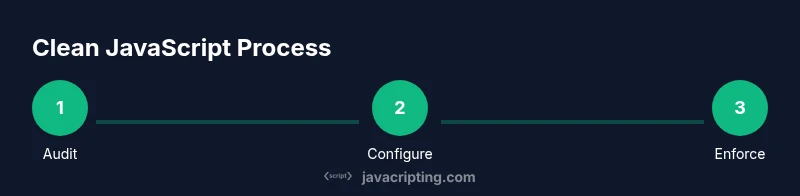
A repeatable workflow makes cleaning JavaScript reliable. Start by auditing the codebase to identify hotspots: duplicated logic, long functions, and inconsistent formatting. Next, configure ESLint with a reasonable rule set and enable auto-fix for straightforward issues. Run lint to surface problems, then fix by hand when needed to preserve intent. Introduce Prettier for consistent formatting and run it as part of your pre-commit and CI pipelines. Refactor long or complex modules into smaller, testable units, and add or update unit tests to protect behavior during cleanup. Finally, set up automated checks in CI to ensure future changes don’t regress cleanliness. Pro tip: run the cleanup on a feature branch and review diffs incrementally to avoid large, disruptive changes.
For tricky refactors, keep a changelog entry describing the rationale and expected impact. As you accumulate changes, you’ll see a cleaner baseline emerge that’s easier to understand and extend.
Practices for maintenance and consistency
Maintaining code cleanliness is a governance problem as much as a technical one. Establish a living style guide covering naming conventions, module boundaries, and idiomatic patterns. Use a shared ESLint config and a Prettier config committed to the repository so contributors follow the same rules. Enforce formatting in pull requests with automated checks and require passing tests before merge. Write meaningful commit messages that reflect intent rather than outcomes (e.g., chore(style): format codebase; feat(ui): extract Button component). Document decision-making in a central README or wiki so new developers can align quickly. Regularly review and prune deprecated patterns as the project evolves. JavaScripting’s guidance emphasizes that ongoing governance is what turns a one-off cleanup into a durable habit.
Common pitfalls and how to avoid them
One common pitfall is treating linting and formatting as optional, which allows drift over time. Avoid over-reliance on auto-fixers; some issues require human judgment to preserve intent. Do not ignore build or test failures; they usually signal deeper problems masked by formatting. Mixing different lint configurations across packages creates confusion; ensure a single source of truth. Resist the urge to rewrite large swaths of code in one go—small, incremental cleanups are safer and more maintainable. Finally, avoid feature churn during cleanup; pair cleanup sprints with feature development to minimize context switching. By anticipating these pitfalls, you preserve momentum and keep the project healthy.
Case studies and practical examples
Case A: A mid-sized React app with duplicated utilities. After introducing a centralized utility module, ESLint rules to enforce no duplicates, and a Prettier configuration, developers reduced repeated logic across components and improved readability. The migration was staged: first local components, then shared hooks, then services. The result was clearer data flow and easier testing. Case B: A vanilla JS project with inconsistent spacing and many single-use helpers. Refactoring to small, well-named helpers with explicit exports cut down the cognitive load and simplified onboarding. These examples illustrate how small, deliberate changes cumulatively raise the baseline quality of the codebase.
These practical scenarios show how consistent tooling and disciplined refactoring yield tangible benefits without requiring a complete rewrite.
Automating the clean-up process
Automation is the key to sustaining code hygiene. Integrate ESLint and Prettier into your development workflow and enforce with pre-commit hooks. Configure lint-staged so only staged changes are checked, keeping the feedback loop fast. On CI, run lint, tests, and a quick code-review pass to catch drift early. Consider periodic cleanups as a dedicated task, with clear ownership and a checklist. Automated tooling does the heavy lifting, but human judgment remains essential for decisions about architecture and readability. JavaScripting’s recommendations emphasize automation as a force multiplier for clean code and predictable behavior.
Long-term habits and governance
The path to lasting code cleanliness is ongoing discipline, not a one-off sprint. Schedule regular audits, maintain a living style guide, and train new contributors on your standards. Create a lightweight governance model with responsible owners for ESLint configs, Prettier rules, and CI checks. Document exceptions with rationale and maintain a process for revisiting them. Encourage pair programming and code reviews that prioritize readability and intent. Finally, celebrate small wins—each clean commit is a step toward a healthier codebase. The JavaScripting team recommends embedding cleanliness into your developer culture, not just your tooling.
Tools & Materials
- Node.js and npm(Required to install and run ESLint, Prettier, and other tooling.)
- Code editor (e.g., VS Code)(Set up linting/formatting extensions for real-time feedback.)
- ESLint(Base linter to enforce code quality and consistency.)
- Prettier(Enforces consistent formatting across the codebase.)
- Git with pre-commit hooks (e.g., Husky, lint-staged)(Pre-commit checks prevent unclean commits.)
- CI setup (e.g., GitHub Actions)(Automates lint/tests on each push/PR.)
Steps
Estimated time: 2-4 hours
- 1
Audit your codebase
Identify hotspots: long functions, duplicated logic, and inconsistent formatting. Map modules with high coupling to target for cleanup.
Tip: Capture representative files from each area to ensure coverage during the cleanup. - 2
Configure ESLint and Prettier
Add a shared ESLint config and a Prettier config. Enable auto-fix for clear-cut issues and establish rules that reflect your baseline.
Tip: Disable conflicting rules during the initial pass to reduce churn; re-enable after the baseline is stable. - 3
Run lint and fix issues
Run the linter and fix issues, prioritizing obvious problems first. Review non-trivial fixes to preserve intent and behavior.
Tip: Use a subset approach (one folder at a time) to keep diffs manageable. - 4
Add formatting with Prettier
Apply Prettier across the project and integrate it into the pre-commit workflow. Ensure consistent quotes, spacing, and semicolons.
Tip: Run Prettier in --check mode first to see what will change before applying. - 5
Refactor for readability
Split large functions, extract helpers, and improve naming. Add tests to guard behavior during refactors.
Tip: Keep a changelog entry for each refactor with rationale and impact. - 6
Automate checks in CI
Add lint, tests, and a quick readability check to CI. Enforce that PRs must pass checks before merging.
Tip: Provide clear feedback in PRs when checks fail to guide contributors.
Questions & Answers
What does it mean to clean JavaScript code?
Clean JavaScript code is readable, maintainable, and free of unnecessary complexity. It follows agreed-upon style and architectural patterns, reduces duplication, and is protected by tests and automated checks.
Clean JavaScript means readable, maintainable code with consistent style and solid tests.
Should I always rely on auto-fixers like ESLint's --fix?
Auto-fix can handle straightforward issues, but you should review fixes to preserve intent and avoid masking underlying design problems. Use auto-fix where safe and manually inspect more complex changes.
Auto-fix helps with simple issues, but review complex changes to protect intent.
How often should a cleanup be performed?
Treat cleanup as an ongoing practice, not a one-off task. Schedule regular, smaller cleanups alongside feature work, and conduct periodic reviews of the baseline.
Make cleanup a regular habit, not a rare event.
Can I automate cleanliness in CI?
Yes. Integrate linting, formatting, and tests into your CI workflow so every merge is validated against your cleanliness standards.
Automate cleanliness in CI to catch drift early.
What about legacy codebases?
Legacy code may require staged cleanups. Start with high-impact, isolated modules, add tests, and gradually apply the baseline across the project.
Tackle legacy code in staged, tested steps.
How do I measure improvement?
Progress is measured by fewer lint errors, decreased time to onboard, and simpler code navigation. Track changes via diffs, PR reviews, and test stability.
Look for fewer issues, quicker onboarding, and clearer code.
Watch Video
What to Remember
- Define a shared baseline for JavaScript styling and structure.
- Use ESLint and Prettier together to enforce quality and consistency.
- Refactor incrementally with tests to protect behavior.
- Automate cleanup with pre-commit hooks and CI checks.