How to Make JavaScript Readable: Practical Guide for 2026
Discover practical steps to make JavaScript readable, from naming and structure to tooling and documentation, to boost clarity, maintenance, and coding across teams.


Learn how to make javascript readable by applying consistent naming, clear structure, and modular patterns. This guide covers practical practices such as meaningful identifiers, descriptive comments, small focused functions, and disciplined layout, plus robust tooling (linters, formatters, and tests) to ensure code is easy to understand, review, and maintain across teams.
Why readability matters in JavaScript
If you're asking how to make javascript readable, you're asking the right question. Readable code reduces bugs, accelerates onboarding, and makes teams productive. When code is easy to read, reviewers understand intent quickly, decisions are documented by the structure itself, and future you will thank present you for the clarity.
In professional projects, readability isn't a luxury—it's a maintenance strategy. Clear code surfaces problems earlier, simplifies debugging, and enables safer refactoring. The main idea is to balance expressiveness with simplicity: avoid clever tricks that only the author understands, and favor explicit constructs that convey intent. This mindset applies across frameworks, libraries, and utilities, whether you're writing vanilla JavaScript or modern modules. By prioritizing readability, you create a foundation that scales with your codebase and teams.
Naming matters: meaningful identifiers
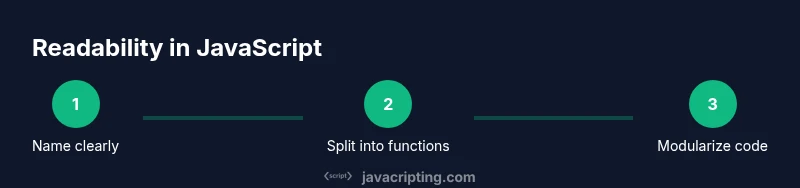
To learn how to make javascript readable, start with names. Descriptive identifiers tell you what a function, variable, or class does without requiring a separate commentary. Use nouns for data structures and verbs for actions. Apply consistent casing (camelCase for functions and variables, PascalCase for constructors) and avoid abbreviations unless they are widely understood.
Examples:
- good: getUserAddress, userRepository, isAuthenticated
- bad: getAddr, dataObj, x
When renaming, consider the role and scope. A long, precise name can be better than a short, ambiguous one, provided it remains readable within the context. Document departures from conventions in a project-wide style guide, so readers can adjust quickly.
Function design: small, focused units
How to make javascript readable also means shaping functions that are easy to scan and reason about. Favor single-responsibility functions that take clear inputs and return explicit outputs. Avoid hidden side effects and long parameter lists. If a function grows beyond a couple of concerns, break it into smaller helpers.
Benefits include easier testing, clearer intent, and more reliable refactors. Name helpers to reflect their role, and keep function signatures stable whenever possible so callers don’t fear changes later. In combination with good naming, this makes code far more approachable for teammates and future maintainers.
Modularity and structure: organizing code with modules
Readable JavaScript thrives on clean modular boundaries. Group related code into modules or files that encapsulate specific responsibilities, and export only what’s necessary. Use index files to re-export public APIs and avoid leaking internals. A predictable folder structure (src/components, src/utils, src/services, etc.) reduces cognitive load and speeds navigation.
When you expose modules, document their purpose and usage with simple examples. Maintain a light surface area for public APIs, and prefer named exports over default exports when it improves clarity. A solid module system clarifies how data flows through your application and simplifies onboarding for new teammates.
Formatting and style: consistent formatting across a codebase
Consistency is a silent readability amplifier. Adopt a shared style guide and enforce it with tooling. Use a formatter (like Prettier) to standardize indentation, quotes, semicolons, and line breaks. Lint rules (via ESLint) catch anti-patterns that erode readability, such as complicated ternaries or unused variables.
Run formatting automatically on save, and include a pre-commit hook that checks both style and basic code quality. When teams agree on style, reviewers spend less time arguing about formatting and more time understanding logic. This steady rhythm reduces cognitive friction and speeds collaboration.
Documentation and comments: when and what to write
Comments should explain why something exists, not what it does—that’s usually evident from good naming and clear structure. Use JSDoc or lightweight inline notes for public APIs, edge cases, and non-obvious decisions. Keep comments up-to-date during refactors to avoid drift that confuses readers.
Avoid redundancy: let the code speak for itself whenever possible. Pair documentation with examples that demonstrate intended usage. A concise README or module docs can dramatically improve how quickly someone new can read and contribute.
Testing and readability: how tests improve readability
Readable code is easier to test, and well-named tests improve legibility of behavior. Write descriptive test names that express expected outcomes, and organize tests by feature or module to mirror the code structure. Tests serve as executable documentation that clarifies intent and edge-case handling.
Invest in integration tests that exercise realistic flows, and keep unit tests focused and fast. When tests are understandable, they act as a living guide for future readers, complementing comments and documentation rather than replacing them.
Tooling: linting, formatting, and IDE hints
Tooling is a quiet but powerful ally for readability. Configure ESLint with a recommended set tailored to your project, and pair it with Prettier for consistent formatting. Enable editor hints like semantic highlighting, function outlines, and code lenses to surface structure at a glance. Use alias paths and meaningful module names to keep imports readable and navigable.
Automated checks, combined with editor tooling, create an ecosystem where readability is actively enforced rather than relied upon by memory.
Real-world tips and trade-offs
Readable code often requires balancing brevity against clarity. Prefer explicit, descriptive constructs over clever shortcuts. When performance concerns arise, profile first and then optimize in ways that preserve readability. Regularly schedule code reviews focused on readability, not only correctness, to foster a culture of clear, approachable code.
Tools & Materials
- Node.js (LTS)(Ensure you have a recent LTS version installed)
- Code editor (e.g., VS Code)(Install ESLint and Prettier extensions with recommended settings)
- ESLint(Use a shared config like eslint:recommended and your project’s rules)
- Prettier(Configure with a consistent formatter)
- Testing framework (e.g., Jest or Vitest)(Helps validate behavior and readability through tests)
- Git repository or sample code(Have a base to apply refactors and reviews)
Steps
Estimated time: 1-2 hours
- 1
Define readability goals
Clarify what readability means for your project: naming standards, function size, module boundaries, and documentation expectations. This creates a shared target before you begin refactoring.
Tip: Document goals in a short team guide to align everyone. - 2
Audit existing code
Scan a representative subset of the codebase for readability pain points: long functions, cryptic names, inconsistent formatting, and sparse comments. Note patterns you want to preserve or discard.
Tip: Use a lightweight lint rule for long lines to surface issues quickly. - 3
Enforce naming conventions
Implement a naming scheme and apply it consistently across modules. Rename ambiguous identifiers to meaningful ones and update references accordingly.
Tip: Run a targeted rename tool or IDE refactor to avoid broken code. - 4
Refactor into small units
Break large functions into focused helpers with clear inputs and outputs. Each function should do one thing and have a descriptive name.
Tip: Aim for 5-20 lines per function for readability and testability. - 5
Structure modules and layout
Organize files and folders to reflect responsibilities. Use named exports where useful and keep interfaces clean and well-documented.
Tip: Create index files that re-export public APIs for easy discovery. - 6
Set up tooling and checks
Configure ESLint and Prettier, enable formatting on save, and add pre-commit hooks to enforce style and basic quality checks.
Tip: Share a baseline config and update it as the project evolves. - 7
Document decisions and review
Add concise documentation for public APIs and notable design decisions. Use code reviews to reinforce readability and gather feedback.
Tip: Keep a running changelog of readability-related decisions.
Questions & Answers
What does readability mean in JavaScript?
Readability is how easily a reader understands code. It combines naming, structure, modular design, and documentation to convey intent quickly and accurately.
Readability is about how easily you can understand code, focusing on names, structure, and clear intentions.
How long should a function be for readability?
Prefer small, focused functions that do one thing. If a function grows, break it into helpers with clear inputs and outputs.
Keep functions short and focused; break them up if they start doing too many things.
How can naming conventions improve readability?
Descriptive names reveal purpose. Use consistent casing and avoid abbreviations unless universally understood.
Clear names reveal intent; stick to a shared naming convention.
Should I comment everything?
No. Comment only when it clarifies intent or documents non-obvious decisions. Prefer self-documenting code with good naming.
Comment only when comments add real meaning beyond the code.
What tools help readability?
Linting (ESLint), formatting (Prettier), and testing frameworks improve readability by enforcing standards and demonstrating expected behavior.
Tools like ESLint and Prettier enforce style and help you test behavior.
How can I measure readability?
Rely on code reviews, onboarding time, and maintenance metrics rather than relying on single heuristics. Use team feedback to gauge readability improvements.
Use reviews and onboarding metrics to gauge readability improvements.
Watch Video
What to Remember
- Define clear readability goals before refactoring
- Name things descriptively and consistently
- Refactor into small, focused units
- Automate formatting and linting to enforce style
- Document decisions and review for maintainability