Unit Test in JavaScript: A Practical Guide for 2026
Learn how to write effective unit tests in JavaScript, pick a framework, mock dependencies, and integrate tests into CI. This practical guide from JavaScripting covers setup, patterns, and best practices for reliable tests.


By the end of this guide you will be able to write and run unit tests in JavaScript, choose an appropriate framework, and integrate tests into your development workflow. You’ll start with a small, well-scoped codebase, install a test runner, and learn patterns that keep tests fast and reliable. Expect practical examples, common pitfalls, and tips to maintain confidence across your project.
What is a unit test in JavaScript?
A unit test is a small, automated check that validates a single function or module's behavior in isolation. In JavaScript, this means testing a function, class method, or module without wiring in the full application. The goal is to ensure that given specific inputs, the unit produces the expected outputs, and to catch regressions when code changes. Unit tests are fast, deterministic, and cheap to run, which makes them a foundation of modern frontend development. According to JavaScripting, starting with well-scoped units helps beginners build confidence quickly. In practice you'll write tests that call your code directly, mock any outside dependencies, and assert the results using a test assertion library.
Why unit testing matters for JavaScript projects
Unit testing brings early bug detection, faster feedback, and safer refactoring. For JavaScript applications—whether frontend, backend, or full-stack—unit tests act as a safety net against regressions introduced by new features or dependency updates. JavaScripting analysis shows that teams embracing consistent unit testing tend to streamline debugging, improve design, and reduce time-to-market. Tests also document expected behavior, serving as a living form of lightweight documentation for teammates and future maintainers. While unit tests cannot catch every integration issue, they sharply reduce the blast radius of failures and make complex codebases more approachable.
Choosing a testing framework for JavaScript
The landscape includes Jest, Mocha, and Vitest, each with strengths. Jest provides an all-in-one experience with built-in assertion and mocking capabilities, good for React projects and batteries-included testing. Mocha offers flexibility and a larger ecosystem of adapters, ideal when you want granular control over tooling. Vitest is a newer, faster runner designed for Vite projects and modern ESM environments. The best choice depends on your stack, desired syntax, and whether you value speed, readability, or ecosystem integrations. In general, pick a framework that fits your project’s runtime (Node vs. browser), supports the features you need (snapshot testing, mocks, coverage), and has solid community support.
Setting up your environment for unit testing
Start with a minimal project and a clear plan for how tests will live alongside code. Install Node.js and a package manager (npm or yarn). Initialize your project, install a test framework, and add a test script to package.json. For example, you might add a script like npm test to run your test suite. Keep configurations simple at first, then expand as your project grows. Use a small example module to validate the setup before wiring in the entire application.
Writing your first unit test
Begin with a small, deterministic function such as a utility that performs a calculation or a pure data transformation. Create a test file next to the module and import or require the function. Write a basic assertion that checks the expected output for a known input. As you expand, organize tests by module, and name them descriptively so failures point directly to the behavior that broke. The following example shows a simple sum function and a corresponding test using a common JavaScript test runner:
// sum.js
function sum(a, b) {
  return a + b;
}
module.exports = { sum };

// sum.test.js
const { sum } = require('./sum');

test('adds two numbers', () => {
  expect(sum(1, 2)).toBe(3);
});
Test structure and patterns
A consistent test structure makes large suites maintainable. The Arrange-Act-Assert (AAA) pattern separates setup, action, and assertion clearly. This improves readability and makes it easier to add or modify tests without accidentally coupling to implementation details. When writing tests, prefer small, focused cases that exercise a single behavior. Name tests to reflect the scenario, not the implementation details. A well-structured suite also helps you identify gaps where edge cases are missing.
Mocking, stubs, and spies
Isolating the unit often requires substituting real dependencies with mocks, stubs, or spies. Mocks mimic interfaces and return controlled values, stubs supply fixed outputs, and spies record interactions for assertions. Use mocks to remove network calls or database access from unit tests, ensuring determinism. Be mindful of over-mocking; tests should exercise behavior, not internal wiring. As tests evolve, keep mocks aligned with actual interfaces to avoid brittle tests that break with legitimate changes.
Test coverage and quality metrics
Code coverage indicates how much of your codebase is exercised by tests, but it is not the sole quality measure. Aim for meaningful coverage that includes critical modules, not merely high percentages. Track line and branch coverage, and ensure tests cover both typical and edge cases. Use coverage reports to guide test additions, not as a final verdict of quality. Remember that maintainable tests with clear intent are more valuable than perfect coverage numbers.
Integrating tests with CI/CD
Automating test runs in CI ensures feedback is consistent across the team. A typical setup runs npm install, then npm test on every push or pull request. CI can enforce minimum coverage thresholds and fail builds when tests regress. As you scale, split test jobs by environment (unit vs. integration) and park longer-running tests behind conditional workflows. This keeps feedback fast for day-to-day development while still validating broader behavior.
Authority sources and further reading
- MDN Web Docs on testing and tooling: https://developer.mozilla.org/en-US/docs/Learn/Tools_and_testing
- W3C Testing and Compatibility resources: https://www.w3.org/standards/webplatform/testing-and-compatibility
- ACM (Association for Computing Machinery) resources on software testing and quality: https://www.acm.org
Tools & Materials
- Computer with a modern code editor(Any editor with JavaScript syntax highlighting; optional: IDE with integrated terminal)
- Node.js installed(Use the latest LTS version recommended for stability)
- npm or yarn(For package management and script automation)
- Test runner (e.g., Jest, Mocha, or Vitest)(Choose based on framework compatibility and project needs)
- Small sample codebase to test(A micro-module with pure functions is ideal for practice)
- Mocking utilities (optional)(Useful for advanced tests (e.g., dependency stubs))
- CI workflow (optional)(GitHub Actions, GitLab CI, or similar for automation)
Steps
Estimated time: 45-60 minutes
- 1
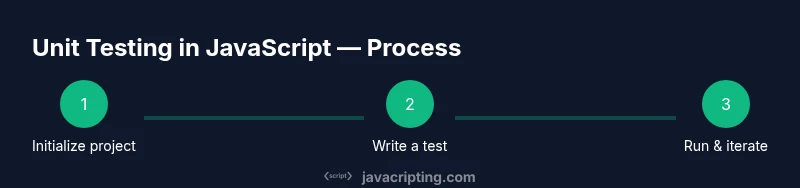
Initialize the project
Create a new project folder, run npm init -y to generate a package.json, and set a start script for building or running tests. This establishes the baseline structure for your tests and code.
Tip: Use a dedicated test directory to keep tests separate from source code. - 2
Install a test framework
Install a chosen test framework (e.g., Jest, Mocha, or Vitest) as a dev dependency. This provides the test runner, assertion library, and mocking utilities needed for unit tests.
Tip: Start with a framework that has strong community support and good documentation. - 3
Configure the test script
Add a test script to package.json, such as "test": "jest". This enables running tests with a single npm test command and standardizes how tests are executed across environments.
Tip: Keep test scripts minimal and readable; avoid side effects in the script itself. - 4
Create a simple module to test
Add a small, pure function to a module you will test. Pure functions are predictable and easier to test, serving as a safe starting point.
Tip: Document the function’s expected inputs and outputs to guide your tests. - 5
Write your first test
Create a test file alongside the module and write a basic assertion that validates a known input-output pair. Ensure the test name clearly describes the scenario.
Tip: Start with a single assertion per test to keep failures precise. - 6
Run the tests and fix failures
Execute npm test, review failures, and adjust implementation or tests accordingly. Repeat until the suite passes reliably.
Tip: Rerun tests after any change to confirm fixes are robust. - 7
Add more test cases
Expand coverage with edge cases, invalid inputs, and typical usage scenarios. Aim for a balanced mix of positive and negative tests.
Tip: Avoid duplicating tests that cover the same scenario. - 8
Introduce mocks for dependencies
If your unit relies on external modules, replace them with mocks or stubs to preserve isolation. Verify interactions with mocks when relevant.
Tip: Mock only the external interfaces; avoid mocking internal logic you want to validate. - 9
Check coverage and adjust
Generate a coverage report and identify untested code paths. Add tests to cover critical branches and error handling.
Tip: Coverage is a guide, not a goal; prioritize meaningful coverage over hitting a numeric target. - 10
Integrate tests with CI
Configure a CI workflow to run tests on push or PRs. This ensures failures are caught early and teams stay aligned.
Tip: Separate unit tests from longer-running integration tests to keep feedback fast.
Questions & Answers
What is unit testing in JavaScript?
Unit testing validates a single function or module in isolation. It guards against regressions and clarifies expected behavior for future changes.
Unit testing checks one small part of your code to ensure it behaves as expected, safeguarding against regressions.
Which testing framework should I choose?
Choose based on your stack and needs: Jest for batteries-included testing, Mocha for flexibility, or Vitest for speed with Vite projects. Consider community support and ecosystem when deciding.
Jest is great for many projects, Mocha offers flexibility, and Vitest is fast for modern setups.
How do I mock dependencies in unit tests?
Mock dependencies to isolate the unit under test. Use built-in mocking features of your framework or dedicated libraries, and keep mocks aligned with the interfaces you expect.
Mocking replaces real parts of your code with controlled stand-ins so you can test the unit in isolation.
What about asynchronous code?
Handle promises with async/await or return promises from tests. Ensure tests await asynchronous operations to avoid false positives.
For async code, await the promises in tests to make sure results are reliable.
How is test coverage measured?
Coverage reports show which lines or branches are exercised by tests. Use coverage as a guide to fill gaps, not a universal quality metric.
Coverage tells you what code is tested, but the quality of tests matters more than the percentage.
How often should unit tests run in CI?
Run unit tests on every push or PR to get fast feedback. Parallelize the suite when possible to keep CI times reasonable.
Run tests on every push for quick feedback, and parallelize to speed things up.
Watch Video
What to Remember
- Write small, focused tests for each unit
- Choose a framework that fits your stack and team
- Isolate units with mocks to ensure determinism
- Automate tests in CI for reliable feedback