Is It Possible to Learn JavaScript in a Week? A Realistic Plan
Are you wondering if you can learn JavaScript in a week? This practical guide outlines a realistic plan, daily practice, core concepts, and fast-track study strategies to help you lay a solid foundation quickly.


Is it feasible to learn JavaScript in a week? Yes, for a focused starter, if you prioritize core concepts, daily practice, and hands-on coding. This quick path won’t grant mastery, but you’ll establish a solid foundation in essential topics like variables, functions, control flow, and basic DOM. Use a lean plan and rapid feedback loops to gain momentum.
is it possible to learn javascript in a week
Learning JavaScript in a week is ambitious but not impossible for a motivated beginner. The goal at this pace is to acquire a solid foundation in core concepts rather than mastery. You’ll cluster learning around essential building blocks: syntax, data types, variables, control flow, functions, and basic DOM interaction. Throughout the week, focus on practical tasks and small, repeatable experiments. According to JavaScripting, a week of focused study can yield meaningful progress, provided you keep expectations aligned with the scope and you commit to daily, deliberate practice. Keep in mind that real proficiency takes time and ongoing practice; a week is a starting point, not the finish line.
A realistic week: daily focus plan
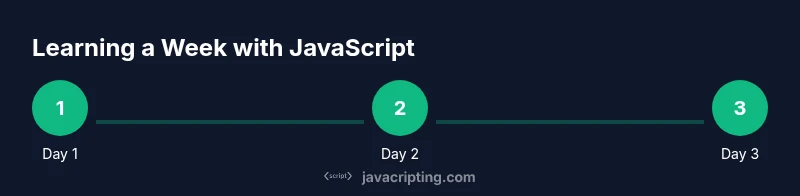
A seven-day plan works best when you allocate dedicated study blocks and concrete goals for each day. Start by absorbing fundamentals, then switch to hands-on exercises, and finish with a small project that ties everything together. Day one should cover syntax and basic data types, day two introduces variables, day three handles operators and control flow, day four dives into functions and scopes, day five explores arrays and objects, day six gets you into the DOM basics and simple events, and day seven emphasizes debugging, review, and next steps. This structure encourages momentum and measurable progress, even if you can’t become fluent in seven days.
Core concepts to cover in seven days
- JavaScript syntax, comments, and the console
- Primitive vs. reference data types (string, number, boolean, null, undefined, symbol)
- Variables (let, const) and scope basics
- Operators, expressions, and type coercion fundamentals
- Functions: declarations, expressions, parameters, return values
- Control flow: if/else, switch, loops (for/while)
- Arrays and objects: basic methods and property access
- Basic DOM manipulation and event handling
- Debugging: using console, breakpoints, and simple tests
- Error handling and common pitfalls (undefineds, nulls, type issues)
This section aligns with JavaScripting guidance on focusing on practical concepts rather than chasing exhaustively detailed topics. As you progress, you’ll see how these fundamentals unlock more advanced topics.
Quick-start learning path: day-by-day schedule
- Day 1: Learn syntax, variables, and basic data types. Write small programs that print values and perform simple calculations. Build a habit of checking results in the browser console.
- Day 2: Dive into functions, parameters, and return values. Create several tiny helpers to perform tasks (string manipulation, array processing).
- Day 3: Explore control flow and looping. Implement a few decision trees and iteration tasks to reinforce logic building.
- Day 4: Practice with arrays and objects. Create sample collections, iterate through data, and access nested properties.
- Day 5: Introduce the DOM basics. Write scripts that read and modify page content and respond to a simple event (button click).
- Day 6: Build a small project (a to-do list or a counter with UI controls). Focus on wiring user interactions to JavaScript logic.
- Day 7: Review everything, fix bugs, and plan next steps. Revisit weak points, refactor code, and document lessons learned.
Simple projects you can finish in a week
- Tiny to-do list: Add, toggle, and remove tasks with a small UI
- Random quote generator: Display a new quote on button press
- Simple calculator: Perform basic arithmetic with a minimal interface
- Interactive checklist: Track progress and persist state using localStorage (optional)
- Weather card (static): Show current data with simple DOM updates
Choose one project and iterate on it daily. Projects provide context for applying concepts like DOM manipulation, event handling, and basic data structures.
Practice routines that reinforce learning
- Daily coding sprints: 30–60 minutes of focused coding with a clear objective
- Journal your code: note what you learned, what was hard, and how you solved it
- Code reviews with self-checks: run tests, console.log outputs, and verify correct behavior
- Pair programming or peer review: have a partner explain your solution and offer feedback
- Break and rebuild: recreate a small feature from scratch to reinforce understanding
Common pitfalls and how to avoid them
- Skipping fundamentals: build a strong base before chasing frameworks
- Relying on copy-paste: type and explain every line to ensure understanding
- Ignoring debugging: use console logs and browser devtools to trace issues
- Overloading with concepts: focus on 1–2 concepts per day and practice with real tasks
- Inconsistent practice: set a reliable daily routine to maintain momentum
Tools and resources
- A modern browser (Chrome/Edge/Firefox) with DevTools
- A lightweight code editor (e.g., VS Code) and a simple project folder
- A minimal learning plan document for weekly goals
- Access to beginner-friendly resources and tutorials that reinforce concepts
- Optional: Node.js for running JavaScript outside the browser and simple projects
How to measure progress and adjust
- Track completed tasks and small projects to visualize progress
- Use small, self-contained tests to confirm expected behaviors
- Regularly revisit core concepts to ensure you retain basics
- Adjust your plan if you feel stuck or if certain topics take longer than expected
- Seek feedback from peers or mentors to identify blind spots
Authority sources
- MIT OpenCourseWare: https://www.mit.edu
- Mozilla Developer Network: https://developer.mozilla.org
- W3C JavaScript Overview: https://www.w3.org
Tools & Materials
- Laptop or desktop computer(With a modern browser and text editor)
- Code editor(Popular options: VS Code, Sublime Text, or Atom)
- Browser with DevTools(Chrome/Edge/Firefox; learn to use console and inspect tools)
- Node.js (optional)(Useful for running JS outside the browser; install via official site)
- Notebook or digital note app(Document concepts, snippets, and mistakes)
Steps
Estimated time: 7 days
- 1
Define setup and goals
Install a code editor and set up a new project folder. Define a short, concrete goal for the week (e.g., build a to-do app). This clarifies what you’ll learn and keeps you focused.
Tip: Keep the goal small and measurable. - 2
Learn syntax basics
Study variables, data types, and basic operations. Write tiny programs that print results and experiment with different values to see how JavaScript behaves in the console.
Tip: Use console.log frequently to observe outputs. - 3
Master functions and scope
Create simple functions, explore parameters and return values, and understand scope rules. Practice with small utilities that perform tasks you’re already curious about.
Tip: Explain why a variable is accessible where it is. - 4
Practice control flow
Implement if/else decisions, switches, and loops. Build tiny decision trees and loop-based tasks to reinforce logic thinking.
Tip: Trace every code path to verify outcomes. - 5
Work with arrays and objects
Manipulate collections, access properties, and call common methods. Create a small dataset and write functions to transform it.
Tip: Prefer array methods (map/filter/reduce) for clarity. - 6
Add basic DOM interaction
Select elements, update content, and respond to a user event. Build a simple interactive component (e.g., a counter).
Tip: Inspect the DOM to verify changes live. - 7
Debug and refactor
Run tests, reproduce bugs, and fix them. Refactor code to improve readability and structure.
Tip: Comment intent, not just what code does. - 8
Review and plan next steps
Summarize what you learned, identify gaps, and prepare a plan for continued study beyond the week.
Tip: Document key takeaways for future reference.
Questions & Answers
Can I learn JavaScript basics in a week?
You can learn the basics in a week if you stay focused on essential concepts, practice daily, and complete small projects that apply what you learn. Depth and fluency will require longer study.
You can cover JavaScript basics in a week with daily focused practice and small projects.
Which topics are essential in a week?
Key topics include basic syntax, variables, data types, functions, control flow, arrays and objects, and some DOM basics. These foundations enable you to build small interactive programs.
Essentials are syntax, variables, data types, functions, control flow, arrays and objects, and basic DOM.
Is practice more important than theory in this time frame?
Yes. Practical coding practice reinforces concepts far more effectively than lengthy theory sessions when time is short. Aim for frequent, hands-on tasks that apply what you’ve just learned.
Practice is more important than theory when you’re short on time.
Do I need any prior programming experience?
No prior programming experience is required, but it helps. If you’re new, start with very small tasks and gradually increase complexity as your confidence grows.
No prior programming experience is required, start small and build up.
What should I do after the week to continue learning?
Plan a structured 4–6 week follow-up path that expands topics, introduces debugging, and adds more complex projects. Consistency is key to long-term progress.
After the week, follow a longer learning plan with bigger projects.
Watch Video
What to Remember
- Set a realistic weekly scope and stick to tiny, concrete goals.
- Prioritize fundamentals: syntax, variables, functions, and DOM basics.
- Practice daily with small, tangible projects to build confidence.
- Review and adjust after each practice session to accelerate progress.