Is JavaScript the Same as CSS? A Practical Comparison
Explore whether is javascript the same as css and learn the key differences, roles, and how to use both for modern web apps. A rigorous, practical comparison by JavaScripting.


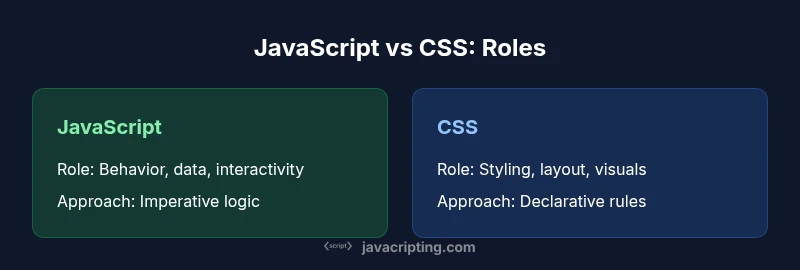
Is JavaScript the same as CSS? No. JavaScript adds behavior, logic, and data handling, while CSS governs presentation and layout. According to JavaScripting, these are distinct languages that complement rather than replace one another. Understanding their separate purposes helps teams build maintainable, accessible interfaces. This quick framing sets the stage for a deeper, structured comparison in 2026 projects.
Is JavaScript the Same as CSS? Clarifying Roles
In the landscape of modern web development, the phrase 'is javascript the same as css' is a common misconception. The JavaScripting team emphasizes that JavaScript and CSS occupy different layers of the stack: one handles behavior, data, and interactivity; the other defines how content looks and adapts to different screen sizes. Treat them as complementary tools rather than competitors. Recognizing this distinction helps teams design robust architectures, improve maintainability, and deliver accessible experiences across devices. As you read, keep this separation in mind to frame the rest of the comparison.
Core Differences: Scope, Purpose, and Syntax
JavaScript and CSS inhabit different layers of the web stack. JavaScript is a Turing-complete, imperative language designed to respond to user actions, fetch data, and drive dynamic UI. CSS, by contrast, is a declarative styling language that describes how elements should look and behave under different media conditions. The syntax reflects this: JavaScript uses commands and control flow, while CSS uses selectors and declarations. The practical effect is that JavaScript can modify the DOM and CSSOM, while CSS cannot perform calculations or fetch data on its own.
The Interaction Model on a Web Page
During page load, the browser builds the DOM and CSSOM from HTML and CSS. JavaScript can read and manipulate both through the DOM API, updating attributes, classes, and content. CSS, meanwhile, responds to selectors, animations, transitions, and media queries. The interplay is central: when JavaScript toggles a class, the CSS rules apply new styles; when a CSS change occurs (e.g., a media query), layout recalculations may trigger a reflow. This dynamic interaction is what creates responsive, interactive experiences.
Can CSS Implement Behavior? Can JavaScript Handle Styling?
CSS handles styles and some light state via :hover, :focus, and CSS variables, but it cannot perform logic, data fetching, or complex conditionals. JavaScript can style elements directly, but that approach often leads to brittle code if not carefully managed. The recommended pattern is to keep styling in CSS and use JavaScript to toggle classes or modify CSS variables, preserving separation of concerns and enabling easier theming and accessibility.
Real-World Scenarios and Best Practices
Consider a navigation menu. CSS can handle the base appearance, hover states, and responsive collapse. JavaScript should manage the accessible focus trap, keyboard navigation, and dynamic content updates. In a data-driven dashboard, JavaScript drives the data model and user interactions, while CSS takes care of theming and consistent visuals. The key is to design components with clear responsibilities and minimal cross-coupling, so you can reuse code and swap styling strategies when needed.
Performance Considerations and Maintainability
Baselines matter. Pure CSS tends to render faster for simple visuals because the browser can optimize painting paths. Introducing JavaScript for styling can add layout thrash if you frequently modify style properties or trigger reflows. Maintainability benefits when you keep changes limited to either layer: update CSS for visuals; update JS for logic. Many teams adopt a pattern that routes design tokens through CSS variables and uses JS to adjust those tokens when necessary, which reduces DOM churn and increases consistency.
Accessibility and Progressive Enhancement
Accessibility should guide both languages. Semantic HTML, proper ARIA roles, and keyboard navigation improve the experience regardless of the styling language. CSS must respect reduced motion preferences, while JavaScript should avoid trapping focus or breaking screen reader order. Progressive enhancement champions a baseline experience that works with CSS and HTML, with JavaScript layered on top for enhanced interactivity without sacrificing core functionality.
Tooling and Workflows: From CSS to CSS-in-JS
Developers increasingly combine CSS with JavaScript through CSS-in-JS, CSS modules, or utility-first frameworks. This approach can tighten coupling between styling and components, but it also raises complexity and build-time costs. Teams should weigh the benefits of scoped styles, theming, and dynamic tokens against potential performance penalties and debugging challenges. The choice often depends on project scope, team familiarity, and long-term maintenance goals.
Design Patterns and Anti-Patterns to Avoid
One common anti-pattern is using JavaScript as a styling engine for everything, which can obscure intent and degrade performance. Conversely, relying solely on CSS with large, deeply nested selectors can hinder flexibility. The best practice is a layered approach: keep most styling in CSS, use JavaScript for behavior and state transitions, and establish clear conventions for naming, file organization, and theming tokens.
Common Misconceptions Debunked
Many beginners think you can replace CSS with JavaScript to reduce code. In reality, CSS remains essential for layout, responsiveness, and performance. Others assume that CSS-in-JS is always the best path; while it can help in component-based apps, it introduces runtime costs. Understanding the strengths and limits of each language helps teams avoid overengineering and keeps projects maintainable.
How to Plan a Modern UI Stack
Start with a solid design system. Define tokens for color, typography, spacing, and motion in CSS (and design tokens in JavaScript where necessary). Use JS to drive state and compute UI data, while CSS applies presentation and layout. Establish clear guidelines on when to mutate CSS variables or toggle classes, and ensure that all accessibility requirements are considered from the outset. This planning yields a flexible, scalable stack capable of evolving with new design trends and performance requirements.
Final Takeaway: Using Both Languages Effectively
Is javascript the same as css? No—they are different tools with complementary strengths. When used thoughtfully, they create resilient, maintainable interfaces that load quickly and feel polished. The strategy is to defer to CSS for visuals, leverage JavaScript for behavior and data flow, and keep a consistent architecture across teams. In 2026 projects, this balanced approach remains a best practice for robust, accessible web apps.
Comparison
| Feature | JavaScript | CSS |
|---|---|---|
| Primary role | Dynamic behavior and logic (event handling, data processing) | Styling, layout, and visual presentation |
| Execution model | Runs as code within the browser, mutating the DOM / creating logic | Runs as style rules applied by the browser to elements |
| Syntax and learning curve | Imperative/functional syntax with control flow | Declarative rules using selectors and declarations |
| Performance considerations | JS-driven UI can be heavier if not optimized; frequent DOM updates can cause reflows | CSS-based rendering is highly optimized and often more predictable |
| Best-use scenarios | Interactive features, data-driven UI, client-side logic | Layout, theming, responsive visuals, typography |
| Tooling and ecosystem | Tools for bundling, debugging, and runtime logic (e.g., browser devtools) | Tools for preprocessing, modular CSS, and design tokens |
| Interoperability and patterns | Works with frameworks, often via API bindings | CSS modules and CSS-in-JS patterns exist for integration |
Benefits
- Clear separation of concerns when used as intended
- JavaScript unlocks interactive, data-driven UI
- CSS provides fast, responsive styling with hardware acceleration when used well
- Modern tooling and standards improve both languages
The Bad
- Overreliance on JS for styling can harm performance
- CSS alone cannot implement complex logic or data handling
- Inconsistent naming and architecture decisions can lead to maintenance costs
JavaScript and CSS are complementary, not rival technologies.
Use them in tandem: CSS for visuals and layout, JavaScript for behavior and data flow. Maintain clear boundaries and leverage design tokens for consistency.
Questions & Answers
Is JavaScript used for styling?
JavaScript can modify inline styles or CSS variables, but it is not intended to be the primary styling language. Use CSS for styling and rely on JS to toggle state or apply classes.
JavaScript can change styles, but CSS remains the styling language.
Can CSS alone support interactive components?
CSS supports hover, focus, and animations, but for dynamic behavior and data-driven UI you need JavaScript.
CSS handles visuals, but for complex interactions you need JavaScript.
What is CSS-in-JS?
CSS-in-JS is a pattern where styling is generated from JavaScript—useful in component-based apps but adds runtime complexity.
It's a pattern that lets you write CSS with JavaScript, common in modern frameworks.
Are there performance pitfalls to watch for?
Yes, frequent DOM reads/writes and style recalculations can hurt performance; batch updates and use class toggling to minimize reflows.
Be careful with frequent style changes; batch them.
Should I rely on CSS variables before using JavaScript?
Yes, CSS variables enable theming and efficient styling; JavaScript can update them when dynamic changes are needed.
CSS variables are great for theming; let JS update them when needed.
How should I structure a web app to balance both?
Plan a system where CSS handles visuals, JS handles logic, and components share tokens; enforce naming conventions and modular imports.
Balance your stack with clear boundaries and good tooling.
What to Remember
- Define responsibilities early for each language
- Prefer CSS for presentation to maximize performance
- Use progressive enhancement to ensure accessibility
- Keep architecture clean with consistent conventions