Learn JavaScript for Free: A Practical How-To Guide
A complete, practical plan to master JavaScript using only free resources, with step-by-step instructions, projects, and milestones.


By following this free, step-by-step plan, you will learn JavaScript from fundamentals to practical projects using only no-cost resources. Set clear goals, schedule consistent practice, and build small, incremental milestones to track progress. This approach makes JavaScript learning free accessible to beginners and busy professionals alike, without compromising depth. Ready to start your journey with JavaScript learning free?
Free JavaScript Learning: Why start with zero cost
Learning JavaScript without paying for courses is not only possible, it’s a smart way to validate your commitment before investing in paid programs. The landscape of free resources is broad, but the most effective paths combine high-quality documentation with hands-on practice. With javascript learning free as your guiding principle, you’ll focus on core concepts, tooling, and small projects that establish a solid foundation before scaling to more advanced topics like asynchronous patterns or real-world web apps. This approach minimizes risk and lets you iterate quickly as you discover what you enjoy building. From the outset you should treat free resources as a curated syllabus, not a scattershot pile of tutorials. According to JavaScripting, the best free learning plans are those that blend bite-sized explanations with responsive coding tasks, regular feedback loops, and a clear progression. Start with the essentials: syntax, data types, functions, and basic control flow; then layer on objects, arrays, and DOM basics. You’ll soon notice that you can learn a surprising amount with just a browser, a text editor, and time you deliberately set aside for practice. The key is consistency: 15–30 minutes most days beats long weekly marathons and keeps your brain fresh for problem-solving.
Define clear goals and a realistic timeline
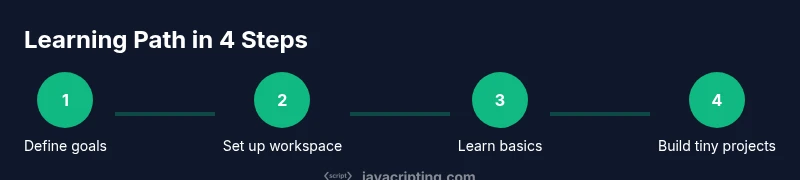
Before you touch a line of code, define what you want to achieve with JavaScript learning free and by when. A practical plan sets 2–4 concrete outcomes, such as “build a weather widget,” “manipulate the DOM to respond to user input,” or “fetch and display data from a public API.” Write these goals down and attach a rough timeline: 4–8 weeks for fundamentals, then additional weeks for projects and debugging. With javascript learning free, your plan should emphasize steady habit formation: short daily sessions, frequent review of progress, and incremental complexity. Break each goal into tiny milestones: complete a basic loop exercise, implement a small helper function, or reproduce a simple API call. This clarity makes it easier to pick the right free resources, from MDN documentation to guided exercises on JavaScript.info and freeCodeCamp’s modules. Remember to assign a success metric for each milestone: a working snippet, a runnable page, or a shareable code sample. And finally, prepare to adapt: as you explore free materials, you’ll discover which topics spark your curiosity and which patterns you’d rather revisit. The mindset shift is simple: treat every milestone as a miniature project that you can show off to peers.
Core free resources you can trust
A strong free learning stack combines official documentation, guided tutorials, and hands-on coding challenges. Start with MDN Web Docs for JavaScript fundamentals, syntax rules, and browser APIs. Complement that with JavaScript.info for in-depth explanations and practical examples. For structured practice, FreeCodeCamp’s JavaScript sections and CodePen/JSFiddle playgrounds let you experiment without installing extra software. If you prefer a guided curriculum, many learners find that combining these sources results in a cohesive path. JavaScripting analysis shows that learners who map topics to short projects—like calculator logic, a to-do app, or a simple API fetch demo—tend to retain concepts longer and gain confidence faster. As you explore, keep a central reference sheet with common patterns: function declarations, arrow functions, scope, and basic array methods. Lastly, stay aware of potential distractions: avoid overloading your first weeks with every possible resource; instead, curate a small set of trusted references and revisit them as you progress. Your goal should be to turn reading into doing: write code, run it, and observe the results in real time.
Step-by-step plan: an 8-week learning path
This pragmatic path centers on steady practice and visible milestones, not perfection. Week 1–2: learn syntax, data types, operators, and control flow. Create tiny programs such as a temperature converter or a to-do list that stores values in memory. Week 3–4: dive into functions, scope, arrays, and basic object concepts; implement small utilities like a calculator or a string formatter. Week 5–6: explore DOM basics, event handling, and a simple interactive widget. Week 7: introduce asynchronous patterns with fetch and promises, and experiment with a mock API. Week 8: consolidate by building a small project that combines UI, logic, and data retrieval. For every week, pair reading with 2–3 practical tasks and a short recap. Why eight weeks? The cadence keeps you focused, reduces cognitive load, and builds a portfolio you can show to peers. Pro tip: keep a weekly review log summarizing what worked, what didn’t, and what you’ll adjust next. If you fall behind, rewind to Week 2 objectives and scale down your scope instead of abandoning the plan.
Practice routines and small projects to reinforce learning
Repetition with purpose is the core of free JavaScript learning. Start with daily 15–20 minute coding sprints that emphasize correctness over speed. Every session should end with a small project that demonstrates a single concept: a calculator, a color picker, or a data filter. As soon as you can, replace static samples with dynamic inputs—read user input, parse it, and reflect results on the screen. This habit turns abstract syntax into tangible outcomes. Track your progress by storing code snippets and notes in a dedicated folder; name files clearly (e.g., calculator-app.js) so you can reuse them later in larger projects. When you’re comfortable, expand your projects by adding error handling and simple tests. The goal is not to memorize everything but to build intuition: when you type a line of code, you should anticipate what happens next and adjust. Case studies or guided challenges from FreeCodeCamp and MDN exercises provide a natural upgrade path. Finally, celebrate small wins: a page that logs values in the console or a button that updates the DOM with new content signals real growth.
Debugging, tooling and environments you can use for free
Using free tools is essential to progress. Browser DevTools (Console, Elements, Network) are powerful for debugging and learning how code interacts with the page. Install Node.js to run JavaScript outside the browser and set up a simple local workflow. For editing, VS Code or a similar editor with JavaScript extensions can boost productivity. When you’re testing code, start with small, isolated snippets in online playgrounds like CodePen or JSFiddle to accelerate feedback. As you grow, learn to use breakpoints, console.assert, and basic debugging techniques to isolate logic errors. A common strategy is to reproduce a bug, instrument the code to display state, and iteratively apply fixes. If you work on a team, consider version control basics with Git—free resources and tutorials can help you track your learning path and collaborate on tiny projects. Finally, remember to keep your environment organized: separate your practice projects from personal experiments and maintain a simple, repeatable run workflow.
Staying motivated and tracking progress online
Motivation can waver, but a disciplined approach keeps you moving forward. Schedule consistent, short practice sessions and treat them as non-negotiable appointments. Use a simple tracker—either a notebook or a digital tool—to mark completed lessons, code snippets, and projects. Create a small portfolio by saving executable demos or GitHub Gists for each milestone; a public record of your progress boosts accountability and confidence. Engage with communities: participate in coding challenges, read others’ code, and seek feedback on your work. When you hit a hurdle, reframe it as a learning opportunity rather than a failure: explain the problem to a peer or to yourself aloud; teaching is a powerful way to reinforce understanding. If you need additional inspiration, follow free JavaScript tutorials from reputable sources, and rotate between topics to avoid fatigue. The key is repeatable practice and meaningful outcomes: every week you should have a tangible item to show, even a small interactive feature or a working snippet that demonstrates a concept.
Authority sources
Authoritative resources to deepen your understanding (free)
- MDN Web Docs: JavaScript guide and reference. https://developer.mozilla.org/en-US/docs/Web/JavaScript
- JavaScript.info: In-depth explanations and exercises. https://javascript.info/
- CS50: Introduction to Computer Science – JavaScript modules. https://cs50.harvard.edu/
Tools & Materials
- Computer or laptop with internet access(Any OS; up-to-date browser)
- Web browser (Chrome/Edge/Firefox)(Enable JavaScript in browser and console access)
- Text editor (e.g., VS Code)(Install extensions for JavaScript and linting)
- Free code playgrounds(CodePen, JSFiddle, or StackBlitz for quick experiments)
- Note-taking system or journal(Log goals, milestones, and code samples)
- Curated references/cheatsheets(MDN quick references, syntax summaries)
Steps
Estimated time: 6-8 weeks
- 1
Define goals & baseline
Clarify what you want to achieve with JavaScript learning free and set a rough, realistic milestone. Write down 2-3 concrete outcomes and the time you’ll allocate weekly. This gives your journey direction and makes tracking progress straightforward.
Tip: Document your outcomes and check them weekly. - 2
Set up your workspace
Install a lightweight editor, configure basic JavaScript linting, and ensure you can run code locally or in a playground. A clean environment reduces friction and boosts early wins.
Tip: Create a dedicated practice folder with clearly named files. - 3
Learn core syntax
Study variables, data types, operators, and control structures. Write tiny programs that print results to the console to verify understanding and reinforce mental models.
Tip: Explain each concept aloud or in writing after coding it. - 4
Practice with small challenges
Complete 2–3 short exercises per week focusing on functions, scope, and arrays. Use these challenges to build confidence before tackling bigger projects.
Tip: Keep a log of solutions with notes on different approaches. - 5
Build a starter project
Create a simple project such as a calculator or to-do list that runs in the browser. This translates theory into interactive code and creates a portfolio piece.
Tip: Aim for a working demo you can share with peers. - 6
Intro to DOM interactions
Learn to select elements, handle events, and update the page dynamically. Build an interactive widget to practice DOM manipulation.
Tip: Test each interaction in multiple browsers when possible. - 7
Dive into asynchronous patterns
Explore promises and fetch to retrieve data from APIs. Start with a mock API and move to real endpoints as you gain confidence.
Tip: Check network activity in the browser’s dev tools to understand requests. - 8
Review, refactor & expand
Consolidate what you’ve learned by refactoring code for readability, adding comments, and expanding features. Prepare a small portfolio update.
Tip: Schedule a weekly review to adjust goals based on progress.
Questions & Answers
Can I learn JavaScript for free without paying for courses?
Yes. A structured plan using high-quality free resources like MDN and JavaScript.info can cover fundamentals to intermediate topics.
Yes, you can learn JavaScript for free with a structured plan and quality free resources.
Which resource should I start with first?
Begin with MDN for fundamentals and then supplement with JavaScript.info for deeper explanations.
Start with MDN, then explore JavaScript.info for deeper explanations.
How long does it take to see progress?
Progress depends on practice frequency; consistent, focused practice drives faster gains than sporadic study.
Progress depends on how regularly you practice; stay consistent.
Are free resources enough for advanced topics?
Yes, many free resources cover advanced topics like async/await and DOM; pair with small projects to reinforce learning.
Yes, you can learn advanced topics with free resources and practice projects.
Should I pay for a course later?
Free resources can cover the basics; paid courses can accelerate learning or offer mentorship if you want structured guidance.
Free resources can get you started; paid courses can speed things up if you want mentorship.
Watch Video
What to Remember
- Set a clear, free learning goal.
- Rely on trusted, free resources.
- Practice daily with small challenges.
- Build incremental projects to reinforce learning.
- Track progress with milestones.