Learning JavaScript for Free: A Complete How-To Guide
Discover a practical, no-cost path to master JavaScript—from fundamentals to real projects—using free resources, communities, and hands-on practice.


You can learn JavaScript for free by combining core fundamentals with hands-on projects, using only no-cost resources and community support. This guide shows a practical path—from setup to advanced topics—built around free tutorials, interactive exercises, and open documentation. If you’re new to coding, you’ll start with basics and gradually tackle small projects that reinforce learning and build a portfolio without spending a dime.
Why learning javascript for free matters in 2026
In a world where the web is everywhere, JavaScript remains the primary language of client-side development. For aspiring developers, the ability to start coding without paying for courses is a decisive advantage. learning javascript for free means you can access foundational concepts, experiment with small scripts, and iterate quickly without debt or long-term commitments. According to JavaScripting, free resources are not a second-class option—they are a proven route to building real skills when you pair them with deliberate practice and project-based learning. This approach lowers barriers to entry and helps you focus on what matters: understanding syntax, data types, control flow, and the core tools that power modern web apps. You’ll also join vibrant communities, find instant feedback, and learn to troubleshoot in public, which accelerates growth far beyond solitary study. The goal is not to memorize a library, but to internalize concepts you can apply to websites, games, and small utilities that solve real problems.
The narrative of free learning is not a slogan—it is a disciplined method. By leveraging no-cost materials, you’ll practice the patterns and habits that top developers use daily. This section sets the mindset: free resources can be as effective as paid courses when aligned with consistent practice, concrete goals, and rapid feedback through peer review and online communities.
Core free resources and how to use them
The internet offers an abundance of free materials that cover JavaScript from fundamentals to advanced topics. Start with the official documentation on MDN Web Docs, which explains syntax, operators, and browser APIs with clear examples. Complement that with interactive platforms like freeCodeCamp and JavaScript.info, which provide hands-on coding challenges and guided projects. You can also watch tutorial videos on YouTube channels that focus on practical coding rather than hype. When using free resources, set a consistent pace and tie theory directly to practice: sketch out small problems, then implement, test, and refactor. Use sandboxes such as CodeSandbox or Replit to prototype ideas without configuring local environments. Remember to check browser developer tools for immediate feedback, and keep a learning log to track what works and what doesn’t. This combination of documentation, exercises, and community feedback is more effective than any single paid course.
Designing a free learning plan: weekly cadence
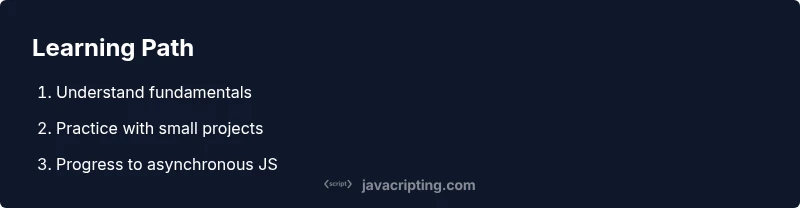
A concrete plan matters more than a long list of topics. Start with a 6- to 8-week cadence that balances theory with practice. Week 1 focuses on syntax, data types, and basic control flow; Weeks 2 and 3 add functions, scope, and simple data structures like arrays and objects. Weeks 4 and 5 dive into DOM manipulation and event handling, while Weeks 6 to 7 introduce asynchronous concepts, fetch, and promises. Week 8 is dedicated to small projects that combine what you’ve learned. Schedule short daily sessions (20–45 minutes) and longer weekly reviews (60–90 minutes). Use free quizzes to measure retention and adjust the plan if a concept is still unclear. By keeping a steady rhythm, you’ll progress faster than sporadic, longer sessions.
Practical projects you can build to learn by doing
Projects are the fastest way to translate theory into skill. Start with a calculator, a to-do list managed in the DOM, or a weather widget that fetches data from a public API. As you grow, add features like localStorage persistence, input validation, and responsive design to broaden your skill set. Each project should have a clear spec, a break-down into components, and a short code-review session with a peer or mentor. Track progress by creating a repo on a free hosting platform and writing README files that explain the problem, approach, and lessons learned. By iterating on small projects, you’ll accumulate practical experience that’s easy to show in a portfolio.
Debugging strategies and common pitfalls
Frequent errors in beginner projects include typos, incorrect scoping, and misusing asynchronous logic. Adopt a methodical debugging approach: reproduce bugs with minimal code, use console.log statements strategically, and leverage browser DevTools to inspect variables and network activity. Learn to isolate problems by creating minimal, reproducible test cases. When dealing with asynchronous code, avoid “callback hell” by using promises and async/await, and always handle errors with try/catch blocks. Finally, practice reading error messages carefully; they usually point directly to the line of code that needs attention. Over time, debugging becomes less frustrating and more like a structured problem-solving exercise.
Tools and setup for zero-cost learning
Starting free does not require paid software. Use a modern browser and a lightweight code editor like VS Code, which is free and widely supported. Node.js is helpful for running JavaScript outside the browser and for building small scripts. Install a version control tool (Git) to manage your learning projects and track changes. For collaboration, join free code-review communities or pair-programming sessions online. Keep your workspace organized with a simple folder structure and a README that documents your goals and progress. Finally, cultivate a habit of writing small, testable snippets to reinforce your memory and understanding.
Measuring progress and staying motivated
Progress can stall without visibility into what you’ve accomplished. Create a simple dashboard: log completed exercises, summarize bugs you fixed, and publish one public project every month. Schedule periodic self-assessments: explain concepts aloud, or write short blog posts describing what you learned. Celebrate small wins, such as completing a challenging function or successfully fetching data. If motivation drops, revert to a single, focused 15-minute sprint on a tough topic to rebuild momentum. Free communities, study buddies, and code-alongs can provide accountability and social momentum.
Next steps: advancing with free materials
Once you’ve built a solid base, you can push into more advanced topics entirely through free resources. Explore asynchronous JavaScript in depth, learn about the fetch API, and experiment with APIs from public datasets. Delve into modern tooling by reading about bundlers, module systems, and browser APIs. If you want to broaden your horizons, review tutorials on testing, performance optimization, and security best practices. Finally, apply the same free-learning mindset to a larger project, such as a small SPA or a serverless function, to consolidate knowledge and boost confidence.
Tools & Materials
- Computer with internet access(Any modern OS (Windows/macOS/Linux))
- Code editor(Examples: Visual Studio Code, free and extensible)
- Web browser(Latest version with devtools)
- Node.js (optional)(Useful for running JS outside the browser)
- Note-taking tool(For logs, experiments, and reflections)
- Git (optional)(Version control for projects)
Steps
Estimated time: 6-8 weeks
- 1
Set up your coding environment
Install Node.js and a code editor, and create a dedicated folder for learning projects. Establish a small starter project to keep practice consistent.
Tip: Use a single root folder for all practice projects to keep navigation simple. - 2
Learn core syntax and data types
Study variables, data types, operators, and basic control flow. Write tiny snippets to reinforce each concept and run them in the browser console.
Tip: Aim to explain each concept aloud or in a comment to solidify understanding. - 3
Practice with short problems daily
Tackle 3–5 small coding challenges per day. Focus on clarity and correctness rather than complexity.
Tip: Keep a log of solved problems and note any mistakes for review. - 4
Read documentation regularly
Consult MDN and JavaScript.info to deepen your understanding of functions, scope, and objects.
Tip: Highlight key examples and re-create them from memory. - 5
Build a tiny DOM-based project
Create a to-do list that manipulates the DOM and handles events. This builds practical app-building instincts.
Tip: Break the project into components (UI, state, interactions) and implement step by step. - 6
Explore async basics
Introduce promises and async/await with simple fetch tasks to fetch data from a public API.
Tip: Error handling is essential—include try/catch around async calls. - 7
Practice debugging with DevTools
Learn to set breakpoints, inspect network activity, and read stack traces to diagnose issues.
Tip: Use console.assert to validate assumptions during debugging. - 8
Refactor and optimize
Review older code, simplify logic, and rename variables for readability. Focus on clean, maintainable code.
Tip: Ask a peer to review your changes for a second pair of eyes. - 9
Expand projects to APIs
Integrate real APIs, handle responses, and represent data visually in your UI.
Tip: Cache results locally to improve performance and reduce API calls. - 10
Publish and reflect
Host a portfolio project and write a short reflection on what you learned and what to improve next.
Tip: Include a brief README with setup, usage, and lessons learned.
Questions & Answers
What is the best way to start learning JavaScript for free?
Begin with fundamentals using MDN and freeCodeCamp, then build tiny projects to apply what you learned.
Start with core concepts on MDN and apply them in small projects.
How long does it take to learn JavaScript for free?
You can reach a solid beginner level in roughly 6-12 weeks with consistent daily practice.
Expect about 6 to 12 weeks for a solid beginner level with daily practice.
Do I need paid courses to master JavaScript?
Paid courses are optional; a well-structured free plan can cover fundamentals and practice.
Paid courses are optional; a good free plan can work.
What tools are essential for free learning?
A modern browser, a code editor, and Node.js for runtime are all you need to start.
You mainly need a browser, a code editor, and Node.js.
Should I learn HTML/CSS before JavaScript?
Basic HTML/CSS helps you see JavaScript effects in the browser; you can start JS alongside.
HTML/CSS knowledge helps, but you can begin JS alongside.
How do I avoid getting overwhelmed with free resources?
Follow a structured plan with small, incremental goals and regular reviews.
Stick to a focused plan with small steps and regular reviews.
Watch Video
What to Remember
- Start with free resources and build a habit
- Code daily to reinforce memory and skill
- Build small projects to demonstrate progress
- Use free tools to simulate a real dev environment
- Track progress to stay motivated