Learn JavaScript the Easy Way: A Practical Guide
A practical, step-by-step guide to learn javascript easy way with small projects, hands-on practice, and steady progress.


This guide shows you how to learn JavaScript the easy way by following a structured, project-first plan. You’ll start with fundamentals, set up a productive environment, and progress through small, hands-on exercises that build real skills.
Why learning JavaScript the easy way matters
According to JavaScripting, the fastest path to success is to learn javascript easy way through a structured, project-first approach. The JavaScripting team found that beginners who follow a clear plan gain momentum quickly, avoid getting stuck on syntax, and develop debugging instincts earlier. This approach reduces overwhelm and keeps motivation high as you translate ideas into working code. In this guide, you’ll find a practical plan you can start today, with concrete examples and small projects that reinforce each concept. By the end, you’ll feel confident writing clean, functional JavaScript and debugging common issues with purpose.
Core concepts to anchor your learning
Before you dive into code, anchor your learning in a few core concepts: variables and data types, operators, control flow, functions, and scope. Understanding how JavaScript treats numbers, strings, booleans, and objects sets a solid foundation for everything you’ll build. Practice simple experiments in the browser console to see how assignments work, how === differs from ==, and how functions create local scopes. With these fundamentals, you’ll be ready to tackle real-world tasks with clarity and confidence.
A practical step-by-step learning plan
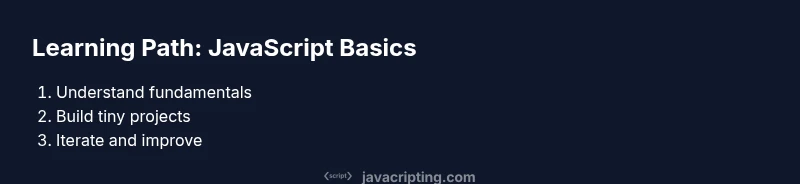
To avoid overwhelm, follow a focused plan: (1) set a clear goal and baseline; (2) configure a simple development environment; (3) learn syntax through tiny experiments; (4) build tiny projects; (5) master functions and scope; (6) explore arrays and objects; (7) finish with a small project and review. Each step builds on the previous one, reinforcing learning through hands-on practice. This structure helps you learn javascript easy way by turning theory into repeatable actions.
Tools and environments you should set up
Equip yourself with a modern browser, a capable code editor, and a local runtime. Install Node.js for running code outside the browser, and keep MDN Web Docs or a JavaScript cheat sheet handy for quick lookups. Create a dedicated project folder and use version control (Git) to track progress. A lightweight combination of tools makes the learning curve gentler and keeps distractions to a minimum.
Common pitfalls and how to avoid them
Common missteps include trying to memorize every syntax detail, jumping to advanced topics too soon, and skipping practice with small projects. Combat this by writing small, focused exercises, revisiting basics regularly, and building slowly—prioritize depth over breadth. Remember to take breaks and review errors with a calm mindset; debugging is a skill that grows with time.
Short, hands-on practice ideas you can try today
Try these quick projects to cement concepts: a tip calculator using basic arithmetic, a to-do list with local state, and a simple number guessing game that exercises conditionals. Each project should be 20-40 lines of code and include tests you write yourself. Keep a log of what you changed and why, so you can trace your learning journey.
Measuring progress and staying motivated
Track progress by documenting what you can build, not just what you memorize. Set weekly goals and review them against real outcomes. Using small wins—like a working to-do app or a calculator—maintains momentum and makes learning enjoyable. A mindful pace beats marathon sessions that burn you out.
Next steps and learning path
After you’ve built a couple of small projects, level up with more complex topics: arrays, objects, and basics of asynchronous JavaScript. Start reading MDN examples, watch short tutorials, and rewrite examples from memory. As you grow, you’ll move toward building fuller projects and contributing to small open-source exercises.
Tools & Materials
- Web browser (Chrome/Edge/Firefox/Safari)(Use DevTools for quick experiments and debugging)
- Code editor(VS Code recommended with JS extensions)
- Node.js (LTS version)(Run scripts locally without a browser)
- MDN Web Docs or JavaScript cheat sheet(Reference for syntax and concepts)
- Notebook or note-taking app(Jot down goals, snippets, and reflections)
- Sample starter projects repository(Clone a tiny repo for practice)
Steps
Estimated time: 4-6 hours
- 1
Define goals and baseline
Decide what you want to build in JavaScript and set a measurable starting point. Write down a target project and a simple test you can run to confirm success. This gives your learning real direction from day one.
Tip: Define a mini project and a 1-week milestone to stay accountable - 2
Set up your environment
Install a code editor, a modern browser, and Node.js. Create a dedicated workspace with a clear folder structure and enable essential extensions for JavaScript development.
Tip: Configure linting and a simple run script to speed up feedback - 3
Learn the basics of syntax
Study variables (let/const), data types, operators, and simple control flow. Practice small experiments in the console to see results immediately.
Tip: Repeat basic patterns until you can reproduce them from memory - 4
Practice with tiny projects
Build 2-3 tiny programs, like a calculator or a random quote generator, to apply concepts in context. Focus on getting a working result before optimizing.
Tip: Add tests or console logs to verify behavior - 5
Master functions and scope
Write function declarations, understand parameter passing, and explore scope rules. Practice with closures and higher-order functions.
Tip: Explain yourself aloud as you code to improve understanding - 6
Explore arrays and objects
Manipulate arrays with common methods, create and modify objects, and practice JSON-like data handling. This unlocks most real-world data tasks.
Tip: Prefer expressive variable names over abbreviations - 7
Build a small project and review
Create a slightly bigger project (e.g., a notes app) and review what you learned against your goals. Refactor code to improve readability.
Tip: Refactor with a simple linter rule in mind
Questions & Answers
What is the easiest way to start learning JavaScript?
Start with small exercises that reinforce one concept at a time. Set a concrete goal, like building a to-do list, and code daily to build momentum.
Begin with small exercises and a daily habit; aim to build one simple app.
Do I need HTML/CSS knowledge to learn JavaScript?
Basic HTML and CSS help you see JavaScript in action, especially in the browser. You can start with JS in the console and gradually integrate with a page.
Some HTML basics help, but you can start with JavaScript in the browser console.
Should I memorize syntax or focus on concepts?
Focus on concepts and patterns rather than memorizing every syntax rule. Practice often, and syntax becomes automatic over time.
Learn the patterns, not every exact line of code.
How long does it take to become proficient?
Proficiency comes with consistent practice over weeks to months. Start with small projects and gradually increase complexity as you build confidence.
With steady practice, you’ll feel comfortable within weeks to months.
What are good beginner projects?
Good beginner projects include a calculator, to-do list, weather display, or a simple quiz. They reinforce fundamentals and give you a tangible portfolio.
Try a calculator or to-do list to practice core concepts.
Is JavaScript the same in Node.js and the browser?
The core language is the same, but environments differ. Node.js focuses on server-side tasks, while the browser provides DOM APIs for user interfaces.
Core language is the same, but environments differ.
Watch Video
What to Remember
- Practice daily to build momentum
- Master fundamentals before advanced topics
- Build real mini-projects for context
- Use MDN and docs as guides
- Refactor and review your code often