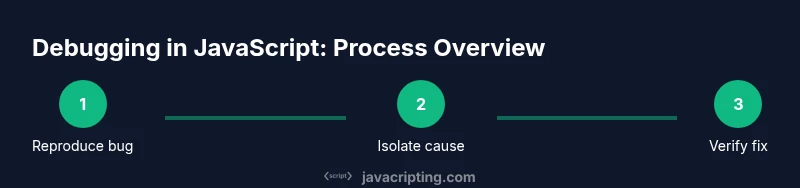
Debugging in JavaScript: A Practical How-To Guide
Learn a practical, step-by-step approach to debugging in javascript across browsers and Node.js. Build a repeatable workflow, master essential tools, and apply real-world examples to fix bugs faster.


By the end of this guide you will master a practical, repeatable debugging workflow for debugging in javascript across browsers and Node.js. You will learn how to reproduce issues, gather evidence, isolate root causes, craft minimal repros, verify fixes with tests, and prevent regressions with lightweight instrumentation and good logging practices.
What debugging in javascript means
Debugging in javascript is the disciplined process of finding and fixing logic errors that prevent code from running correctly or producing incorrect results. According to JavaScripting, effective debugging in javascript combines systematic investigation with tooling discipline, giving developers reliable methods to uncover root causes. The goal is not merely to fix the current bug but to understand why it happened and how to prevent similar issues in the future. You’ll learn how to build a robust mental model of your code and use that model to triage problems quickly. Throughout this guide we’ll blend theory with practical techniques, emphasizing reproducible steps, evidence collection, and incremental validation. This approach helps you stay calm under pressure and reduces the time spent chasing ghosts in complex applications.
The JavaScripting team found that practitioners who couple strong investigative practices with lightweight instrumentation tend to resolve issues faster and ship more reliable software. As you read, keep in mind the goal of debugging in javascript is to transform ambiguity into understanding, then certainty, through deliberate, repeatable actions. You’ll also gain a set of reusable patterns that apply whether you’re debugging frontend UI, Node.js services, or library code that others depend on.
Core debugging techniques: console, breakpoints, and stepping
Effective debugging in javascript starts with seeing what the code is doing. Console-based logging is the most accessible tool, but it’s only the beginning. Use console.log sparingly for essential state, and prefer console.table for array-like data to quickly identify patterns. The debugger keyword and breakpoints allow you to halt execution exactly where you suspect issues are occurring. Step through code line by line to inspect variables, evaluate expressions, and observe the call stack. Combine these techniques with targeted logging and graduated levels of verbosity to minimize noise. Remember to comment on the intent of logs so future readers understand why a value matters. When used judiciously, breakpoints turn a vague sensation of a bug into a concrete, testable hypothesis.
Reproducibility and test cases: the foundation of debugging
A reproducible bug is a powerful ally in debugging in javascript. Start by drafting a minimal, repeatable scenario that consistently triggers the issue. This repro becomes your primary instrument for diagnosing failures and verifying fixes. Include only the code paths necessary to reproduce the bug, along with the exact environment conditions (browser version, Node.js version, and any relevant flags). Use small, independent steps so you can isolate which action causes the problem. As you refine the repro, update your tests or create a focused unit/integration test that captures the regression. A high-quality repro shortens the feedback loop and makes collaboration with teammates much smoother.
Document any assumptions you make about the inputs, outputs, and side effects. When the repro is stable, you can confidently test fixes without risking new failures elsewhere. In this process, you’ll often shift from “this line seems wrong” to “this specific state is invalid.”
Setting up a robust debugging workflow
A robust workflow for debugging in javascript blends environment discipline with methodical investigation. Start by establishing a reproducible baseline: ensure you can reproduce the issue in your main development environment, and snapshot the initial state. Next, instrument the code with purposeful logging, or enable built-in debugging features in your IDE or browser. Create a checklist of steps to perform when the bug appears, including how to reproduce, what to observe, and how to verify the fix. Maintain a separate branch or patch for debugging work; never perform invasive changes directly on production code paths. Finally, integrate checks into your test suite that fail when the bug reappears, providing fast feedback to the team.
A well-documented workflow reduces cognitive load and empowers teammates to jump in when you’re away. It also helps establish a shared language for describing bugs, which speeds up triage and resolution across projects.
Debugging in browser DevTools: tips and tricks
Browser DevTools are treasure troves for debugging in javascript. Start with the Elements panel to inspect DOM mutations and observe how UI state changes in response to events. The Console is for quick value checks, assertions, and logging, while the Sources panel lets you set conditional breakpoints, watch expressions, and step through code. Use the Network tab to identify slow requests, failed responses, and timing issues that influence logic paths. Performance profiling helps you spot long-running scripts and frame drops, while the Memory panel reveals leaks and detached DOM trees. A practical approach is to combine breakpoints with console assertions; for example, pause when a variable exceeds a threshold, then verify the state using a watch expression. Keeping your DevTools docked and organized reduces friction during debugging sessions.
Debugging in Node.js: core tools and patterns
Node.js debugging shares many concepts with browser debugging but has unique tooling. Use node --inspect and a compatible debugger (such as Chrome DevTools or VSCode) to attach a debugger to a running process. The --inspect-brk flag lets you pause at the start of execution, granting you a controlled entry point for your investigation. When debugging server code, leverage util.inspect to print structured objects with depth control, and consider async_hooks to trace asynchronous context. For performance issues, run Node with --prof or --trace-gc to collect profiling data. In both environments, a small, focused test that reproduces the bug helps keep the debugging session productive and collaborative.
Handling asynchronous code: promises, async/await, timers
Asynchronous code is a common source of subtle bugs. When debugging in javascript, pay special attention to promise chains and async/await error handling. Use try/catch blocks in async functions and ensure you handle rejected promises with .catch or top-level handlers. Use breakpoints inside async functions to inspect values across await boundaries and to verify that execution order aligns with expectations. Timers (setTimeout, setInterval) can introduce timing-related issues; always record the actual sequence of events and consider deterministic delays in tests. The event loop behavior matters: microtasks run before macrotasks, so promises can resolve before a timeout fires. Visualize this by logging timestamps for each step or using performance.now() to measure intervals.
Common pitfalls and how to avoid them
There are several well-worn traps in debugging in javascript. Beware closures created in loops, which can capture stale values; prefer let instead of var or use IIFEs to isolate iterations. Avoid over-asserting in code paths that are not exercised by the repro; noisy logs obscure real signals. Don’t trust a single failing test to reveal the root cause—look for patterns across tests and runs. Also, avoid relying solely on console output for complex state; pair logs with live inspection in a debugger. Finally, don’t modify production code paths to force a bug to reproduce; instead, use feature flags or temporary test doubles to isolate behavior safely.
Performance, memory leaks, and profiling
Debugging in javascript often involves performance considerations. Start with measurements: collect baseline timings for critical paths and compare when making changes. Use profiling tools to identify hot paths and expensive operations, and look for memory leaks by monitoring heap allocations over time. Techniques such as object captors, weak maps for caches, and careful event listener management can help prevent leaks. When profiling, bias your tests toward realistic usage patterns rather than synthetic workloads, so the data reflects real user experiences. Remember that performance fixes must not compromise correctness; run full regression tests after any optimization.
Attention to memory and CPU usage is essential for long-running apps and high-traffic services. Small, focused improvements often yield meaningful gains without introducing new bugs. Document any changes you make to performance-sensitive code so future developers understand the rationale and constraints.
Debugging real-world scenarios: race conditions and flaky tests
Real-world bugs are rarely isolated to a single line; they often involve timing and concurrency. Race conditions can surface when multiple asynchronous actions compete for shared state. To debug these, reproduce under controlled load, pin down critical sections with locks or serial queues when possible, and add deterministic delays in test environments to expose interleavings. Flaky tests hamper confidence; stabilize tests by removing non-deterministic dependencies, using explicit waits, and isolating tests from global state. When diagnosing flaky tests, look for shared resources, global state mutations, or reliance on real network calls. A disciplined approach—reproduce, isolate, reproduce again, then fix—will dramatically reduce flaky behavior over time.
Building a long-term debugging strategy: documentation and culture
A mature debugging culture treats debugging as a shared responsibility. Document common bugs, available tooling, and the preferred workflow in a living handbook. Create a library of useful repros and fixes that teammates can re-use, and integrate debugging into code reviews so early issues are caught. Encourage pairing and knowledge transfer to spread debugging skills, and invest in automated tests that prevent regression. Finally, continuously refine your approach by collecting feedback, updating guidelines, and maintaining a fast feedback loop from CI pipelines to developers. A strong debugging culture accelerates learning and reduces friction across projects.
Tools & Materials
- Modern web browser (Chrome/Edge/Firefox)(Keep DevTools up-to-date; use the latest features for debugging in javascript)
- Node.js runtime (latest LTS)(Needed for server-side debugging and tooling)
- Code editor (e.g., VSCode)(Install debugger extensions (e.g., Chrome/Node.js))
- Minimal reproducible example repository(A tiny repo with a reproducible bug helps maintain clarity)
- Debugger and profiling tools(Chrome DevTools, Node Inspector, or IDE-integrated debuggers)
- Logging strategy (structured logs, console output)(Useful for tracing without overwhelming the console)
Steps
Estimated time: 60-90 minutes
- 1
Define the bug and reproduce it
Capture a precise description of the failure and reproduce it in your development environment. Document the inputs, environment, and observed vs expected behavior. This step sets the foundation for all subsequent debugging efforts.
Tip: Write the exact steps to reproduce before changing code; this reduces ambiguity. - 2
Create a minimal repro
Isolate the bug into the smallest possible sample that still fails. Remove unrelated code paths and dependencies. A tiny repro makes root cause analysis faster and easier.
Tip: Aim for a single failing assertion or a single broken path. - 3
Set up a baseline test
Add or run an automated test that fails with the bug and passes after the fix. This protects against regressions and documents the bug for future maintenance.
Tip: Use a test framework you already use in the project. - 4
Instrument with targeted logging
Introduce minimal, meaningful logs or traces to capture state at key moments. Prefer structured data over free-form strings for easier analysis.
Tip: Log just enough context to distinguish similar states. - 5
Pause and inspect with a debugger
Attach a debugger and set breakpoints at the most likely failure points. Step through to observe variable values and call stacks in sequence.
Tip: Use conditional breakpoints to pause only when specific conditions are met. - 6
Check the call stack and scope
Review the sequence of function calls and understand scope boundaries. Look for closures capturing stale values and for functions executing in unexpected contexts.
Tip: Trace variable lifetimes across asynchronous boundaries. - 7
Isolate the root cause
Form a hypothesis about the root cause and test it with small changes. Avoid large rewrites in the middle of debugging.
Tip: Change one thing at a time and re-run the repro. - 8
Develop a fix and validate locally
Implement a minimal fix and re-run the repro and tests. Ensure the fix does not introduce new failures elsewhere.
Tip: Prefer a small, explicit fix over a broad refactor. - 9
Add regression tests
Capture the bug in a test that will fail previously and pass after the fix. This reduces future regressions and documents intent.
Tip: Automate test execution in CI to catch regressions early. - 10
Review and document the fix
Summarize the bug, root cause, fix, and tests. Update developer docs or a knowledge base for future reference.
Tip: Include the repro steps and expected vs actual results. - 11
Merge and monitor
Merge the fix into the main branch and monitor in staging/production if applicable. Be ready to respond to any new reports.
Tip: Enable lightweight feature flags if you need safe rollout. - 12
Reflect and improve
Review the debugging process: what helped, what didn’t, and what you would adjust next time. Update processes accordingly.
Tip: Capture lessons learned for the team retrospective.
Questions & Answers
What is debugging in javascript, and why is it important?
Debugging in javascript is the systematic process of identifying, reproducing, and fixing bugs to ensure code behaves as intended. It’s essential for reliability, user trust, and maintainable software.
Debugging in javascript is the process of finding and fixing issues so code behaves as intended. It’s important for reliability and maintainability.
How does browser debugging differ from Node.js debugging?
Browser debugging focuses on UI interactions, DOM state, and network activity observed in the client. Node.js debugging concentrates on server-side logic, I/O, and asynchronous flow in a non-browser environment.
Browser debugging targets UI and DOM; Node.js debugging targets server-side logic and async flows.
What are best practices for logging during debugging?
Log meaningful state with context, use structured data when possible, avoid verbose logs in production, and remove or gate logs behind a debug flag after debugging.
Log meaningful state with context, keep logs structured, and avoid noisy production logs.
How can I debug asynchronous code effectively?
Understand the event loop, inspect promises and await points, and set breakpoints around await boundaries. Use try/catch and proper error handling to surface failures clearly.
Focus on the event loop, break at async boundaries, and ensure errors are properly caught.
What should I do if I can’t reproduce a bug?
Try to simplify the environment, isolate inputs, reproduce with a stable baseline, and use deterministic tests or feature flags to control variables.
If you can’t reproduce, isolate variables and create a stable baseline to test assumptions.
How do I verify a bug fix reliably?
Rerun the original repro, run the full test suite, and add regression tests to prevent future occurrences. Validate in multiple environments when possible.
Rerun the repro, run tests, and add a regression test to lock in the fix.
When is it appropriate to rewrite large sections versus small fixes?
Prefer small, targeted fixes that address the root cause. Reserve larger rewrites for when a module is consistently brittle or poorly understood.
Start with small fixes; only rewrite if the module’s design is fundamentally flawed.
What role do tests play in debugging?
Tests validate fixes and guard against regressions. They should cover edge cases revealed during debugging and reflect realistic usage.
Tests confirm the fix and prevent future bugs from creeping back.
Watch Video
What to Remember
- Reproduce bugs with precision and minimal repros
- Instrument with purpose-built logs and breakpoints
- Divide debugging into small, testable steps
- Validate each fix with automated tests
- Document decisions and share learnings