How to Get Rid of JavaScript Error Messages: A Practical Guide
Learn a practical, step-by-step approach to remove JavaScript error messages using reproducible tests, browser DevTools, and robust fixes that improve reliability and user experience.


This guide helps you stop JavaScript error messages by following a practical debugging workflow. You’ll learn to reproduce errors, isolate causes, and apply targeted fixes using browser dev tools. According to JavaScripting, most errors come from undefined variables, scope issues, or failed asynchronous code—The JavaScripting team found that a repeatable process reduces noise and speeds fixes.
Why JavaScript error messages appear
JavaScript errors appear for several reasons: syntax mistakes, runtime exceptions, type mismatches, and improper assumptions about data. They can originate in your code, imported modules, or third-party scripts. The browser console surfaces messages with a type tag (SyntaxError, ReferenceError, TypeError, RangeError, etc.), a short description, and a stack trace that points to the offending line. Understanding the source is crucial because a single typo or a late-binding of a variable can cascade into multiple warnings. For example, a missing semicolon might seem harmless, but in minified bundles or asynchronous code, it can prevent a script from executing and cascade into subsequent failures. Another common trigger is asynchronous operations that fail silently if errors aren’t properly propagated. Even well-structured code can emit errors if assumptions about the DOM or data shapes prove false after a user action or API response. The JavaScripting approach emphasizes building a reproducible scenario, isolating the failing component, and verifying fixes in a controlled environment. The goal isn’t just to silence the message; it’s to make the underlying behavior predictable and robust.
Common types of errors you’ll see
SyntaxError: when your code cannot be parsed, often from mismatched brackets, stray characters, or missing punctuation. ReferenceError: trying to use a variable or function that hasn’t been declared or is out of scope. TypeError: a value is not of the expected type, such as calling a non-function or reading a property from undefined. RangeError: numeric operations outside allowed bounds or when an array or string index goes out of range. NetworkError and CORS-related errors: failed fetch calls or blocked resources due to security policies. Console warnings: non-fatal issues that don’t stop script execution but indicate potential reliability problems, such as deprecated APIs or ignored promises. If you see errors in bundled code, split out the minified output to identify the actual source, then trace back through source maps or debugging symbols. It’s common to see errors caused by dynamic data: API responses that don’t match the shape your code expects, or DOM operations on elements that aren’t yet present. The JavaScripting method keeps a glossary of error types, associates them with likely causes, and builds a targeted fix path rather than patching symptoms. Note: some errors are user or environment dependent (older browsers, extensions, or ad blockers can inject noise).
Reproducing the error: how to isolate the cause
Start by creating a minimal, reproducible example: strip your code to the smallest snippet that still shows the error. This could be a single function, a small component, or a test page that loads only the relevant script. This step is essential because it prevents debugging fatigue and helps you confirm whether the issue is local or caused by a dependency. When reproducing, use the same environment where the error occurs (same browser, same data, and, if possible, the same user interaction). Record exact steps to trigger the error, including any asynchronous actions such as API calls, timeouts, or event handlers. If the error depends on external data, simulate the data with mock responses so you aren’t chasing flaky real-world conditions. Use the browser console to log values at strategic points, and enable breakpoints to halt execution precisely where the problem arises. In modern tooling, source maps let you trace errors back to your original source rather than the compiled bundle. If you can’t reproduce in isolation, consider isolating the failing module with dependency stubs or mock modules. The goal is to move from a vague sense of “something is wrong” to a precise, testable bug report that you can hand to teammates or paste into an issue tracker. JavaScripting emphasizes discipline in reproducibility as the foundation of a fast fix.
Build a robust debugging workflow
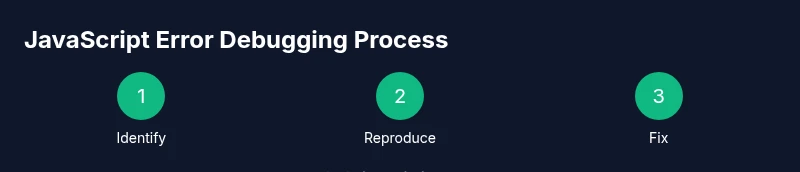
Adopt a repeatable flow: reproduce, reduce, isolate, verify, and prevent. Start by reproducing the error in a clean environment, using the minimal example you created. Then reduce the scope further by removing nonessential code until you hit the root cause. Isolate the failing module or API by temporarily replacing dependencies with mocks or stubs that replicate expected behavior. After implementing a fix, verify by rerunning the exact reproduction steps and ensuring the error no longer occurs, and that unrelated functionality remains intact. Expand tests to cover edge cases that previously triggered errors. Integrate this workflow into your daily practice: keep a living checklist, document each bug’s cause and fix, and maintain a changelog for your team. In JavaScript debugging, it helps to separate concerns: UI logic, data fetching, and state management each get their own small tests. When dealing with asynchronous code, add explicit error handlers: catch blocks for Promises, and a global unhandled rejection handler in development. Finally, reflect on prevention: introduce input validation, robust null checks, and defensive programming patterns to reduce the chance of similar errors returning in production. The result is not merely a fixed error message but a more reliable and maintainable codebase.
Browser tools and console tricks
Modern browsers come with powerful debugging toolsets that reveal the hidden bits of your code. In Chrome DevTools, use Elements to inspect the DOM, Console for live logging, Sources for breakpoints and stepping through code, Network to inspect requests, and Performance to identify jank. Start with Console: log values at important steps, group related logs, and filter by type to spot anomalies quickly. Use the Call Stack to trace execution paths, and set breakpoints directly in the Sources panel—then reload to see the exact line where things go wrong. In Firefox, use the Inspector for DOM state, Debugger for stepping through code, and Network Monitor for API timing. Safari users can leverage Web Inspector in a similar fashion. A practical trick is to reproduce in a controlled environment and then gradually reintroduce complexity: re-add one feature at a time while watching the console for new errors. For asynchronous debugging, enable async stack traces to follow promises across awaits, and explore the Timeline/Performance view to locate expensive or failing code paths. Finally, consider adding a lightweight logging framework for production: degrade verbosity in production while keeping critical traces in development. The goal is to create a reliable, observable debugging surface that helps you fix issues quickly without overwhelming your teammates.
Remediation patterns: fixes that work across codebases
Across projects, certain remediation patterns reduce friction when you encounter errors. First, guard against undefined values with default parameters and null checks so code doesn’t crash when data is missing. Second, validate inputs and API responses early, using simple schema checks or TypeScript types if possible. Third, centralize error handling: create a single place to catch and log unhandled errors, and propagate meaningful messages to the UI. Fourth, prefer explicit promises and async/await with try/catch blocks instead of chaining; this makes error paths easier to read and test. Fifth, use feature flags or conditional loading to avoid executing code that depends on unavailable resources. Sixth, leverage source maps in development to map errors to the original source, speeding the debugging loop. Seventh, write small, focused tests that exercise edge cases around data shapes, timing, and user interactions. Eighth, adopt a culture of “clear failure, clear repair”: document both the symptom and the fix so future contributors can learn. Ninth, consider gradual progressive enhancement: if a script fails, allow the UI to continue with reduced functionality rather than breaking completely. Finally, beware of suppressing errors with silent fallbacks; always surface a user-friendly notification or fallback state when appropriate.
Debugging asynchronous code and promises
Asynchronous code often hides errors behind timing and data race conditions. When a Promise rejects, a missing catch leads to unhandled rejections, which can crash logic or leave the UI in an inconsistent state. Start by auditing each async path: ensure every Promise has a catch handler or is awaited inside a try/catch. When multiple requests run in parallel, use Promise.allSettled to collect both successes and failures instead of failing fast. If you rely on external data, implement retry strategies with exponential backoff and sensible timeouts, so a transient network hiccup doesn’t cascade into a fatal error. Use async stack traces in your console to trace the chain across awaits, and log contextual metadata like request URLs and identifiers so you can reproduce the issue later. In UI-heavy apps, show a graceful fallback state while you retry in the background, and avoid throwing errors directly into the user’s face. Finally, test asynchronous code under realistic latency and failure scenarios, using mocks or simulated slow networks to reveal edge-case errors. The objective is not to eliminate all asynchronous errors but to manage them transparently and recover gracefully when they happen. The JavaScripting approach emphasizes deterministic behavior even when network and I/O timing vary.
Performance and UX considerations when suppressing or surfacing errors
Error messages are not just developer nuisances; they can affect user experience and perceived performance. Suppressing errors aggressively may hide problems from users and delay fixes, while surfacing too many messages can overwhelm the UI. A balanced approach is to distinguish between fatal errors that block critical features and non-blocking issues that degrade experience. For non-fatal errors, consider non-intrusive UI patterns: toast notifications, inline validation, or subtle indicators that signal a problem without breaking the workflow. If you suppress console errors in production, ensure you still collect telemetry or logs in a privacy-respecting way to understand real-world behavior. Use feature flags to roll out fixes gradually and monitor for regressions. Performance-wise, avoid heavy error handling in hot paths; instead, centralize error processing and lazy-load diagnostic modules only when needed. Document user-facing error states and provide helpful guidance, such as retry controls or fallback content. Finally, build automated tests that simulate both success and failure scenarios to keep the balance between reliability and user experience. The JavaScripting team recommends validating every change in a staging environment before pushing to production to safeguard both performance and trust.
When to ask for help and how to document your findings
When you’re stuck, a fresh pair of eyes can help. Reach out to teammates or online communities, but come prepared with a clean reproducible example, a summary of the error context, and the exact steps to reproduce. Attach the minimal code, the environment details (browser version, Node.js version if applicable), and any relevant logs or screenshots. Document your findings in a living bug log: include the error type, the cause you identified, the fix you implemented, and the test results. This not only speeds up resolution but also creates a knowledge base for future projects. If you rely on external services, include network timings and reliability notes so others can understand the failure mode. For teams using CI, add a small automated test that captures the failing scenario and passes after the fix. Finally, review and reflect: after shipping the fix, monitor user feedback and error dashboards to ensure the issue remains resolved. The JavaScripting team’s verdict is that disciplined documentation and reproducible tests are as valuable as the fix itself.
Authoritative sources
- https://developer.mozilla.org/en-US/docs/Web/JavaScript/Reference/Errors
- https://web.dev/debugging-javascript/
- https://www.w3.org/standards/
Real-world debugging checklist
Use this quick, repeatable checklist when you encounter an error: 1) Reproduce in a clean, minimal environment to ensure you’re testing the real issue and not a side effect. 2) Copy the exact error message, note the stack trace location, and capture relevant code snapshots. 3) Open DevTools and examine Console, Network, Sources, and Performance to gather context. 4) Build a minimal repro that isolates the failing behavior from unrelated features. 5) Inspect variables, data shapes, and types; add temporary logs if needed to reveal hidden values. 6) Add guards, default values, and error-handling branches to prevent future crashes. 7) Implement the fix and re-run the reproduction steps; verify that the error no longer occurs and that other features still work. 8) Cross-check in different browsers, devices, and network conditions to ensure resilience. 9) Document the bug, the root cause, the exact fix, and the test results in your issue tracker and changelog. 10) Share the outcome with teammates and update any related documentation. Following this checklist helps you move from guesswork to solid, testable improvements.
Tools & Materials
- Code editor(VS Code, Sublime Text, or similar)
- Modern browser with DevTools(Chrome, Edge, or Firefox)
- Project source files access(Repository or local workspace access)
- Browser developer tools (console/network)(Use Console, Network, Sources, and Performance)
Steps
Estimated time: 60-90 minutes
- 1
Identify the error message
Read the console message carefully and note the type (e.g., SyntaxError, ReferenceError, TypeError). Identify the exact line and any related stack trace. This establishes the scope of the problem and helps you avoid chasing unrelated issues.
Tip: Copy the exact error text and the stack trace for reference. - 2
Create a minimal reproducible example
Strip code to the smallest snippet that still reproduces the error. This isolates the failing behavior and makes it easier to test fixes without unrelated features.
Tip: Remove nonessential UI and data flows; keep only the failing path. - 3
Check syntax and typos
Look for missing punctuation, mismatched brackets, and incorrect variable names. A small syntax error is a common cause of many runtime failures.
Tip: Use editor linting and quick-fix suggestions to catch common mistakes. - 4
Verify scope and data types
Ensure variables are defined in the correct scope and that values match expected types. Undefined variables and incorrect type assumptions frequently crash code paths.
Tip: Add console.log statements to confirm values before they are used. - 5
Investigate asynchronous paths
Identify promises, async calls, and event-driven logic that may fail. Missing catch handlers and unhandled rejections are frequent culprits in async code.
Tip: Add try/catch around awaits and ensure all promises have a rejection handler. - 6
Use breakpoints and watch values
Set breakpoints at the error line and inspect variables as execution steps through the code. Use watch expressions to monitor critical values.
Tip: Enable async call stacks to trace across awaits. - 7
Apply targeted fixes and retest
Patch the root cause and re-run the exact reproduction steps. Confirm the error no longer occurs and that there are no new regressions.
Tip: Test edge cases and different input data. - 8
Validate in multiple environments
Check the fix in different browsers, devices, and network conditions to ensure resilience and consistent behavior.
Tip: Use a staging environment and lightweight mocks for external services.
Questions & Answers
What should I do first when I see a JavaScript error?
Start by reading the error type and message in the console. Capture the stack trace and reproduce the issue in a minimal environment to confirm the root cause.
First, read the error and capture the stack trace. Try to reproduce it with a minimal example to confirm what's breaking.
How can I tell if an error is from my code or a dependency?
Isolate the failing path in a small repro. If the error persists after removing external dependencies, it’s likely in your code. Otherwise, review recent changes to dependencies or their APIs.
Make a small repro and remove dependencies. If the error goes away, it’s likely from the dependency; otherwise it’s in your code.
Is it safe to hide errors in production?
No. Hiding errors can hide real issues. Log and surface user-friendly feedback where appropriate, while keeping detailed diagnostics available for developers.
No, don’t just hide errors. Log them and guide users with friendly messages while keeping diagnostics for developers.
What tools should I start with for debugging?
Start with your browser’s built-in DevTools (Console, Sources, Network). They provide the most immediate context. Add a lightweight logging approach for production if needed.
Begin with the browser DevTools for console and network insights, then consider lightweight production logging.
How do I handle errors in asynchronous code?
Ensure every Promise has a catch or is awaited inside try/catch. Use allSettled for parallel requests and implement retries with backoff when appropriate.
Make sure awaits have try/catch, handle every promise rejection, and consider retries for flaky APIs.
Watch Video
What to Remember
- Reproduce first, then isolate causes
- Use browser DevTools for in-depth debugging
- Create minimal repros to speed fixes
- Guard against undefined values and async errors
- Document fixes and share learnings