What’s Wrong with My JavaScript? An Urgent Troubleshooting Guide
Facing JavaScript errors? This urgent, practical troubleshooting guide helps aspiring developers diagnose common issues quickly, with a clear flow, concrete steps, and safety tips to get your code back on track.


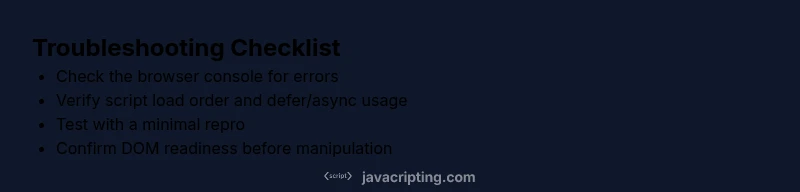
The most likely causes are syntax errors, incorrect script loading order, or runtime exceptions from undefined variables. Start by checking the browser console for error messages, verify script tags load in the proper order (defer/async), and ensure your code executes after the DOM is ready. If the issue persists, follow the diagnostic flow below.
What’s Going Wrong? Common Symptoms and Stakes
According to JavaScripting, understanding what’s wrong with my javascript begins with recognizing common symptoms: a blank page, nothing executing, or code that runs inconsistently across browsers. The trouble often hides in plain sight: a stray syntax error, a script loaded before the DOM is ready, or a variable that isn’t defined in the current scope. When symptoms appear, you’re not just chasing a bug—you’re confronting the reliability of your user’s experience. Early, careful diagnosis saves time and prevents cascading failures in larger apps. You’ll gain confidence by mapping symptoms to likely causes and validating each step with precise tests.
Core Categories of JavaScript Issues
JS bugs typically fall into several broad categories: syntax errors that stop execution, runtime errors that throw exceptions, asynchronous timing problems where code runs before data is ready, and DOM readiness issues where scripts run before the page is fully loaded. Other culprits include browser-specific quirks, mismatched module loading, and issues introduced by build tools or minifiers. Each category has its own telltale signs—error messages, stack traces, or unexpected UI behavior—that guide your debugging strategy. Systematically classify the issue first to avoid chasing irrelevant fixes.
Start with the Basics: Quick Checks that Pay Off
Begin with the simplest checks: open your browser’s developer tools, review the Console for syntax errors or uncaught exceptions, and inspect the Network tab to confirm all scripts load successfully. Verify that paths are correct, that 3rd-party scripts aren’t blocked by CORS, and that you’re not mixing ES modules with classic script tags unintentionally. If you use a bundler, confirm the build completed without errors and that the output you’re loading matches the source you edited.
Reading and Interpreting Error Messages
Error messages are your map. Learn to read stack traces, identify which file and line caused the issue, and distinguish between syntax, runtime, and network errors. When messages refer to undefined variables, check initialization order and scope. For type errors, review the values being passed through functions and confirm that inputs match expected types. If errors originate from asynchronous code, investigate promises, async/await, and callbacks to locate where control flow diverges.
Diagnostic Flow: Symptom → Diagnosis → Fixes
- Symptom: Page not executing as expected or UI not updating
- Causes: ["Syntax error" (high), "Incorrect load order" (medium), "Runtime error" (medium)]
- Fixes: ["Check console for errors" (easy), "Ensure scripts load in the correct order" (easy), "Isolate problem with a minimal repro" (medium)]
In practice, start by reproducing the issue with a simple, repeatable action. Check the console for a concrete error message and trace it back to a file and line. Validate load order and dependencies; if the problem persists, reduce the code to a minimal reproducible example to isolate the root cause.
Step-by-Step: Most Common Fixes, in Order
- Reproduce the issue consistently
- description: Capture a minimal, repeatable action that triggers the bug. This makes it easier to verify if your fix works later.
- tip: Use a private or incognito window to avoid cache or extension interference.
- Check the browser console for errors
- description: Read the exact error message and stack trace to locate the offending line.
- tip: Copy the error text into a search to see if others have faced the same issue.
- Validate script loading order
- description: Ensure scripts are loaded in the right order, and use defer/async properly to control execution timing.
- tip: Avoid inline script tags for modules unless you know how they interact with your build.
- Create a small, isolated repro
- description: Extract the failing portion into a tiny, standalone snippet that reproduces the problem.
- tip: This helps you determine if the issue is local or caused by integration with other code.
- Test with strict mode and type checks
- description: Enable 'use strict' and consider type-checking with tools like TypeScript or JSDoc for better guarantees.
- tip: Strict mode catches silent errors and bad practices early.
- Verify DOM readiness
- description: If your code manipulates DOM, run it after DOMContentLoaded or use window.onload as a fallback.
- tip: Prefer DOMContentLoaded for speed, but ensure scripts don’t block rendering.
- Apply the fix and verify
- description: Implement the fix in a controlled environment, then re-run the exact reproduction steps to confirm success.
- tip: Add a quick regression test or unit test if possible.
estimatedTime":"25-45 minutes"},
tipsList
keyTakeaways
videoEmbed
faqSection
mainTopicQuery
mediaPipeline
taxonomy
Steps
Estimated time: 25-45 minutes
- 1
Reproduce the issue consistently
Capture a minimal, repeatable action that triggers the bug. This makes it easier to verify if your fix works later.
Tip: Use a private or incognito window to avoid cache or extension interference. - 2
Check the console for errors
Read the exact error message and stack trace to locate the offending line.
Tip: Copy the error text into a search to see if others have faced the same issue. - 3
Validate script loading order
Ensure scripts are loaded in the right order, and use defer/async properly to control execution timing.
Tip: Avoid inline script tags for modules unless you know how they interact with your build. - 4
Create a small, isolated repro
Extract the failing portion into a tiny, standalone snippet that reproduces the problem.
Tip: This helps you determine if the issue is local or caused by integration with other code. - 5
Test with strict mode and type checks
Enable 'use strict' and consider type-checking with tools like TypeScript or JSDoc for better guarantees.
Tip: Strict mode catches silent errors and bad practices early. - 6
Verify DOM readiness
If your code manipulates the DOM, run it after DOMContentLoaded or use window.onload as a fallback.
Tip: Prefer DOMContentLoaded for speed, but ensure scripts don’t block rendering. - 7
Apply the fix and verify
Implement the fix in a controlled environment, then re-run the exact reproduction steps to confirm success.
Tip: Add a quick regression test or unit test if possible.
Diagnosis: Page not executing as expected or UI not updating
Possible Causes
- highSyntax error
- mediumIncorrect load order
- mediumRuntime error
Fixes
- easyCheck console for errors
- easyEnsure scripts load in the correct order
- mediumIsolate problem with a minimal repro
Questions & Answers
Why isn’t my JavaScript running after a page load?
This often happens when the script executes before the DOM is ready or when there’s a syntax/runtime error. Check the console, ensure DOMContentLoaded or defer/async usage is correct, and validate the load order of scripts.
Usually it’s a DOM readiness or syntax issue. Check the console and the script order, then verify the load timing.
What should I do if the console shows 'Uncaught ReferenceError'?
A ReferenceError means a variable or function is not defined at the point of use. Trace the stack to the declaration, confirm the scope, and ensure imports or variable initializations happen before usage.
A ReferenceError means something isn’t defined where you’re using it. Find where it’s declared and fix scope or import order.
How can I fix asynchronous timing issues?
Use promises or async/await to control timing and data availability. Make sure you await data before rendering dependent UI, and handle errors gracefully with try/catch and fallback values.
Handle async code with promises or async/await and ensure you await data before using it.
What if my code works in one browser but not another?
Check for browser-specific APIs or feature support using feature detection (if a feature isn’t available, provide a polyfill or fallback). Test with multiple browsers and consider transpilation/bundling for compatibility.
If it works in one browser but not another, look for feature support and polyfills, then test across environments.
When should I seek professional help?
If you’re stuck after a structured debugging flow and the issue affects production or critical systems, consult teammates, hire a colleague for a pair programming session, or engage a mentor. External eyes often spot edge cases quickly.
If you’re stuck after trying a solid debugging flow, it’s time to bring in a second pair of eyes.
Watch Video
What to Remember
- Check console errors first
- Validate script load order
- Create a minimal repro to isolate issues
- Verify DOM readiness and event timing
- Apply fixes and verify with regression checks