Troubleshooting JavaScript Errors: A Practical Debugging Guide
Urgent, practical guide to debugging javascript errors. Learn common error types, concrete fixes, and a proven diagnostic workflow to diagnose issues in browsers.


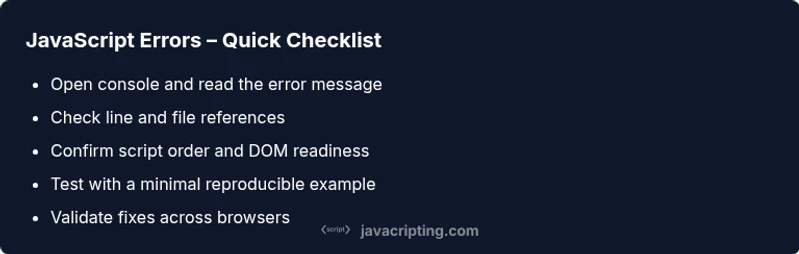
According to JavaScripting, the most common javascript errors come from undefined references, timing issues, or failed dependencies. Start by opening the browser console to note the exact message, file, and line. Confirm scripts load in the correct order and ensure code runs after the DOM is ready. Use a step-by-step debugging workflow to triage syntax, runtime, and asynchronous errors quickly.
What JavaScript Errors Really Mean
JavaScript errors are messages emitted by the engine when something goes wrong in your code or during execution. They reveal a mismatch between what your code assumes and what the runtime provides. According to JavaScripting, the most frequent culprits are undefined references, timing issues, and failing dependencies. When you see an error in the browser console, start by noting the exact message, the file path, and the line number. This information helps you distinguish between syntax errors, type errors, and runtime exceptions. Understanding the error type guides your next move: fix syntax, guard against nulls, or adjust how and when your code runs. A disciplined approach reduces hunting time and makes debugging predictable rather than painful.
Common Error Types and Examples
There are several large families of errors you’ll encounter frequently:
- Syntax errors: These occur when the code cannot be parsed. Examples include missing braces or stray characters. They typically stop code from executing and point to a specific location in your source.
- Reference errors: Accessing a variable that isn’t defined or is out of scope. They highlight gaps in your variable lifecycle or module boundaries.
- Type errors: Attempting to perform an operation on an incompatible type, such as calling a non-function or reading a property of undefined.
- Runtime errors: Exceptions raised while the script runs, often due to logic mistakes or failed external calls. They may surface only after user interaction.
- Asynchronous errors: Promises rejected without a catch, or callbacks executed in unexpected order.
Each category has distinct patterns in the console; recognizing them helps you choose the right remedy quickly.
A Systematic Debugging Mindset
Adopt a repeatable flow: reproduce the issue, isolate the failing component, verify assumptions, implement a fix, and validate the result. Start with a minimal, self-contained example that demonstrates the bug. Use console.log statements to inspect values and state, but remove them after you finish. Leverage browser devtools: set breakpoints, inspect scopes, and monitor network activity for API calls. For asynchronous bugs, pay attention to promise states, catch blocks, and error objects. Document findings as you go; this makes it easier to share with teammates and return to the same point if needed.
Practical Fixes for the Most Common Scenarios
- Undefined references or misspelled variables: declare variables with let/const, fix typos, and review scope rules.
- DOM timing issues: run code after DOMContentLoaded or place scripts at the bottom of the page.
- Type errors: check value types before operations; use typeof checks or optional chaining.
- Asynchronous handling: attach catch to promises and use async/await with try/catch blocks.
- Module and loader problems: verify script/module order, correct paths, and server MIME types; enable source maps.
- Null safety: guard against null or undefined before accessing properties.
- Network requests: inspect fetch responses, status codes, and error payloads.
Apply fixes incrementally and test after each change to confirm the fix works across environments.
Tools and Techniques for Faster Debugging
Modern debugging relies on a mix of browser tools and good practices:
- Console and logging: use console.debug/warn/error to categorize messages; keep logs clear and contextual.
- Breakpoints and scopes: pause execution at the exact line and inspect local variables.
- Network tab and fetch monitoring: verify API responses and error payloads.
- Source maps: ensure you’re debugging the original source rather than compiled code.
- Linting and type checks: catch issues before runtime with ESLint and TypeScript when possible.
- Repro steps: maintain a minimal reproducible example to share with teammates or post in forums.
Preventing Future Errors: Best Practices
Build a robust workflow that reduces the frequency of javascript errors:
- Use strict mode and modern syntax to catch mistakes early.
- Adopt a strong testing strategy: unit, integration, and end-to-end tests catch edge cases before they hit production.
- Establish error boundaries in UI apps to handle unexpected failures gracefully.
- Centralize error handling and logging for visibility across environments.
- Keep dependencies up to date and use semantic versioning awareness to avoid breaking changes.
- Document common pitfalls and share fixes with the team to raise collective awareness.
Steps
Estimated time: 60-90 minutes
- 1
Reproduce with a minimal example
Create a tiny snippet that demonstrates the bug. Remove unrelated code to isolate the issue.
Tip: Keep the environment consistent and minimize variables. - 2
Check the console and stack trace
Note the exact error text, the file, and the line. Look for related warnings.
Tip: Copy or screenshot the message for faster searches. - 3
Verify script loading order
Ensure scripts load in the correct sequence and that modules are available when needed.
Tip: Check network tab for 404s or MIME type errors. - 4
Isolate variables and state
Comment out or log suspected variables to see how state changes.
Tip: Prefer const/let and avoid implicit globals. - 5
Test DOM readiness
If code touches the DOM, ensure it runs after DOMContentLoaded or defer.
Tip: Use DOMContentLoaded or defer attributes. - 6
Handle asynchronous code
Add .catch to promises and use try/catch with async/await.
Tip: Capture error objects and server responses for context. - 7
Apply a targeted fix and re-run
Implement the fix in a controlled way and re-run the minimal example to confirm.
Tip: Run a quick regression test for related features. - 8
Validate across environments
Test in the latest browsers and device types to ensure consistency.
Tip: Document results and any edge cases found.
Diagnosis: User reports a runtime error or blank UI after page load
Possible Causes
- highUndefined variable or misspelled reference
- mediumCode executing before DOM is ready
- highFailed or missing module/script load
- mediumUncaught promise rejection without catch
Fixes
- easyInspect the console for the error message and stack trace; locate the exact line.
- easyCorrect references and ensure proper scope; declare variables with let/const.
- easyLoad scripts in the proper order or defer loading; verify network tab for module failures.
- easyWrap asynchronous calls with try/catch or handle rejection with .catch.
Questions & Answers
What is the first thing I should check when I see a javascript error?
Read the console error carefully, note the message and stack trace, and reproduce in a minimal example to isolate the issue.
Check the console message and reproduce with a tiny code sample.
Why do undefined variable errors occur and how can I prevent them?
These occur when variables are not declared or are out of scope. Use let/const, review scope, and enable strict mode. Consider linting to catch before run time.
Undefined variable errors happen when a variable isn't declared or is out of scope. Use let or const and lint your code.
How do I handle promise rejections to avoid runtime errors?
Always attach a catch for promises and use try/catch with async/await. Centralize error handling in UI, and inspect error payloads in network calls.
Always handle promise rejections with catch or try/catch, and centralize error handling.
What’s the difference between syntax errors and runtime errors?
Syntax errors are parsing failures and stop code from running; runtime errors occur during execution. The console often points to the location and type of error.
Syntax errors stop parsing; runtime errors happen during execution. Check the location and error type in the console.
When should I seek professional help for a JavaScript error?
If an error persists after following a solid debugging workflow, or affects production, consult a teammate or a professional debugging service for a second pair of eyes.
If the error persists after a solid workflow, consider getting a second pair of eyes.
How can I prevent errors in future projects?
Adopt linting, type checking, tests, and defensive coding practices; maintain consistent module loading and environment parity to reduce surprises.
Use linting, types, tests, and defensive coding to prevent future errors.
Watch Video
What to Remember
- Open the console and reproduce with a minimal snippet
- Differentiate syntax errors from runtime ones to triage quickly
- Use a step-by-step workflow for asynchronous bugs
- Validate fixes with targeted tests and cross-browser checks
- Adopt a repeatable debugging process across projects