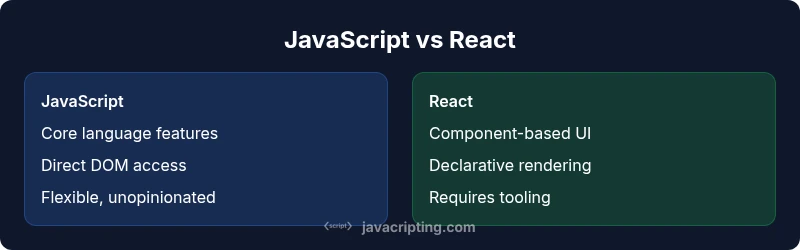
Difference Between JavaScript and React: A Practical Guide
Explore the key differences between JavaScript and React, including scope, architecture, learning paths, and practical decision factors for frontend development.


JavaScript is the language powering the web, while React is a UI library built on JavaScript. The difference matters: JavaScript handles logic, data, and DOM interaction, whereas React provides components, state management, and declarative rendering. According to JavaScripting, understanding this distinction helps you decide when to write vanilla code versus adopting a component-driven approach.
Core Distinctions: Language vs Library
According to JavaScripting, the most fundamental distinction is that JavaScript is a language used to implement logic, interact with the DOM, and manage data flows in the browser and on the server (via Node.js). In contrast, React is a UI library built on top of JavaScript that provides a component model, declarative rendering, and structured UI patterns. This separation matters for planning frontend work: you will always write JavaScript, and you may choose to use React to handle the UI layer. When you encounter a React component, remember it’s JavaScript code describing UI elements; the difference is about scope, not replacement. This clarity helps teams decide how much abstraction to introduce and whether your project warrants a library at all. This framing aligns with JavaScripting Analysis, which highlights learning the language fundamentals before adopting a UI library for scale.
JavaScript Core Concepts You Must Know
JavaScript is a versatile language with a core set of concepts every frontend developer should master. Variables declared with let or const, data types, and functions form the backbone of the language. Scopes, closures, and prototype-based inheritance influence how you structure data and behavior. Direct DOM manipulation teaches you how events propagate and how the browser renders changes. Async patterns—callbacks, Promises, and async/await—are essential for non-blocking UI updates and network requests. A solid grasp of modularization and browser APIs is critical, because React ultimately compiles atop these same fundamentals. Understanding JavaScript deeply also improves performance tuning, as you learn how to optimize event handling, minimize reflows, and apply effective caching strategies in real-world apps.
React Core Concepts and How It Extends JavaScript
React introduces a component-based architecture, JSX syntax, and a virtual DOM that reshapes how developers approach UI state and rendering. Components encapsulate markup, behavior, and state, enabling reusability and easier testing. JSX looks like HTML but compiles to JavaScript function calls, blurring the line between markup and logic. The state and props system, along with hooks such as useState and useEffect, manages data flow and side effects declaratively. While React extends JavaScript, it requires tooling and a build step (Babel, Webpack, or Vite) to produce browser-ready code. The practical payoff is predictable UI updates and a scalable architecture for complex interfaces. The JavaScripting Team emphasizes that React’s strength lies in its composable model and ecosystem, which speed up development for sophisticated UIs while enforcing consistent patterns.
Relationship: React Is Built on JavaScript (Not a Replacement)
React does not replace JavaScript; it sits on top of it. You still write in JavaScript or TypeScript, and React code ultimately runs on the browser’s JavaScript engine. JSX, a React extension, resembles HTML but compiles to JavaScript calls, which is essential to understand when setting up a project. This layered approach lets teams incrementally adopt React into existing apps or start new projects with a React-centric workflow. The takeaway is that learning React requires the same language fundamentals you already know plus an understanding of component-based design and tooling. The result is maintainable UI structures without discarding core JavaScript knowledge.
When to Choose Vanilla JavaScript (JS) for UI Tasks
For simple interactions and small widgets, vanilla JavaScript can be a lean, fast path to deliver features without the overhead of a framework. If you need direct DOM manipulation, lightweight event-driven scripts, or performance-sensitive operations with minimal dependencies, vanilla JS may be optimal. This approach gives you full control over rendering and state, reduces the cognitive overhead for beginners, and avoids boilerplate associated with component-based architectures. However, as UI complexity grows, maintaining large vanilla JS codebases becomes harder, and you might miss the conveniences of components and structured state management that a library like React provides.
When to Choose React for Frontend Development
React shines when UI complexity scales and you need reusable, testable components. If your product requires dynamic content, intricate state management, or teams that benefit from a shared UI language and conventions, React helps codify those patterns. The library’s ecosystem—component libraries, hooks, and tooling—accelerates development and facilitates collaboration. Yet React introduces learning curves (JSX, hooks, and build tooling) and requires thoughtful project structure. The key is to align the choice with project goals, team capability, and long-term maintenance plans.
Interoperability: Mixing Vanilla JS and React in a Single Project
Many teams begin with vanilla JS in a legacy app and gradually introduce React for new UI sections. You can mount React components into specific DOM nodes while leaving other parts of the page under vanilla control. This gradual adoption minimizes risk and spreads learning across the team. Integrating React with existing code often involves a build pipeline, selecting a bundler (Vite or Webpack), and clearly delineating the UI layer from the rest of the codebase. This approach also highlights the need for consistent coding standards and documentation to prevent fragmentation.
Tooling, Build Processes, and Ecosystem Considerations
Using vanilla JS alone demands minimal tooling, but modern frontend projects commonly rely on bundlers, transpilers, and package managers. When adopting React, you typically install React, React DOM, and a toolchain like Vite or Create React App. This section explains how tooling shapes development speed, debugging experiences, and the final bundle size. You’ll encounter concepts such as module systems, tree shaking, code splitting, and hot module replacement. JavaScripting Analysis, 2026, notes that teams select tooling that fits deployment targets and team familiarity, balancing speed with maintainability.
Performance, Accessibility, and Maintainability Considerations
Performance considerations differ between vanilla JS and React. Vanilla JS offers fine-grained control but requires manual optimization, while React abstracts many performance details behind a virtual DOM and diffing process, which can reduce render costs for complex UIs. Accessibility should be a priority in either approach, with semantic markup and ARIA attributes to support assistive technologies. Maintainability benefits from React’s componentization, but only if teams follow consistent patterns, clear documentation, and robust testing. The decision should reflect user needs, platform targets, and long-term maintenance plans.
Testing, Debugging, and Quality Assurance in JS vs React
Testing strategies differ in scope and tooling. For vanilla JS, unit tests focus on pure functions and small modules, with testing frameworks like Jest or Jasmine aiding reliability. React projects often use React Testing Library or Enzyme alongside Jest to verify component behavior, hooks, and UI state, plus end-to-end tests with tools like Cypress. Debugging environments differ as well: browser devtools for vanilla JS and specialized React tooling for component hierarchies. A disciplined QA approach helps prevent UI regressions and ensures accessibility across devices. The overall diagnostic approach should scale with project complexity.
Learning Path: How to Progress from Basics to Mastery
Begin with solid JavaScript fundamentals: variables, functions, scope, DOM APIs, and asynchronous patterns. Once comfortable with the core language, explore React concepts gradually: component design, JSX syntax, props and state, and the hooks API. Build small, isolated projects to reinforce patterns before tackling larger apps. Emphasize testing, code organization, and tooling early in the journey. As you advance, practice integrating vanilla JS and React in the same project to understand boundaries and interoperability, and keep up with the evolving frontend ecosystem through hands-on experimentation and real-world projects.
Real-World Scenarios and Decision Framework
In real projects, decide early which parts of the UI justify a component-based approach. Small widgets or pages with limited interactivity can be implemented in vanilla JS for speed, while main dashboards, data-heavy interfaces, or apps requiring rapid iteration and team collaboration benefit from React’s modular structure. Use a decision framework that weighs UI complexity, team expertise, maintainability, and delivery timelines. This balanced viewpoint helps prevent over-engineering or under-building, aligning technology choices with business goals and user needs.
Comparison
| Feature | JavaScript (vanilla) | React (library) |
|---|---|---|
| Core scope | General programming language for the web | UI library built on JavaScript (requires JS) |
| Rendering approach | Direct DOM manipulation via JS | Declarative rendering via components and virtual DOM |
| State management | Manual state and data flow | Built-in state/hooks management (useState, useReducer) |
| Architecture impact | Flexible, unopinionated | Opinionated structure with components |
| Tooling requirements | Minimal tooling | Build toolchain required (Babel, Vite/Webpack) |
| Learning curve | Depends on task; basic tasks simple | Moderate to high for React concepts |
| Use cases | Small widgets, scripts, vanilla pages | Complex apps with dynamic UIs |
| Performance considerations | Direct control; manual optimization | Overheads of virtual DOM but faster development for complex UIs |
Benefits
- Clear separation of concerns: language handles logic, UI library handles rendering
- Faster UI development for complex interfaces
- Reusable components improve maintainability and collaboration
- Broader ecosystem and tooling support for React
The Bad
- React adds tooling and learning overhead
- JSX and build steps require setup and discipline
- Overhead of framework-specific patterns for small tasks
- Potential for fragmentation if patterns aren’t standardized
React is the right choice for complex UIs, but JavaScript remains essential for core language tasks.
If your project demands dynamic interfaces and reusable components, React offers significant productivity gains. For simple pages or small widgets, vanilla JavaScript can be shipped quickly with less setup. The recommended path is to learn JavaScript fundamentals first, then evaluate React based on project needs and team capability.
Questions & Answers
What is the essential difference between JavaScript and React?
JavaScript is a programming language that runs across the web. React is a UI library built on JavaScript that helps you compose UI from reusable components and manage UI state declaratively. In short, JavaScript powers logic and rendering; React powers UI composition and state management.
JavaScript is the language; React is a UI library on top of JavaScript for building interfaces.
Should I learn JavaScript before React?
Yes. A solid grasp of JavaScript fundamentals makes it easier to understand React concepts like JSX, components, and hooks. React builds on core language skills, so starting with JavaScript reduces confusion and accelerates progress.
Yes—learn the basics of JavaScript first, then move to React concepts.
Can React be used without JavaScript?
React is a JavaScript library and requires a JavaScript runtime. You typically write React in JavaScript or TypeScript; JSX is compiled to JavaScript. There isn’t a standalone React language; it’s always JavaScript-based.
React runs in JavaScript; you write in JavaScript or TypeScript, not a separate language.
When should I choose vanilla JavaScript over React?
Choose vanilla JavaScript for small, isolated tasks with minimal UI state. It’s lightweight and fast to ship. For larger apps with complex UIs and need for reusable components, React pays off in speed of development and maintainability.
Go vanilla JS for small tasks; pick React for larger, UI-heavy apps.
How does learning React affect job prospects?
React is widely adopted in industry, and many frontend roles expect React experience in addition to JavaScript fundamentals. Building a solid portfolio with React projects can improve hiring opportunities, especially for mid-to-senior roles.
React experience is valuable; pair it with strong JavaScript skills for better opportunities.
What to Remember
- Master JavaScript fundamentals before adopting React
- Use vanilla JS for simple tasks and React for complex UIs
- Remember React is a UI library, not a language replacement
- Plan architecture around components and state from the start
- Invest in tooling and build setup early to avoid bottlenecks