Test JavaScript Code Online: A Practical Developer's Guide
Learn how to safely test JavaScript code online with practical tools, hands-on steps, and best practices for aspiring developers and frontend pros. Ready to level up?


Goal: test JavaScript code online with confidence using safe sandboxes and real browsers. This guide walks you through choosing the right online editor, writing small test snippets, running them, and validating outputs. You’ll learn practical criteria for reliability, how to isolate tests, and common pitfalls to avoid. This approach aligns with the best practices taught by JavaScripting.
What test code online javascript really means
Testing JavaScript code online means using browser-based sandboxes, editors, and lightweight runtimes to run small, isolated snippets without installing local tooling. It enables quick feedback, sharing, and collaborative debugging. For newcomers, this also lowers the barrier to entry, letting you experiment with core language features, DOM APIs, and asynchronous patterns in a safe, controlled setting. According to JavaScripting, adopting a consistent online testing mindset helps you build reliable habits early and reduces the friction of moving from learning to hands-on projects. The phrase test code online javascript captures both the environment (the browser sandbox) and the activity (executing code to validate behavior).
Why online testing matters for JavaScript developers
In modern frontend workflows, fast feedback loops are essential. Online testing environments provide instant console output, visual proof of DOM changes, and quick iterations without complex setup. They’re ideal for practicing fundamentals like variables, scope, and closures, as well as more advanced topics such as promises, async/await, and API calls. When you test online, you can reproduce scenarios from different devices and browsers, which increases confidence in your code. This practice also scales well for team learning, code reviews, and onboarding new contributors to a project.
Choosing the right online tool for test code online javascript
There are several popular online editors and sandboxes to choose from, including CodeSandbox, JSFiddle, CodePen, Replit, and StackBlitz. Each offers different strengths: some provide full project sandboxes with dependency management; others shine with lightweight snippet testing and sharing. Consider factors like browser compatibility, console support, live collaboration, and the ease of exporting or sharing tests. For most learners and professionals, a tool that balances speed, clarity, and reproducibility is ideal. The JavaScripting team recommends starting with one sandbox to establish a consistent workflow before trying others for specific features.
A minimal testing workflow you can start today
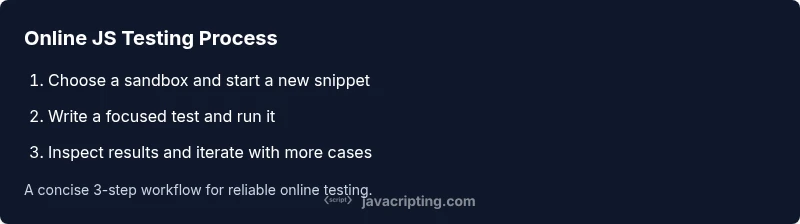
Begin with a simple, repeatable routine: open a sandbox, create a new file or snippet, write a tiny function and a few assertions, run the code, and inspect the output in the console. Keep tests isolated—each snippet should exercise a single behavior. Save your test as a shareable link, so teammates can reproduce results without guessing. When you encounter failures, reproduce them with a reduced example, then incrementally restore complexity. This approach reduces time spent debugging and builds confidence in your edits.
Writing robust tests: assertions, edge cases, and timing
Robust testing requires more than a console log to prove correctness. Use explicit assertions, such as if statements or simple compare functions, to verify expected results. Consider edge cases: empty inputs, nulls, undefined, and boundary conditions. For asynchronous code, ensure you wait for promises or callbacks to settle before asserting outcomes. In online sandboxes, you may simulate delays with setTimeout, but prefer testing real asynchronous behavior when possible. Document each assertion so you and others understand why a test passes or fails.
How to test asynchronous JavaScript online
Asynchronous testing is a common source of confusion. Start with small examples that use async/await or Promises. Ensure the sandbox supports asynchronous code and that you properly await results before performing assertions. When testing API calls, mock responses when possible to avoid flaky tests caused by network variability. If the sandbox offers built-in timers or a test harness, leverage it to structure async tests clearly and deterministically.
Common pitfalls and how to avoid them
Avoid relying solely on console output to determine success; assertions are more reliable. Don’t assume a test passes because other tests in the same session succeed—isolated tests prevent hidden dependencies. Be careful with timeouts and long-running operations; these can mask real bugs or produce flaky results. Don’t skip debugging information; include error messages and a minimal reproducible example for others to follow.
A practical example you can run online
Try a tiny function that sums an array and returns the result. Write a test snippet that calls the function with several inputs, then uses a few assertions to verify the outcomes: [1,2,3] => 6, [] => 0, [-1, -2] => -3. This hands-on example demonstrates how to structure tests, read outputs, and adjust code accordingly. You can extend this pattern to more complex utilities as you grow.
Next steps and learning resources
After you’re comfortable with basic tests, explore asynchronous patterns, error handling, and API interactions in your chosen sandbox. Practice with progressively challenging functions, and consider pairing with a mentor or peer to review test cases. For deeper learning, maintain a small repo of online tests and periodically refactor tests to improve clarity, coverage, and reliability. The journey to mastering test code online javascript is iterative and cumulative.
Tools & Materials
- Web browser (Chrome/Firefox/Safari)(Has built-in console and DOM inspection; crucial for real-time feedback)
- Online code editor / sandbox(Examples: Replit, CodeSandbox, JSFiddle, StackBlitz)
- Test snippets (JS functions)(Include both synchronous and asynchronous examples)
- Console or browser devtools(Helps view messages when the sandbox console is limited)
- Network access (optional)(Use for API call tests with mock endpoints if available)
Steps
Estimated time: 30-45 minutes
- 1
Choose a sandbox
Open a browser and select an online editor that fits your needs. Create a new project or snippet to host your tests. Ensure you can save and share links for collaboration.
Tip: Pick one tool to build muscle first; consistency beats switching tools mid-work. - 2
Write a minimal test
Create a tiny function and a focused test that asserts its output. Keep inputs small and deterministic to avoid flaky results.
Tip: Start with a simple, readable assertion rather than clever code. - 3
Run and observe output
Execute the snippet and review the console or embedded output. Confirm it matches your expected result before adding more cases.
Tip: If nothing prints, ensure the code path is reached or use explicit console.log statements. - 4
Add assertions
Replace logs with explicit assertions (if/else or a small helper). This makes failures actionable and clear.
Tip: Comment assertions with expected vs. actual to aid future reviews. - 5
Isolate tests
Test one behavior per snippet. Avoid cross-talk by resetting state between tests.
Tip: Use pure functions when possible to minimize side effects. - 6
Handle async code
If testing promises or async/await, await results and use try/catch blocks for errors. Verify both resolved and rejected states.
Tip: Prefer real promises over timeouts when possible to reflect real-world timing. - 7
Document and comment
Add brief notes about what each test validates and why. This aids future maintenance.
Tip: Include a short link to the test case for teammates. - 8
Share and reproduce
Save and share the test snippet. Ensure others can run it with minimal setup and see identical results.
Tip: Provide both a link and a short README inside the project. - 9
Review and iterate
Periodically revisit tests to improve coverage and readability as your codebase grows.
Tip: Set a cadence for refactoring tests alongside code.
Questions & Answers
What is the best way to test JavaScript code online?
The best approach uses a dedicated online sandbox or code editor that supports console output and quick iteration. Pair simple, focused tests with clear assertions to verify behavior.
Use a browser sandbox with clear assertions and quick feedback.
Should I rely on Node.js or browser testing for front-end code?
For front-end code, browser-based tests reveal DOM interactions and browser APIs. Node.js can validate pure logic, but browser testing covers the parts that matter in production.
Browser tests cover DOM and browser APIs; Node tests cover logic.
How do you test asynchronous JavaScript online?
Use async/await or Promises in your tests and ensure the sandbox supports waiting for results. Mocking network calls can help keep tests fast and deterministic.
Await async results and mock APIs when possible.
Can I test API calls from online editors?
Some editors allow fetch or XMLHttpRequest; pay attention to CORS. Use mock endpoints or predefined responses to keep tests stable.
APIs can be tested in some editors; watch for CORS.
What are common mistakes when testing online?
Relying on console output only, ignoring edge cases, and not isolating tests can lead to flaky results. Always assert clearly and test boundaries.
Don’t rely on logs alone; assert outcomes and test edges.
Do I need extra setup to start testing online?
Usually not—most online editors run in your browser and require no local installs. Some tools may ask for sign-in to save progress.
Often no setup; just open a sandbox and start.
Watch Video
What to Remember
- Test code online with sandboxes to accelerate feedback.
- Write small, deterministic tests for reliable results.
- Isolate tests and assert outcomes explicitly.
- Handle async code with proper awaiting and error handling.
- Document tests to aid future maintenance.