Why is JavaScript So Slow? A Practical Troubleshooting Guide
A fast, urgent guide to diagnosing and fixing JavaScript performance issues. Learn profiling, patterns, and practical fixes to keep UI interactions snappy in real-world apps.


Most JavaScript slowdowns come from long, blocking tasks and heavy DOM work that keep the main thread busy. Quickly mitigate by profiling to identify long tasks, then optimize or defer work. According to JavaScripting, root causes include inefficient rendering, synchronous loops, and unmetered network latency. These steps deliver immediate relief while you plan longer-term architecture changes.
Quick Wins to Shrink JavaScript Lag
In many frontline apps, small, deliberate changes yield outsized improvements. Start with the low-hanging fruit: reduce unnecessary DOM mutations, throttle or debounce high-frequency events (scroll, resize, input), and switch from synchronous loops to asynchronous patterns where possible. Consider visual updates that can be batched or delayed until after user interactions. By deferring non-critical work to idle periods or to Web Workers, you give the browser time to paint and respond, which makes the app feel instantly snappier. This block frames practical changes you can implement in the next hour, plus how to measure impact as you go.
- Profile first: use the browser’s Performance tab to spot long tasks and layout thrashes.
- Defer non-critical work: postpone heavy computations and DOM updates until after user actions complete.
- Minimize reflows: batch DOM writes, use document fragments, and avoid layout thrashing from repeated reads/writes.
- Leverage virtualization: render only the visible portion of large lists to cut rendering time dramatically.
- Prefer CSS over JS for animations: hardware-accelerated CSS runs more smoothly than heavy JS-driven animations.
These tactics create immediate relief and establish a baseline for deeper optimizations later. The key is to move work off the critical render path whenever feasible and to measure the effect with consistent metrics.
Root Causes Behind Slow JavaScript
When a page feels slow, the culprit is often a combination of CPU-bound work and UI thread contention. Common offenders include long tasks on the main thread, frequent DOM mutations, and expensive reflows caused by layout calculations triggered by animations or dynamic content. Network latency and API response times compound the problem by delaying data-dependent rendering, which keeps the UI from finishing paint cycles. Memory pressure can trigger aggressive garbage collection, causing intermittent pauses that users perceive as stutter. Developers often overlook that even small inefficiencies can accumulate into a noticeable drag under typical user workflows, especially on devices with limited CPU power or less capable browsers. Recognize that “slow” is a systems issue, not a single misplaced line of code.
- Long tasks (thousands of milliseconds) block interaction and cause jank.
- Layout thrash from frequent reads of offsetWidth/scrollTop during mutations.
- Choreographing many small updates in rapid succession instead of batching.
- Heavy computations running on the UI thread during user interactions.
- Memory leaks that trigger GC pauses and higher latency over time.
Profiling and Data-Driven Diagnosis
Profiling is the compass for performance work. Start with a baseline by recording a typical user journey from page load through key interactions. Use the Performance panel in Chrome DevTools to identify long tasks, then drill into call stacks to see which functions consume the most time. Lighthouse audits can surface opportunities in areas like JS execution time, render-blocking resources, and opportunities for code-splitting. When you measure, keep your focus on user-centric metrics like Time to Interactive (TTI), First Input Delay (FID), and Total Blocking Time (TBT). As you collect data, translate findings into concrete fixes rather than generic optimizations. JavaScripting emphasizes establishing repeatable profiling routines so you can watch impact after each change.
- Create a repeatable profiling setup for repeated test scenarios.
- Compare before/after metrics to verify real user impact.
- Look for isolated hot paths in functions and event handlers.
- Use PerformanceObserver to track ongoing long tasks in production.
- Validate with Lighthouse and synthetic tests to catch regressions.
Rendering, DOM, and CSS Interaction
Rendering is the battleground for UI responsiveness. The browser spends time painting and laying out content, and JS-driven DOM mutations can trigger costly reflows if not managed carefully. Animations performed via CSS instead of JS reduce frame-time overhead and improve smoothness on a wide range of devices. When you need to animate with JavaScript, decouple layout-affecting reads/writes and group DOM updates to minimize forced synchronous layouts. Tactics like using requestAnimationFrame to synchronize visual updates and leveraging will-change for elements that will animate can dramatically reduce jank. Remember that every style reflow can cascade into multiple layout recalculations, so structure updates to minimize recalculation scope.
- Batch DOM reads and writes to prevent layout thrashing.
- Prefer CSS animations for UI motion; use JS only for non-layout tasks.
- Use will-change judiciously to hint the browser about upcoming changes.
- Avoid manipulating the DOM while the browser is painting or calculating layouts.
- Profile visual updates separately from data processing to identify bottlenecks.
By keeping the rendering path lean, you ensure that other critical logic has the CPU cycles it needs to complete quickly.
CPU-Bound Work and Offload Strategies
When computations dominate execution time, the UI thread becomes the bottleneck. If you can isolate CPU-heavy tasks, offload them to Web Workers to keep the main thread responsive. Workers are ideal for parallelizable tasks like data processing, parsing large payloads, or cryptographic operations that don’t require direct DOM access. Remember that workers have no direct DOM access and communicate via messages, so you must serialize and transfer data efficiently. You can also leverage off-main-thread rendering techniques and incremental rendering patterns to avoid blocking user interactions during heavy processing. Profiling will tell you whether a given task is truly CPU-bound or merely network-latency bound, guiding your decision to delegate.
- Move CPU-heavy work to Web Workers when possible.
- Use transferable objects to minimize memory copies between threads.
- Break large tasks into smaller chunks and yield to the UI with setTimeout/await patterns.
- Keep UI state updates light inside the main thread while workers run.
- Consider offloading only computation; keep UI logic on the main thread for responsiveness.
Memory Management, GC, and Latency Bursts
Memory pressure can stealthily degrade performance. If your app creates a lot of ephemeral objects, garbage collection may pause execution long enough to feel sluggish. Watch for growing memory usage, lingering closures, and event listeners that aren’t removed when components unmount. Effective patterns include pooling data structures, avoiding unnecessary allocations inside hot loops, and using weak references or explicit cleanup when components disconnect. Profiling with the memory tab helps catch leaks early and prevent GC-induced pauses that degrade interactivity. In production, enable performance budgets to catch regressions before users notice.
- Monitor memory growth and GC pauses with the Memory panel.
- Remove event listeners and clear timers on unmount.
- Reuse objects or implement object pooling where feasible.
- Minimize allocations inside hot loops to reduce GC pressure.
- Set up memory budgets and alert on unexpected spikes.
Architectural Patterns for Speed: Practical Guidelines
Speed is often a design problem. Adopt architectures that favor progressive rendering, virtualization for lists, and code-splitting to load only what’s needed. Use lazy loading for modules and routes to shorten initial load times. Build a small, fast core with incremental enhancements, and verify every architectural change with production-like profiling. The most effective patterns emphasize data fetching strategies that blur data loading with rendering, so the UI remains responsive while content arrives. In short, design for responsiveness from the ground up and validate with real-user metrics.
- Implement virtualization for long lists to reduce render cost.
- Apply code-splitting and route-based loading to minimize initial JS payloads.
- Align data fetching with rendering pipelines to avoid blockers.
- Prefer memoization and selector patterns to avoid redundant work.
- Continuously profile and tune the architecture as the app evolves.
Practical Checklist for Speed: From Theory to Action
Implement a quick-start routine for every project kickoff. Start with a baseline performance profile and a small set of achievable targets for the first week. Build a habit of measuring TTI and blocking time early, then iterate with targeted optimizations. Keep a running backlog of performance improvements and track outcomes against your budgets. This approach ensures your team stays focused on meaningful wins that translate to faster, more reliable experiences for end users.
Conclusion-less Content: Towards a Fast, Maintainable App
Steps
Estimated time: 1-2 hours
- 1
Reproduce and baseline
Capture a plausible user journey that triggers slowness and record a baseline using Performance tab and Lighthouse. Note TTI and Total Blocking Time (TBT) values as anchors for improvement.
Tip: Create a repeatable scenario so you measure apples-to-apples after changes. - 2
Identify long tasks
Look for tasks that exceed 50-100ms on the main thread. Drill into call stacks to locate the responsible function(s) and determine if they can be async or chunked.
Tip: Prioritize tasks by duration and user-perceived impact. - 3
Batch DOM work
If you must update the DOM, do it once per event cycle or in an animation frame to avoid thrashing.
Tip: Use documentFragment or template literals to minimize reflows. - 4
Offload heavy work
Move CPU-intensive calculations to a Web Worker where feasible, ensuring data is serialized efficiently for messaging.
Tip: Keep worker communication minimal to reduce overhead. - 5
Tune rendering
Prefer CSS for visual effects and keep JS-driven animation lightweight. Enable will-change where appropriate.
Tip: Test across devices to ensure CSS changes actually help. - 6
Memory hygiene
Audit for leaks: remove unused listeners, unsubscribe, and avoid retaining large closures.
Tip: A small, disciplined cleanup routine pays off over time. - 7
Code-splitting and lazy loading
Load only the code needed for the current view; defer non-critical modules until after interactivity.
Tip: Track bundle sizes and optimize vendor chunks. - 8
Verify and repeat
Rerun profiling after each fix and compare metrics against the baseline. Stop when target thresholds are met.
Tip: Keep a changelog of metrics for future references.
Diagnosis: Web app feels slow or unresponsive under load
Possible Causes
- highLong-running tasks on the main thread
- highFrequent or costly DOM mutations causing layout thrash
- mediumInefficient rendering patterns or excessive reflows
- mediumBlocking network requests or API latency delaying render
- lowMemory leaks or GC pressure causing pauses
Fixes
- easyProfile with Performance tools to locate long tasks and reflows
- easyBatch DOM updates and defer non-critical work to idle periods
- mediumMove CPU-heavy work to Web Workers and chunk heavy tasks
- mediumOptimize rendering via CSS animations and virtualization
- easyAudit memory usage and remove unused listeners or closures
Questions & Answers
What are the most common causes of slow JavaScript in a web app?
Long tasks on the main thread, frequent DOM mutations causing layout thrash, and expensive rendering patterns are the most frequent sources of slowness. Network latency can compound these issues by delaying content rendering.
The main causes are long tasks, layout thrash, and heavy rendering. Network delays can make it worse.
How can I tell if a JavaScript slowdown is due to rendering or computation?
Use the Performance tab to see where the time is spent. If a large portion is spent in layout and paint, rendering is the bottleneck. If time sits in a function, the computation is the issue.
Check where the time lands in your profiler; rendering shows up as layout and paint; computation shows in function execution.
When should I consider using a Web Worker?
Use a Web Worker when you have CPU-heavy tasks that don’t rely on DOM access. They run in a separate thread and help keep the UI responsive.
If you have heavy math or data processing, moving it to a worker can keep your UI smooth.
Can framework/library code cause slowdowns, and how to address it?
Frameworks can contribute, but architecture matters more. Look for excessive re-renders, heavy component trees, and costly effect hooks. Optimize with memoization and code-splitting.
Frameworks can slow things down if not used carefully; focus on rendering patterns and code-splitting.
What is a quick checklist to start improving performance today?
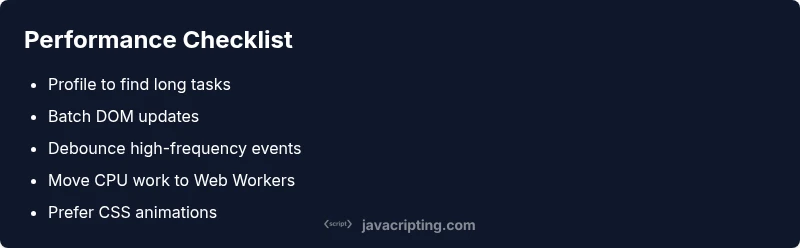
Baseline profiling, debounce events, batch DOM updates, move heavy work to workers, and validate improvements with repeatable tests.
Run profiling, debounce inputs, batch DOM work, use workers for heavy tasks, and re-measure.
Watch Video
What to Remember
- Profile first to locate bottlenecks
- Avoid blocking the main thread with long tasks
- Offload CPU-heavy work when possible
- Optimize rendering with CSS and virtualization
- Measure, then iterate with repeatable tests