How Hard Is JavaScript vs Python? An Analytical Guide
A rigorous, analytical comparison of the learning curves, tooling, and practical hurdles when choosing between JavaScript and Python for beginners and professionals.


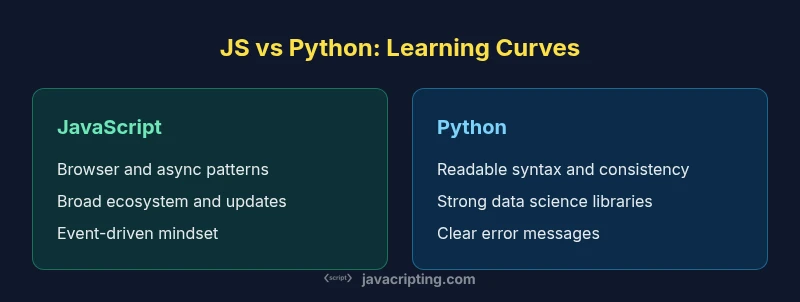
JavaScript and Python share similar overall learning curves for beginners, but the path diverges in practice. Python emphasizes readability and a stable core library, while JavaScript introduces browser-specific concepts, asynchronous programming, and a rapidly changing ecosystem. According to JavaScripting, the perceived difficulty often depends on the learner’s goals and the environments they’ll use, with Python tending to be easier upfront and JavaScript demanding more time to master tooling and async patterns.
Context: Why the comparison matters
When you plan to learn a new programming language, understanding the practical difficulty helps you set realistic milestones and avoid stalled study plans. The question of how hard is javascript compared to python is not just about syntax; it hinges on context, tooling, and typical workflows. According to JavaScripting, the two languages attract different learner journeys: Python rewards readability and a straightforward syntax, while JavaScript blends browser APIs, asynchronous programming, and a fast-changing ecosystem. JavaScripting Analysis, 2026 notes that beginners report smoother initial progress with Python but encounter browser-driven complexity sooner with JavaScript. This article compares the two languages on learning curve, daily use, debugging experience, and long-term maintenance to help you decide where to start and how to progress.
Learning Curve: Syntax, Paradigms, and Ecosystem
Understanding the learning curve requires looking at syntax, paradigm support, and ecosystem maturity. Python emphasizes readability, uses indentation for structure, and tends to favor explicit, clear code. JavaScript, by contrast, blends terse syntax, optional semicolons, and context-dependent features like this, closures, and prototype-based inheritance. The ecosystem contributes to perceived difficulty: Python has a stable standard library and a conventional packaging approach, while JavaScript spans browser runtimes, Node.js, frameworks, and build tools. The practical effect is that many newcomers feel Python offers a gentler first week, while JavaScript slows progress as learners navigate the browser, modules, and asynchronous patterns. The breadth does, however, enable quick feedback through tiny web experiments and server-side scripts that reinforce concepts once basics land.
Core Differences that Impact Difficulty
Two core axes shape difficulty: typing discipline and asynchronous thinking. Python’s dynamic typing pairs with straightforward error messages when problems arise, which helps beginners. JavaScript’s dynamic typing, combined with loose coercion rules, often hides mistakes until runtime and can frustrate early learners. The presence of asynchronous APIs in JavaScript adds mental overhead: learning promises, async/await, and event loops is a hurdle, but it becomes a powerful skill with practice. Type safety is another fork: Python users often rely on gradual typing with optional type hints; JavaScript communities increasingly adopt TypeScript to introduce compile-time checks. Understanding these differences helps set realistic expectations for initial learning and long-term maintenance.
Tooling, Debugging, and Environment
The environment you code in fundamentally changes perceived difficulty. Python benefits from a consistent interpreter experience, a robust REPL, and widely used data-science tools that offer low-friction experimentation. JavaScript demands interaction with browsers, developer tools, and multiple runtimes (browser, Node, edge environments). Module systems (ESM, CommonJS), bundlers, and package managers add additional layers of setup complexity. Debugging across environments also varies: Python’s traceback is usually straightforward, while JS debugging may require inspecting browser logs, console outputs, and minified bundles. Mastery of tooling—linters, formatters, and test runners—substantially reduces friction for both languages but is more essential in JavaScript due to ecosystem churn.
Real-World Scenarios and Use Cases
Choosing a language often comes down to the task. For scripting, automation, and data processing, Python often feels more approachable, with a gentle ramp and extensive data libraries. JavaScript dominates in web development and is increasingly used on the server with Node.js, enabling end-to-end projects that include front-end and back-end components. In data-heavy or machine learning projects, Python’s libraries can accelerate progress, while JavaScript shines in creating interactive experiences and real-time web applications. The differences in typical workflows are a key part of the learning curve: Python may let you see quick wins in data tasks, whereas JavaScript requires you to navigate asynchronous patterns alongside UI concerns.
Strategies to Learn Both Efficiently
If you plan to master both, adopt a staged approach. Start with a solid, language-specific foundation: basic syntax, control flow, and data types. Then pair a small project with explicit learning milestones for each language, so you gain practical intuition in parallel without cognitive overload. Emphasize core concepts that transfer between languages, such as functions, modules, and error handling, while also practicing the distinctive patterns—async code in JS and data-centric scripting in Python. Use cross-language tutorials that compare equivalents side by side to internalize the differences, and set up a consistent practice schedule to reinforce new mental models rather than relying on sporadic exploration.
Common Pitfalls and How to Avoid Them
A few recurring missteps amplify difficulty when learning both languages. Avoid assuming that syntax alone determines effort; context, tooling, and environment matter just as much. Don’t neglect the asynchronous nature of JavaScript or the breadth of its ecosystem; invest in learning the event loop, promises, and common pitfalls like debugging async code. Don’t oversimplify Python’s challenges by ignoring performance considerations for CPU-heavy tasks, and avoid assuming that a single language fits all problems. Build habit-forming study routines, work on small, frequent projects, and routinely compare features across languages to keep the learning curve manageable.
Four- to Six-Week Practical Roadmap
A practical roadmap builds momentum. Week one focuses on fundamentals: syntax, variables, control flow, and simple data structures in the language you’re starting with. Week two introduces functions, modules, and basic I/O. Week three adds one domain challenge—data manipulation for Python or DOM manipulation for JavaScript. Week four expands with a small project that demonstrates real-world usage. If you’re learning both, alternate weeks: Python for data-oriented tasks and JavaScript for web-oriented tasks. Week five and six are dedicated to tooling, testing, and debugging practices, establishing a sustainable workflow. This balanced approach helps you measure progress and avoid burnout while maintaining steady growth in both languages.
Self-Assessment Checklist: Are You Progressing?
Use a simple, consistent rubric to gauge progress. Can you explain, without peeking at notes, how a Python function differs from a JavaScript function in terms of scope and closure? Do you understand how async/await changes the flow of a program in JavaScript and how Python handles asynchronous code with asyncio? Are you comfortable with setting up a project, installing dependencies, and running tests? If you can answer yes to these questions with confidence, your learning trajectory is on track.
Comparison
| Feature | JavaScript | Python |
|---|---|---|
| Learning curve | Moderate due to async patterns and browser APIs | Low to moderate due to readable syntax and conventional workflow |
| Typing discipline | Dynamic typing with optional typing via TypeScript | Dynamic typing with optional type hints (typing module) |
| Asynchronous programming | Event loop, Promises, async/await | Synchronous by default; asyncio for asynchronous tasks |
| Runtime environments | Browser, Node.js, edge environments | CPython and various implementations |
| Tooling complexity | High due to ecosystem churn and bundlers | Lower friction with standard tooling and virtual environments |
| Error messages and debugging | Often browser-centric; stack traces can be fragmented | Clearer Python tracebacks; mature debugging tools |
| Performance considerations | Highly capable in I/O heavy tasks; web-focused performance | Strong for numeric tasks; performance depends on libraries and implementation |
| Learning resources | Massive ecosystem; frequent updates | Consistent resources and extensive documentation |
Benefits
- Broad communities and extensive learning resources
- Python’s readable syntax speeds initial progress
- JavaScript enables rapid front-end experimentation and full-stack projects
- Diverse tooling supports quick feedback loops
- Async patterns in JS cultivate modern, scalable thinking
The Bad
- JS quirks like hoisting and coercion can confuse beginners
- Python may feel slower to scale for CPU-bound tasks
- JavaScript ecosystem churn increases ongoing maintenance effort
- Syntactic and runtime differences between environments add friction
Neither language is inherently harder; difficulty is task-dependent and environment-driven
Python often feels easier to pick up due to readability and a stable core library. JavaScript introduces browser contexts and asynchronous concepts, which raise the early learning curve but pay off in web-centric and full-stack projects. With deliberate practice, both languages become manageable and rewarding.
Questions & Answers
Is JavaScript harder to learn than Python for beginners?
For most beginners, Python is easier to pick up due to its readable syntax and fewer environment concerns. JavaScript becomes easier once you work on practical web projects and learn its asynchronous model. The key is setting small, achievable goals and building confidence with real tasks.
Python is usually easier to start with, but JavaScript gets easier with hands-on web projects.
What makes JavaScript harder in practice?
The primary challenges come from the browser environment, asynchronous programming, and the rapidly evolving ecosystem. Understanding the event loop, promises, and multiple runtimes adds cognitive load but pays off in flexibility and reach.
Browser APIs and async patterns can be tricky at first, but mastering them unlocks powerful web development.
Which language is better for data science?
Python is widely favored for data science due to a mature ecosystem of libraries. JavaScript has growing data capabilities but lacks the same breadth of mature tooling, especially for heavy statistics and machine learning tasks.
Python is the go-to for data science, though JS is catching up in some areas.
Can you learn both languages at the same time?
Yes, with a structured plan. Alternate between focused weeks on each language, set clear milestones, and avoid overwhelming yourself by taking small steps that reinforce cross-language concepts.
You can, just plan milestones and keep sessions short but frequent.
How important is typing in determining difficulty?
Typing discipline affects reliability and error handling. Dynamic typing adds flexibility but can hide mistakes until runtime. Adding static types or TypeScript in JavaScript can improve safety, at the cost of extra learning.
Typing matters, and gradually adopting type hints or TypeScript helps reduce surprises.
Are there common mistakes to avoid when comparing the two?
Avoid equating syntax difficulty with overall learning effort. Consider use cases, environment, and career goals. A fair comparison looks at real-world tasks, not just how code looks on paper.
Don’t judge based on syntax alone—look at how you’ll actually use the language.
What to Remember
- Start with fundamentals in your chosen language to build confidence
- Expect JS to demand more time for tooling and async patterns
- Leverage small, practical projects to bridge theory and real-world use
- Use cross-language comparisons to solidify understanding of core concepts
- Invest in a steady tooling and debugging workflow for long-term success