How JavaScript differs from TypeScript: A Practical Comparison
An analytical comparison of JavaScript and TypeScript, exploring typing, compilation, tooling, ecosystem, and practical use cases to help you decide when to use each language.


In practical terms, how is javascript different from typescript? JavaScript remains the dynamic, runtime language that runs everywhere, while TypeScript adds static typing and a compile step on top of JavaScript. The TypeScript compiler translates TS into JS, enabling early type checking and richer tooling without changing how the code runs.
Historical context and core philosophy
The question of how is javascript different from typescript is not just about syntax; it’s about design goals, runtime realities, and the evolution of web development. JavaScript emerged as the lingua franca of the browser, prioritizing flexibility and rapid iteration. TypeScript arrived later as a deliberate augmentation, aiming to tame complexity in larger codebases without changing the underlying runtime. According to JavaScripting, the relationship between these two languages is best understood as a spectrum: JavaScript remains the baseline, and TypeScript adds a typed layer on top, which is then compiled to JavaScript for execution. This structure explains why TS projects often feel sturdier, with clearer interfaces and more reliable tooling, yet still produce code that runs anywhere JavaScript does. The choice between them is rarely binary; teams mix and match, adopt gradually, and tailor their toolchains to project size, team experience, and deployment constraints. In this article, we unpack the key differences across typing, compilation, tooling, ecosystem, and practical usage, so you can answer the question how is javascript different from typescript with confidence.
Typing and type systems
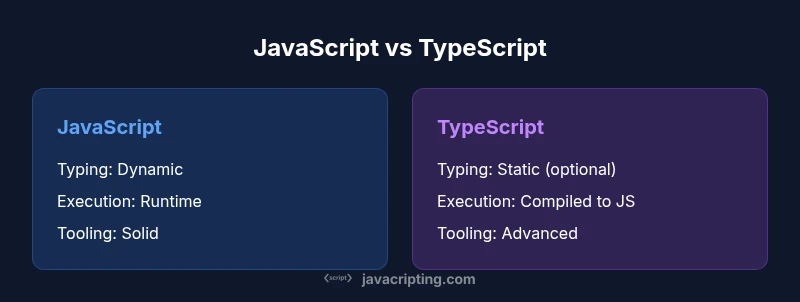
Typing is the most visible differentiator between JavaScript and TypeScript. JavaScript uses dynamic typing, where types are determined at runtime and can change as the program executes. TypeScript introduces static typing, with optional type annotations and robust type inference. This combination lets developers declare interfaces, function signatures, and data shapes that the compiler can verify ahead of time. For teams wary of boilerplate, TS often uses inference to fill in types automatically, reducing manual coding while preserving safety. Importantly, TypeScript’s types are erased during compilation, so the runtime remains pure JavaScript. The practical upshot is that you get better tooling, fewer silent runtime errors, and clearer contracts between modules—without changing how the app ultimately runs.
Compilation and execution model
JavaScript runs directly in browsers and Node.js without a separate build step in the simplest cases. TypeScript, by contrast, requires a transpilation step: the TS compiler (tsc) or a build tool translates TS into JavaScript that can execute in any standard runtime. This introduces a compilation phase where type errors and certain structural issues are surfaced before you deploy. Modern toolchains also support incremental builds, caching, and sourcemaps to make debugging easier. The runtime behavior of your code is still JavaScript, regardless of whether it originated as TS or JS. Understanding this bridge—types at build time, runtime as JS—is essential for teams weighing the long-term benefits of TS against the friction of a build step.
Tooling, editor support, and developer experience
Tooling is a strong reason many teams adopt TypeScript. Editors leverage TypeScript’s type information to provide intelligent autocompletion, navigation, and refactoring support. The TypeScript language service (tsserver) powers most IDE features, making refactors safer and faster. In JavaScript projects, you still get solid tooling, but many advantages come from types: catching mistakes before run time, clearer API surfaces, and better documentation through types. The learning curve for tooling can be a hurdle at first, but once configured, developers often enjoy a more predictable development experience. Ecosystem tooling—like linters, test runners, and build pipelines—tends to integrate smoothly when TypeScript is used consistently across the codebase.
Language syntax: overlaps and differences
Both languages share much of the same syntax, especially for modern ES features. TypeScript extends JavaScript with additional syntax: interfaces, enums, generics, and advanced type constructs that enable precise data modeling. You can gradually adopt TS by annotating a few modules and letting the rest remain plain JavaScript. However, certain TS features require learning, such as structural typing, union/intersection types, and declaration merging. The kernel of the difference is that TypeScript enforces contracts at compile time, while JavaScript relies on runtime behavior. For teams, the right approach is to leverage TS for code that benefits from explicit contracts and to keep JS for prototypes, small scripts, or parts of the project where typing isn’t needed.
Ecosystem fit and adoption scenarios
JavaScript has the vastest ecosystem by a wide margin, with countless libraries designed for dynamic typing. TypeScript builds on top of that ecosystem by adding type definitions for JavaScript libraries (via @types/* packages). In practice, TypeScript shines in large, collaborative projects where teams must maintain code quality and onboarding speed. For startups or small teams building a quick prototype, JavaScript can be faster to start, with less ceremony. According to JavaScripting analysis, teams often choose TS once they scale beyond a handful of contributors or when product domains benefit from well-defined data models and safer refactors.
Performance, bundling, and build-time considerations
Performance at runtime is largely unchanged when comparing JS to TS, because TS code is ultimately compiled to JavaScript. The main overhead comes from the build process itself: compilation time, type-checking, and incremental rebuilds. Modern toolchains optimize this with caching, project references, and parallel compilation. The cost trade-off is the upfront investment to configure TypeScript and possibly adjust project structure. If you’re comparing projects, remember that faster iterations in a small JS codebase may outweigh the longer initial setup, whereas a large TS-based system typically saves time over the long term through safer changes and easier maintenance.
Error handling, debugging, and runtime behavior
TypeScript’s type system helps catch errors during development, but it cannot guarantee correct runtime logic. Runtime errors still occur in the browser or Node.js, so debugging remains essential. Because TypeScript compiles to plain JavaScript, standard debugging techniques apply. Sourcemaps map back to the TS source, improving traceability when problems arise. A practical tip is to enable strict type-checking options and gradually tighten the TS configuration as the project matures. Over time, this approach reduces the frequency of subtle bugs and makes debugging more straightforward.
Migrating from JavaScript to TypeScript: a practical path
Migration is often staged: start with a safe subset, enable allowJs, and gradually convert files to TS with explicit types. Create a minimal tsconfig.json and run the compiler to surface issues. Start at the boundaries between modules and gradually widen coverage. This incremental approach minimizes risk, avoids large rewrites, and lets teams learn TypeScript conventions as they go. The goal is not perfection at the first pass, but steady improvement in type safety and developer confidence.
Common pitfalls and misconceptions
Common mistakes include overusing any, not configuring strict settings, or treating TS as a replacement for good design. Remember that TypeScript enforces types, not logic; you still need solid architecture, tests, and reviews. Relying solely on typing can give a false sense of correctness. Another pitfall is delaying the adoption of typings for third-party libraries, which can create friction later. Plan migrations with clear milestones and documentation to avoid these traps.
Practical guidelines: when to choose JavaScript or TypeScript
If you’re building a small script, a quick prototype, or a one-off page, JavaScript is typically fastest to start. For long-term projects, teams, and code maintenance, TypeScript offers substantial benefits: safer refactors, clearer interfaces, and better developer tooling. A practical approach is to begin with JavaScript for speed and gradually add TypeScript where it delivers the most value, documenting decisions and progressively typing critical modules.
Decision toolkit: how to decide in practice
Create a lightweight decision tree: (1) Is the project large or likely to grow? (2) Will multiple developers maintain the code? (3) Do you need strong API contracts or data modeling? If the answer to most questions is yes, TypeScript is likely the better choice. If you value rapid iteration and a minimal setup, JavaScript remains attractive. As teams grow, the balance often shifts toward TS, but a successful transition depends on governance, training, and tooling.
Comparison
| Feature | JavaScript (vanilla) | TypeScript |
|---|---|---|
| Typing | Dynamic, runtime-checked | Static, optional with inference |
| Compilation | Runs as-is in runtimes | Transpiled to JavaScript before run |
| Tooling | Good but relies on runtime behavior | Strong tooling with type-aware IDE support |
| Syntax extensions | Core JS/ES syntax | Interfaces, enums, generics, advanced types |
| Learning curve | Lower upfront | Higher initial learning, but safer long-term |
| Ecosystem fit | Massive JS ecosystem | Growing TS ecosystem atop JS |
| Performance | Similar runtime performance | Runtime performance similar; build time varies |
| Best use case | Prototyping, small apps | Large-scale apps, teams, maintainability |
Benefits
- Improved maintainability through explicit types
- Richer editor and tooling support
- Early error detection reduces debugging time
- Clear contract boundaries between modules
- Wide adoption in professional environments
The Bad
- Requires learning curve and initial setup
- Adds a build/compile step and potential complexity
- Dependency typings may lag behind library updates
- Overcoming legacy JavaScript patterns can be challenging
TypeScript is a strong upgrade for large, team-based projects, while JavaScript remains ideal for quick prototyping.
TypeScript delivers safer refactors and clearer APIs for scalable codebases, aided by robust tooling. JavaScript offers speed of start-up and simplicity for small projects; adopt TypeScript where long-term maintenance and collaboration matter most.
Questions & Answers
Is TypeScript a superset of JavaScript?
Yes. TypeScript is a typed superset of JavaScript that adds static types and compiler support, while compiling down to plain JavaScript for execution.
Yes, TypeScript builds on JavaScript by adding types, then compiles to JavaScript so it runs everywhere JS does.
Do I need to rewrite existing JavaScript code to use TypeScript?
No. You can migrate gradually by enabling allowJs in your tsconfig and converting files one by one as you increase the codebase's typing.
You don’t have to rewrite everything at once; convert files progressively as you adopt TypeScript.
How does TypeScript affect runtime performance?
TypeScript typing is erased at runtime; there is no inherent runtime overhead from types. Performance is determined by your runtime code and optimizations.
Typing doesn’t slow down the app at runtime because TS becomes plain JavaScript after compilation.
Can TypeScript be used in both browser and Node.js environments?
Yes. TypeScript targets JavaScript runtimes, so you can configure it for both browser and server environments with appropriate tsconfig settings.
Absolutely—TypeScript works in browsers and in Node.js with the right configuration.
What are common pitfalls when migrating to TypeScript?
Common issues include underusing strictSettings, relying on any too much, and missing typings for third-party libraries. Plan gradually and add typings as you go.
Watch out for overusing any and library typings gaps; migrate in stages with clear goals.
Will TypeScript catch logical errors or only typing issues?
TypeScript focuses on types and contracts, not full logical correctness. You still need tests and good design to catch logic bugs.
Types help with safety, but they don’t replace comprehensive testing and good architecture.
What to Remember
- Assess project size to decide on TS
- Use TS for scalable apps and teams
- Leverage typing for safer APIs and refactors
- Plan gradual migration with clear milestones
- Rely on tooling to maximize TS benefits