Is TypeScript Better Than JavaScript? A Practical Comparison
Explore when TypeScript outshines JavaScript, focusing on typing, tooling, and team dynamics. A practical, evidence-free guide to choosing the right language for your project.


Is TypeScript better than JavaScript? For many teams, TypeScript offers static typing, clearer interfaces, and safer refactoring, which boosts maintainability in large codebases. JavaScript remains ideal for rapid prototyping and smaller projects. The best choice depends on team size, project scope, and how much you value early error detection versus setup overhead.
The Core Question: is typescript better than javascript
In ongoing debates, the question is rarely about a universal winner. Instead, it hinges on context, team dynamics, and project goals. When you examine the trade-offs between TypeScript and JavaScript, you begin to see that the answer aligns with your development process as much as with language features. According to JavaScripting, the debate often boils down to scale and maintainability: TypeScript tends to shine in larger codebases where contracts and interfaces must be enforced by the toolchain, while JavaScript remains appealing for lean teams moving quickly. If you ask the exact phrase is typescript better than javascript, you’ll find that most teams answer with nuance rather than dogma. The JavaScripting team found that for complex, evolving APIs, TypeScript’s static typing helps surface problems earlier, reducing bug rates during integration and refactor cycles. The rest of this article dives into the core dimensions—typing, tooling, learning curve, and adoption strategy—so you can make an informed choice for your project.
Core differences at a glance
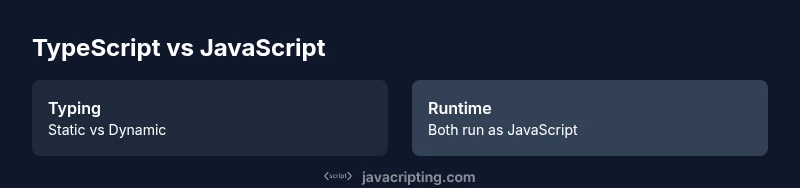
- Typing philosophy: TypeScript introduces static typing that can be opted into gradually, while JavaScript stays dynamically typed at runtime. This means TypeScript can catch certain errors at compile time, while JavaScript catches mismatches at runtime.
- Tooling and IDE support: TypeScript enhances editor autocomplete, refactoring tools, and inline documentation, which accelerates development for teams handling large codebases.
- Build and runtime: TypeScript requires a transpilation step before runtime, whereas JavaScript runs directly in any JavaScript engine. The extra step can slow initial feedback but pays off with better code health later.
- Ecosystem alignment: TypeScript typings are widely available for popular libraries (often via DefinitelyTyped); JavaScript libraries remain the baseline, with typings being optional.
- Learning curve and onboarding: TypeScript introduces types and configuration concepts that add complexity; JavaScript has a shallower entry point.
- Best-fit scenarios: TypeScript tends to be best for long-lived, collaborative projects; JavaScript excels in rapid prototyping and small, scripts.
- Performance implications: TypeScript does not change runtime performance; it’s a development-time aid that compiles to clean JavaScript.
When TypeScript shines: use cases and scenarios
For teams building large applications with multiple contributors, TypeScript’s static typing provides a shared contract mindset. API surfaces, data models, and component interfaces can be declared once and reused across modules, which reduces integration errors during refactors. Libraries and systems with public APIs especially benefit from explicit types and well-defined interfaces. In enterprise-like projects, TypeScript can streamline code reviews, enable safer automated refactors, and improve onboarding by making expectations explicit. The JavaScripting team notes that teams report more predictable collaboration when types help engineers understand endpoints and data shapes without digging through runtime behavior. If you’re dealing with complex state machines, domain models, or client/server contracts, TypeScript frequently proves more helpful than JavaScript. However, it is not a mandate for every project; small teams and quick-turnaround features may still prefer the speed and flexibility of plain JavaScript.
Additionally, TypeScript’s compatibility with modern tooling—linting, testing, and CI—facilitates consistent quality across a codebase. The language’s gradual-typing model also allows teams to start with permissive typings and progressively tighten constraints as confidence grows. This adaptability makes TypeScript a practical choice for evolving codebases where maintainability and scalable collaboration are priorities. The discussion should remain grounded in project goals rather than chasing features for their own sake.
When JavaScript might be preferable
JavaScript remains the most flexible and fastest path to a first MVP. For startups, prototyping, or small teams experimenting with a feature, the overhead of a TypeScript setup can slow momentum. JavaScript’s dynamic typing supports rapid iteration, exploratory coding, and a lower initial barrier for new developers. In these contexts, the primary objective is to ship quickly and learn from user feedback, not to enforce rigid contracts. JavaScript also shines in scripts and tooling where build steps are unnecessary or undesirable. The trade-off often comes down to whether long-term maintenance or short-term velocity is more critical. The JavaScripting analysis notes that teams who choose JavaScript early and switch later can partly mitigate risk with strong testing practices and clear module boundaries. If speed to market is the sole objective, JavaScript takes the lead; if scale and reliability matter over time, TypeScript proves advantageous.
A pragmatic approach: incremental adoption
Many teams adopt TypeScript incrementally to balance risk and reward. Start by compiling existing JavaScript with allowJs and checkJs, so you can gradually introduce type checking without rewriting everything. Create a plan to introduce strictness gradually—begin with looser settings, then tighten them as confidence grows and test coverage improves. Establish clear guidelines for typing third-party libraries (using ambient declarations when needed) and leverage DefinitelyTyped to reduce boilerplate. A staged approach minimizes disruption to delivery while delivering tangible benefits over time, such as better editor support, clearer data models, and safer refactors. The key is to align the adoption with concrete milestones (new features, API surfaces, or refactors), rather than enforcing a blanket switch. The JavaScripting team emphasizes that incremental adoption tends to outperform an all-at-once migration in terms of team morale and project stability.
Build, tooling, and CI considerations
TypeScript changes the local development loop and CI pipelines. You’ll need a TypeScript compiler configuration (tsconfig.json) and a build step that compiles TypeScript to JavaScript before running in production or in tests. Modern bundlers integrate TypeScript smoothly, but you’ll encounter additional options for target environments, module resolution, and strictness. Make sure your CI environment caches dependencies and builds incrementally to avoid long pipeline times during migrations. Tooling improvements, such as enhanced IDE features, type-aware linting, and richer test assertions, can compensate for the upfront time investment. The JavaScripting team notes that most teams find that the long-term returns—fewer runtime surprises and easier refactors—far outweigh the temporary setup costs. Plan for a phased upgrade and maintain a rollback strategy if needed.
Ecosystem, libraries, and runtime considerations
Most popular libraries provide TypeScript typings or are usable from JavaScript with permissive typings. If a library lacks typings, you can augment with ambient declarations or rely on its JavaScript surface, especially for internal tools. When typing external APIs, ensure your types reflect actual runtime behavior, not just intended usage, to avoid false confidence. For the runtime environment, TypeScript compiles to JavaScript; all runtime behavior remains governed by the JavaScript engine. This separation means performance characteristics are largely unchanged, but the developer experience—static checks, autocomplete, and refactoring safety—improves. The JavaScripting analysis shows that teams benefit most from participated typing of core modules and public APIs, while less critical code can maintain looser typings until it’s time to extend coverage.
Common misconceptions and pitfalls
One common pitfall is over-engineering typing for every tiny function. Another is treating TypeScript as a silver bullet for all code quality problems; testing and design decisions still matter. Avoid relying on the any type as a shortcut; it defeats the purpose of typing by masking intent. Also, be mindful of the learning curve: new teammates may need more time to become productive when introduced to type theory and generics. Start with practical types and gradually introduce more advanced features like generics, type guards, and mapped types as needed. Finally, consider your team’s comfort with configuration—Regulatory and enterprise contexts benefit from strict configurations, while startups may prefer lighter setup.
Decision framework: matching team and project to language
To decide, map your project’s scale, collaboration model, and long-term maintenance needs against TS strengths. For large teams and public-facing APIs, TypeScript tends to reduce integration risk and accelerate onboarding. For solo projects, prototyping, or code that won’t evolve much, JavaScript offers speed and flexibility. A practical rule is to start with JavaScript for quick wins, then gradually introduce TypeScript in core modules or APIs, progressively expanding coverage as confidence and tests grow. The key is not choosing once and for all, but aligning your language choice with project goals and team capabilities.
Comparison
| Feature | TypeScript | JavaScript |
|---|---|---|
| Typing system | Static typing with optional strictness | Dynamic typing |
| Compilation | Transpiled via tsc/Babel | Runs directly in runtime |
| Tooling & IDE support | Excellent autocomplete, refactoring, and types | Great runtime ecosystem, strong editor support |
| Learning curve | Steeper due to types and config | Easier for quick scripts and prototypes |
| Ecosystem & libraries | Rich typed libraries, DefinitelyTyped | Massive JS ecosystem, typing optional |
| Performance impact at runtime | No inherent runtime difference; compile-time gains | Depends on runtime environment |
| Best for | Large-scale, collaborative, API-driven codebases | Small projects, rapid prototyping |
Benefits
- Better code quality and maintainability through static typing
- Stronger IDE support with autocomplete and inline docs
- Early error detection during compilation
- Improved refactoring safety in large codebases
The Bad
- Increased setup and learning curve for teams
- Additional configuration and build steps
- Potential for over-typing and boilerplate in some projects
TypeScript is typically the better choice for scalable, collaborative codebases; JavaScript remains optimal for quick prototyping and small projects.
For teams aiming for maintainability and safer refactors, TypeScript delivers. If speed to market and lightweight tooling are paramount, JavaScript may be preferable. Use a staged adoption to balance both worlds.
Questions & Answers
What is TypeScript and how does it differ from JavaScript?
TypeScript is a typed superset of JavaScript that compiles to plain JavaScript. It adds static types, interfaces, and advanced tooling, which helps catch errors early and improve maintainability. JavaScript is dynamically typed and runs directly in the browser or Node.js without a separate compilation step.
TypeScript adds static types on top of JavaScript and compiles to JavaScript, which helps catch errors early and improves tooling. JavaScript runs directly in your runtime without a compile step.
When should I choose TypeScript over JavaScript?
Choose TypeScript when you work on large, collaborative projects with evolving APIs and long maintenance horizons. If you’re prototyping quickly or building a small script, JavaScript may be the faster path to delivery.
Use TypeScript for large, team-based projects with APIs that evolve. For small, fast prototypes, JavaScript often wins for speed.
Does TypeScript slow me down early in a project?
Initial setup and typing rules can slow you down at the start, but many teams report faster development cycles later due to better tooling and safer refactors.
There can be an upfront delay with TypeScript, but improved tooling and safer code pay off over time.
Can I adopt TypeScript gradually?
Yes. Start with a permissive tsconfig, enable checkJs, and migrate modules one by one. This minimizes risk while delivering incremental benefits.
Absolutely. Start with checkJs, then convert modules gradually as you gain confidence.
What about library compatibility and typing?
Most popular libraries ship typings or have DefinitelyTyped packages. You can also write ambient declarations for libraries without typings to keep progress steady.
Most libs have typings, and you can add ambient declarations for those that don’t.
Is TypeScript slower to compile in CI?
CI times can increase due to the compilation step, but caching and incremental builds mitigate most delays. The productivity benefits often justify the extra setup.
Yes, there can be longer CI times, but caching helps and the benefits outweigh the costs.
What to Remember
- Start with a clear adoption plan aligned to project goals
- Leverage gradual typing to minimize disruption
- Emphasize tooling and typing for maintainability
- Differentiate decisions by project size and lifecycle
- Balance speed with long-term stability