Is JavaScript or Java Easier? A Practical Comparison
An analytical comparison of the learning curves, tooling, and real-world use cases for JavaScript and Java, addressing is javascript or java easier and guiding learners toward the best starting point.


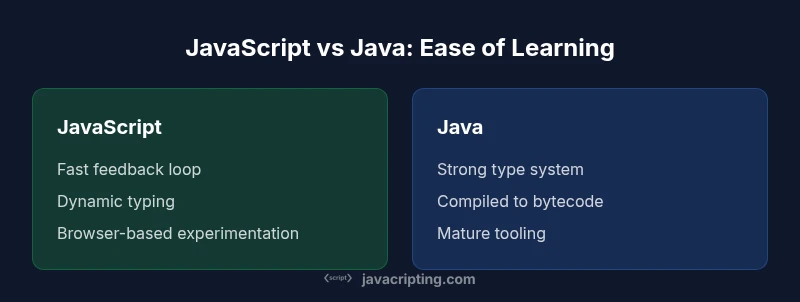
Is javascript or java easier? In practice, JavaScript tends to be easier to pick up for beginners due to immediate browser feedback, forgiving syntax, and dynamic typing. Java has a steeper learning curve with static typing and memory concepts, but it rewards long-term stability through clear structure and strong tooling. The right choice depends on goals: quick frontend experiments versus building large, strongly-typed enterprise applications.
Defining Ease in Programming Languages
Ease is not a single metric; it depends on prior experience, goals, and the kinds of problems you want to solve. For most new developers, ease means fast feedback, friendly syntax, and a supportive learning ecosystem. It also means minimal friction to start a project, with clear errors and approachable debugging tools. According to JavaScripting, when you measure ease, you should separate initial learning from long-term maintainability, as these can diverge. In this article, we compare JavaScript and Java through practical lenses: setup, syntax, tooling, community support, and real-world use cases. The aim is to help aspiring developers decide what to study first and how to progress to more complex topics. The JavaScripting team emphasizes practical testing: if you can spin up a small project quickly and see tangible results, that often defines ease better than a theoretical checklist. We’ll illustrate criteria with concrete examples and side-by-side exercises. By the end, you’ll have a decision framework you can apply to future language choices. This section sets expectations: ease is context-sensitive, and the best choice depends on your target platform and career goals. This is not about declaring a universal winner; it’s about giving you the tools to evaluate options effectively.
The Learning Curve: JavaScript vs Java
Learning curves are shaped by syntax, typing, tooling, and the environment where you run code. JavaScript offers a gentle entry path: you can write small scripts directly in the browser console or a Node.js REPL, without a heavy build step. The language supports rapid iteration, especially for frontend experiments, which makes it attractive for beginners. Java, by contrast, typically introduces more upfront concepts: classes, interfaces, explicit typing, and memory management considerations. This combination creates a higher initial barrier but can yield strong structure for large projects. When you ask is javascript or java easier, the short answer is: easier to start with is JavaScript; easier to maintain and scale with is Java. The nuance comes with your chosen path and what you value in the long run.
Core Concepts You Must Master
To compare ease effectively, you must understand core concepts that influence learning tempo. JavaScript emphasizes flexible, prototype-based object models, closures, asynchronous programming with Promises, and event-driven design. Beginners often appreciate the ability to experiment with minimal ceremony. Java emphasizes a class-based, static type system with explicit generics, a robust standard library, and a JVM-centric ecosystem. Grasping generics, checked exceptions, and memory management adds to the learning curve but pays off in predictability and maintainability at scale. Both languages demand attention to toolchains, testing, and debugging, yet the paths diverge early: JavaScript rewards quick wins, while Java rewards disciplined design.
Tooling, Setup, and the Developer Experience
The tooling story is central to ease. JavaScript shines with lightweight setup: a text editor and a browser are often enough to start; Node.js enables server-side work with rapid feedback. npm or pnpm unlock massive ecosystems of packages within minutes. Java requires a JDK, an IDE, and sometimes a build tool like Maven or Gradle. Dependency management, compilation steps, and richer error traces can slow entry but improve reliability for large applications. If you value fast starts and minimal friction, JavaScript wins on day one; if you crave strong typing, IDE-assisted refactoring, and enterprise-grade tooling, Java tends to feel easier after you’ve cleared the initial hurdle.
Hands-on Paths: Simple Projects to Test Ease
A practical way to measure ease is to try parallel mini-projects in each language. For JavaScript, build a to-do list with vanilla JS or a small REST client using fetch, then pivot to a React-based UI to observe the learning curve as complexity rises. For Java, start with a console-based calculator, then a small Spring Boot app to learn the framework’s structure and deployment. Recording time to complete tasks, error frequency, and how easy it is to extend features provides concrete data on ease. This approach helps you answer the question in your own terms: is javascript or java easier for your preferred project type?
Debugging and Error Messages: Frustration Points
JavaScript debugs primarily through browser devtools, which offer immediate visual feedback and interactive inspection of DOM events. However, asynchronous bugs can be tricky, and silent runtime errors are a common pain point for beginners. Java debugging often involves offline compilation, stack traces, and richer IDEs that guide you toward precise locations of problems. While compile-time errors in Java long-term reduce runtime surprises, they can be frustrating for newcomers. Understanding the typical error patterns in each language accelerates learning and reduces frustration during early projects.
Career, Ecosystems, and Real-World Use Cases
Both languages dominate different corners of software development. JavaScript powers the frontend of nearly every modern web app and, with Node.js, supports backend services as well. Java remains a staple in enterprise applications, Android development, and large-scale backend systems. The ecosystem breadth affects ease: abundant short-form tutorials, interactive coding challenges, and browser-based experiments are plentiful for JavaScript, while comprehensive documentation, established patterns, and corporate support structures abound for Java. The practical takeaway is to map your target projects to the language with a matching ecosystem and community.
A Structured Decision Framework for Your Choice
To decide which language is easier for you, consider a framework of four questions: (1) What’s your target platform and project type? (2) Do you prefer quick feedback loops or a strong long-term structure? (3) How important are ecosystem size and community resources? (4) Are you aiming for frontend, backend, mobile, or full-stack work? Answering these questions creates a clear path: JavaScript for rapid prototyping and frontend work; Java for scalable, robust enterprise systems. Remember that ease is context-dependent, and the best choice aligns with your goals and learning style.
Comparison
| Feature | JavaScript | Java | |
|---|---|---|---|
| Learning curve | Low barrier to entry; quick start in browser | Moderate to high; concepts like static typing and JVM concepts | Note: comparison favors JavaScript for beginners |
| Typing system | Dynamic typing with optional typing through TypeScript | Static typing with generics and explicit declarations | |
| Runtime environment | Browser and Node.js with instant feedback | JVM-based environments; compile-time checks before run | |
| Tooling and setup | Lightweight: editors, browser, npm | Rich IDEs, build tools, and dependency management | |
| Asynchronous programming | Promises, async/await, event-driven model | Thread-based concurrency with explicit synchronization patterns | |
| Learning resources | Massive, interactive, browser-centric tutorials | Extensive official docs and enterprise training resources | |
| Maintainability | Rapid iteration; potential for runtime type errors | Stronger compile-time guarantees; clearer structure |
Benefits
- Clear criteria help learners choose a path
- Real-world implications for career planning
- Encourages hands-on experimentation with both languages
- Highlights how context (frontend vs enterprise) shifts which is easier
The Bad
- Ease is subjective and depends on goals
- Overemphasis on initial learning can mislead
- Ecosystem breadth can overwhelm beginners
JavaScript is generally easier to start with; Java provides stronger long-term structure for large-scale projects.
Start with JavaScript for quick wins and frontend tasks. If your aim is enterprise-grade apps or Android/backend solidity, plan a path to Java after gaining initial comfort with programming concepts.
Questions & Answers
What exactly is meant by 'ease' when comparing programming languages?
Ease encompasses the speed of getting started, the clarity of feedback, the complexity of core concepts, tooling maturity, and the ability to extend projects without overwhelming complexity. This article evaluates those facets for JavaScript and Java to help you pick a practical path.
Ease means how quickly you can start coding, get helpful feedback, and grow a project without getting bogged down in setup or complex concepts.
Is JavaScript easier to learn than Java for beginners?
Generally yes for beginners, because you can start in a browser with minimal setup. Java introduces more upfront concepts like static typing and the JVM, which take longer to master but pay off in larger, structured projects.
Yes—JavaScript is usually easier to pick up first, thanks to browser-based testing and forgiving syntax.
How long does it take to become proficient in either language?
Proficiency depends on practice volume and project complexity. You can become productive with JavaScript in weeks for frontend tasks; Java proficiency for enterprise-grade systems typically takes months to years of ongoing learning and project exposure.
Time to proficiency varies, but expect quicker early wins with JavaScript and longer, sustained learning with Java.
Should I learn both languages or pick one first?
If your goals are frontend-focused, start with JavaScript and add Java later as needed. If you’re aiming for enterprise backend or Android, you might start with Java and pick up JavaScript later to broaden your skill set.
Start with one based on your goals, then add the other to expand opportunities.
How does tooling affect the perceived ease of each language?
Tooling shapes the daily experience: lightweight, fast feedback in JavaScript contrasts with heavier IDE setups and build pipelines in Java. Good tooling can close the gap in perceived difficulty between languages.
Tooling can make either language feel easier or harder, depending on your setup.
What to Remember
- Define ease by learning curve, feedback loops, and tooling
- JS enables rapid frontend experiments; Java enforces structure at scale
- Match language choice to project goals and career plans
- Try both languages with small projects to gauge personal ease