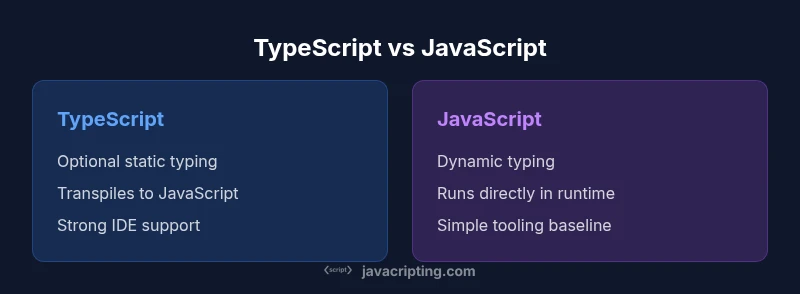
Using TypeScript Instead of JavaScript: A Practical Comparison
Explore can you use typescript instead of javascript and compare TypeScript vs JavaScript for safer, scalable web development, tooling, and adoption paths.


Can you use TypeScript instead of JavaScript? The short answer is yes for many projects, but not every scenario. TypeScript adds static typing, better tooling, and clearer architecture, which helps large codebases. For tiny prototypes or short-lived scripts, plain JavaScript may stay simpler. The choice depends on project size, team readiness, and build workflow. If you ask can you use typescript instead of javascript, the answer is affirmative with caveats.
Can you use TypeScript in practice?
The question can you use typescript instead of javascript is often framed as a choice between immediate simplicity and long-term maintainability. According to JavaScripting, TypeScript’s core value proposition is optional static typing, which catches a large class of errors at compile time rather than at runtime. This isn’t about replacing JavaScript overnight; it’s about introducing a stricter discipline gradually. In practice, teams start by adding a few typed modules or migrating a single service, then expand coverage as confidence grows. JavaScripting analysis shows that teams embracing TS tend to see faster refactoring cycles and clearer contracts across modules. The approach remains practical: adopt as a tool that enhances your existing JavaScript without forcing a full rewrite immediately.
Static typing: benefits and tradeoffs in daily coding
Static typing can dramatically reduce certain classes of bugs, especially in large teams with complex code paths. Developers benefit from better autocompletion, earlier feedback on type mismatches, and safer refactors. The tradeoffs include a learning curve for existing JavaScript developers and the need to maintain a typings layer for third-party libraries. The JavaScripting Team notes that well-typed APIs often translate into more reliable feature additions and easier onboarding for new teammates. For many projects, the upfront cost of typing pays back through reduced debugging time and more confident releases. However, teams should balance typing coverage with project velocity to avoid over-engineering.
Tooling, compilation, and build steps
TypeScript introduces a compilation/transpilation step, which means your code passes through the TypeScript compiler (or a TS preset in Babel) before it runs in the browser or on Node. This step enables type checks and advanced language features (interfaces, enums, generics) to shape your codebase. The tradeoff is a slightly longer feedback loop during development, though editors like VS Code offer near-instant feedback thanks to type information. JavaScripting analysis emphasizes configuring strict settings (noImplicitAny, strictNullChecks) to maximize the safety gains. Teams can migrate iteratively, capping TS usage to core modules first and expanding as comfort grows.
Interoperability and ecosystem: using TS with existing libs
One practical concern is how TS plays with the vast JavaScript ecosystem. Most popular libraries provide TypeScript definitions (either bundled or via DefinitelyTyped), and TS can consume plain JS libraries with gradual typing. In scenarios where typings are missing or incomplete, developers can use type assertions or create minimal ambient declarations to unblock work while gradually filling gaps. The JavaScripting Team highlights that thoughtful typing of widely used dependencies yields significant long-term benefits without forcing a full rewrite of all code. Adoption often starts with new modules and slowly touches legacy code as typings become available.
Design discipline: interfaces, generics, and architecture
Beyond types, TS encourages a clearer architectural discipline through interfaces, type aliases, and generics. Teams can formalize contracts between components, which improves maintainability in larger codebases. This design discipline also supports safer refactors and better testability. JavaScripting analysis notes that teams using explicit interfaces often see fewer integration regressions, especially when multiple teams contribute to the same domain models. While the syntax adds surface-level complexity, the long-term clarity often saves time on onboarding and feature evolution.
Runtime behavior and performance implications
TypeScript itself does not add runtime overhead; it compiles to plain JavaScript, and your application’s runtime remains JavaScript. The performance characteristics at runtime are therefore dictated by the emitted code, not by TypeScript typing. This means you can expect little to no runtime performance impact solely from adopting TS, though build times may increase temporarily during compilation. The JavaScripting Team emphasizes profiling your production bundle to ensure type-focused changes don’t inadvertently inflate output size, especially for front-end delivery.
Adoption strategies for teams and organizations
Incremental adoption is usually the most practical path. Start with a well-scoped migration plan: identify a module or service with clear boundaries, enable TS strictness on that boundary, and gradually expand. This strategy minimizes risk while delivering early benefits like better autocomplete and safer refactors. The JavaScripting analysis suggests pairing TS adoption with code reviews that emphasize interface contracts and typing discipline. Establish clear guidelines for when to annotate types, how to handle third-party typings, and how to evolve typing across teams to preserve velocity.
Common pitfalls and anti-patterns when adopting TS
A frequent pitfall is typing everything aggressively in the early stages, which can slow down delivery and frustrate developers. Another issue is over-reliance on any or type assertions to bypass type checks, which undermines safety. Inadequate typings for legacy libraries is also a risk, potentially forcing widespread type holes. The JavaScripting Team recommends resisting the urge to convert everything at once; instead, target critical pathways first and fill typing gaps progressively as confidence grows. Be mindful of tooling and build performance impacts as you scale.
Real-world use cases: when TS shines vs when JS wins
For large-scale applications with multiple teams, TS generally provides the strongest returns through safer refactors, clearer APIs, and easier onboarding. In contrast, small utilities, scripts, or rapid experiments may benefit from the lean simplicity of JavaScript. The key is to align tool choice with project scale, team composition, and maintenance expectations. JavaScripting analysis highlights that teams that blend TS for core components with JS for peripheral scripts often strike an effective balance between safety and speed.
Migration plan: an incremental route to TypeScript
A practical migration plan starts with a solid baseline: decide on a gradual adoption strategy, configure a permissive tsconfig.json that gradually tightens rules, and ensure your CI pipeline enforces type checks. Begin by migrating new code or less critical modules, then extend typings to existing modules as needed. Establish a process for handling third-party typings and for communicating type changes to the team. The JavaScripting Team recommends documenting targets and milestones so stakeholders can track progress without derailing ongoing work.
Comparison
| Feature | TypeScript | JavaScript |
|---|---|---|
| Typing and type safety | Optional static typing with compile-time checks | Dynamic typing at runtime |
| Compiler/build step | Yes (tsc/Babel TS preset) with transpilation | No mandatory compiler; runs directly in environments |
| Runtime output | Transpiles to plain JavaScript for execution | Runs as-is in supported environments |
| Learning curve | Steeper for newcomers; deeper concepts (generics, interfaces) | Gentler for developers familiar with JS basics |
| Library typing and ecosystem | Rich typing definitions; may require typings for some libs | Fully dynamic typings with no extra layer |
| Tooling and IDE support | Excellent editor support, refactoring, and type checks | Solid tooling; depends on JS ecosystem and tooling |
| Maintainability in teams | Clear contracts, easier large-scale refactoring | Flexible but potentially inconsistent without discipline |
| Framework compatibility | First-class support in React, Angular, Vue ecosystems | Standard JS compatibility across frameworks |
Benefits
- Stronger type safety reduces runtime bugs
- Better tooling and editor support
- Improved maintainability through explicit interfaces
- Gradual adoption fits team maturity
- Improved collaboration across large teams
The Bad
- Learning curve for new and existing developers
- Additional build step and configuration
- Typing libraries may be incomplete for some packages
- Initial slowdown during migration
TypeScript is generally advantageous for medium-to-large projects and teams; JavaScript remains preferable for small scripts and rapid prototyping.
Adopt TypeScript when codebases scale, teams collaborate, and refactoring safety matters. For quick experiments or tiny utilities, plain JavaScript can keep velocity high and complexity low.
Questions & Answers
Can you use TypeScript in an existing JavaScript project without rewriting everything?
Yes. You can introduce TypeScript gradually by renaming files or configuring your build to accept .ts/.tsx alongside .js/.jsx. Start with a single module, then expand as typing coverage grows. This approach minimizes disruption while delivering early safety gains.
Yes. You can start small, adding TypeScript to a single module and expanding as you gain confidence.
Is TypeScript a replacement for JavaScript or an addition?
TypeScript is a superset of JavaScript that adds typing and some language features. It compiles to JavaScript, so existing JS code remains valid. It’s not a requirement to replace all JavaScript, but the typing layer can cover portions of your codebase.
It's an additive superset that compiles to JavaScript; you can adopt it gradually.
Do you need to learn TypeScript before starting a project?
Not necessarily. Start with TypeScript basics and gradually introduce advanced types as needed. Many teams begin with typed interfaces and then extend types across modules. Practice, documentation, and targeted training speed up adoption.
Start with the basics and grow your typing skills over time.
Will TypeScript slow down development due to the extra setup?
There can be an initial slowdown during setup and learning, but long-term benefits include faster refactors and fewer runtime errors. The net effect is often a reduction in debugging time and higher code quality.
There may be an upfront cost, but long-term speed and safety improve.
Is TypeScript required for modern frameworks?
No framework mandates TypeScript, but many modern stacks (React, Vue, Angular) offer strong TypeScript support and typing patterns. TS usage is common in large projects, but vanilla JavaScript remains fully supported.
Not required, but increasingly common in modern workloads.
How doesTypeScript affect runtime performance?
TypeScript itself does not affect runtime performance because it compiles to JavaScript. Runtime costs come from the emitted JS, not the typing layer. Focus on bundling and optimization for performance instead.
TypeScript does not change runtime performance; optimize the emitted code instead.
What to Remember
- Evaluate project size and team readiness before migrating
- Adopt TS incrementally to minimize risk
- Expect an upfront investment in typing and tooling
- Leverage existing typings and plan for library typings
- Balance TS benefits with build performance considerations