javascript and typescript difference: A Practical Comparison
A thorough, practical comparison of JavaScript and TypeScript, focusing on typing, tooling, migration, and project strategy to help developers decide which fits their goals.


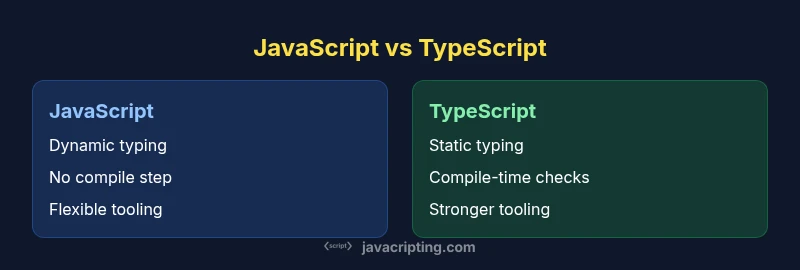
javascript and typescript difference boils down to typing, tooling, and project scale. JavaScript is dynamically typed and runs as plain JS, while TypeScript adds static typing and compile-time checks that improve safety and refactoring. For small teams or rapid prototyping, JS can be faster to start; for larger projects with long-term maintenance, TS often pays off with fewer runtime surprises. See the full comparison below.
The javascript and typescript difference: a baseline for evaluation
According to JavaScripting, the javascript and typescript difference centers on typing discipline, build-time safety, and how teams collaborate on large codebases. In practice, JavaScript remains a dynamically typed language that ships as plain JavaScript, while TypeScript adds a structural type system that compiles to JavaScript. This article uses practical scenarios to illuminate where the extra rules of TypeScript help and where they may slow you down. By understanding the baseline dynamics, developers can make informed decisions about project scope, team skills, and long-term maintenance. The goal is not to declare a winner but to map out when each approach shines, and how teams can blend both in a staged, risk-managed way. The difference also influences tooling, error detection, and the mental model developers bring to their codebase.
Typing as a spectrum: dynamic vs static
JavaScript embraces dynamic typing, where types are associated with values at runtime and can change. TypeScript introduces static typing with optional annotations, interfaces, and structural typing. This means many type errors can be caught at compile time rather than at run time, reducing surprises in production. Teams can progressively annotate existing code, leveraging inference to minimize boilerplate while still gaining safety. The practical upshot is a gradient: you can start with plain JS and gradually layer in TS features as requirements grow, risk tolerance increases, and testing needs evolve.
Compilation and runtime realities: what changes when you add TS
JavaScript runs directly in browsers and Node.js, but TypeScript requires a build step that compiles TS into JavaScript. This pipeline elevates early error detection and enforces a consistent type story across the codebase. The debate often centers on whether the extra compilation time slows development; in modern workflows, incremental builds and caching mitigate this. Understanding the trade-off helps teams decide how aggressively to adopt TS features, and whether to enforce strict typing, relaxed typing, or a hybrid approach.
Tooling, IDE support, and developer experience
Tooling is a major differentiator. TypeScript’s type information powers smarter autocompletion, in-editor refactoring, and real-time error reporting. JavaScript tooling remains strong, especially for prototyping and fast iteration, but TS typically unlocks deeper IDE capabilities and safer refactors for larger codebases. The difference here isn’t just about types; it’s about the mental model authors use when coding and the confidence teams gain when making changes across modules.
Core language features: types, interfaces, and generics
TypeScript adds features not found in vanilla JavaScript, including explicit interfaces, enums, and advanced generics. These elements enable more precise contracts between modules and better abstraction for complex systems. While JS can emulate some ideas with JSDoc and runtime checks, TS enforces them at compile time. This leads to clearer APIs, easier onboarding for new teammates, and better guarantees as the code evolves.
Build pipelines, config, and compatibility
A typical TS setup centers on a tsconfig.json that dictates compiler behavior, module resolution, and strictness levels. Babel can be used to transpile TS as part of a larger JS ecosystem, but the TS compiler remains the primary source of type safety. For teams migrating, a staged approach can begin with .ts files in new areas, gradually expanding coverage while keeping existing JS code running smoothly. Compatibility with libraries is usually achieved through type declarations from DefinitelyTyped or bundled typings from libraries themselves.
Ecosystem fit: frameworks, libraries, and community signals
Frameworks like React, Angular, and Vue all support TypeScript, and many libraries publish typings for seamless integration. The TS ecosystem offers better end-to-end type safety for complex applications, but you may encounter typing gaps in some niche libraries. In practice, larger teams and enterprise projects tend to benefit most from strong typing, while small projects or experiments can succeed with plain JavaScript. Still, adoption signals—such as official framework guides and library typings—often favor TypeScript for long-term maintainability.
Performance, bundles, and runtime realities
TypeScript’s runtime footprint is essentially identical to JavaScript because TS compiles to JS. The performance characteristics of your app are determined by runtime code, not the presence of TypeScript itself. However, TS can influence bundle size indirectly through stricter types and reduced runtime guards, depending on optimizations and code patterns. The key is to profile, optimize, and apply typing judiciously to avoid code bloat while preserving safety.
When to choose JavaScript vs TypeScript: practical scenarios
For very small projects, quick prototypes, or one-off scripts, JavaScript offers speed and simplicity: fewer moving parts, faster setup, and less ceremony. For mid-sized to large codebases with multiple developers, long-term maintenance, and a need for safer refactoring, TypeScript tends to pay off through clearer contracts and better tooling. Teams can start with a light TS adoption plan, validate with representative modules, and scale as confidence grows. The decision should align with team skills, project scope, and business goals.
Migration strategies and incremental adoption
A pragmatic adoption plan begins with choosing a safe entry point: add TS to new modules or progressively convert existing ones. Enable allowJs to interoperate with JavaScript during the transition, and configure strict mode gradually. Establish typing guidelines, set up a lint rule set, and automate type-checking in CI. This approach minimizes risk while building a culture of safer code, allowing the team to adapt without blocking progress.
Common myths and real pitfalls
A common myth is that TypeScript eliminates all bugs. While it reduces many type-related errors, runtime issues still occur due to logic, API contracts, or external dependencies. Another pitfall is over-annotating, which can slow development; rely on type inference when possible. Finally, be mindful of the learning curve—teams benefit from targeted training and incremental exposure rather than a one-shot overhaul.
Decision framework: how to decide in 5 steps
- Assess project size and team experience; 2) Map typical maintenance needs and future growth; 3) Evaluate library typings and framework support; 4) Consider CI/CD and build pipeline feasibility; 5) Pilot a small TS module and measure impact on velocity and quality. This framework helps teams calibrate expectations and create a concrete migration plan that minimizes risk.
Comparison
| Feature | JavaScript | TypeScript |
|---|---|---|
| Typing discipline | Dynamic typing at runtime | Static typing with optional typing and inference |
| Compilation / transpilation | Interpreted by runtime (no compile step) | Compile-time checking transpiled to JavaScript |
| Tooling and IDE support | Good, with JSDoc hints | Excellent, with strong type-aware tooling |
| Learning curve | Lower barrier for beginners | Moderate increase due to types and configs |
| Code maintainability for large teams | Depends on discipline; dynamic typing can be risky | Typically improved through types, interfaces, and refactors |
| Ecosystem and library support | Broad, with many untyped packages | Strong typings around major libs and frameworks |
| Migration path | Start with plain JS, add TS gradually | Adopt TS gradually with tsconfig and path aliases |
Benefits
- Stronger type safety and early bug catching
- Improved IDE support and refactoring
- Better maintainability for large codebases
- Seamless integration with existing JavaScript tooling
The Bad
- Additional learning curve and stricter typing
- Compilation step adds to build time
- Migration overhead for legacy projects
TypeScript is generally the better choice for large teams and long-term maintenance; JavaScript remains ideal for prototyping and smaller projects.
In practice, TS offers safety and maintainability benefits as codebases scale, while JS keeps you nimble for quick experimentation. Choose TS for projects with multiple developers or long lifecycles; JS for small apps or rapid proof-of-concepts.
Questions & Answers
What is the main difference between JavaScript and TypeScript?
The main difference is typing: JavaScript uses dynamic typing at runtime, while TypeScript adds static typing with compile-time checks. TS compiles to JavaScript, providing safer code and better tooling without changing runtime behavior.
The core difference is typing: JavaScript is dynamic, TypeScript is statically typed and compiles to JavaScript.
Is TypeScript faster at runtime than JavaScript?
No. TypeScript does not affect runtime speed because it compiles to plain JavaScript. Performance depends on the emitted JavaScript, not the TS type system itself.
TypeScript doesn’t change runtime speed; it compiles to JavaScript and runs like JS.
Can I mix TypeScript with existing JavaScript in a project?
Yes. You can adopt TypeScript gradually by enabling allowJs and mixing .ts/.js files. This lets you convert modules over time while keeping the rest of the codebase working.
Yes, you can gradually mix TypeScript with JavaScript in the same project.
Should new projects start with TypeScript?
For many teams, starting with TypeScript provides long-term benefits in maintainability and collaboration. If speed of initial development is paramount and the team is new to typings, a phased TS approach can be effective.
Starting with TypeScript is often a good idea for long-term projects, though you can start small.
Do explicit types slow down prototyping?
Explicit types can slow you down at the very start, but type inference and gradual typing often minimize this. The long-term payoff is faster, safer changes as the codebase grows.
Types may slow initial prototyping a bit, but they usually speed up later maintenance.
What’s a good migration strategy for large codebases?
Begin with new modules in TS and gradually convert existing code. Use tsconfig with strict flags progressively, and set up CI to enforce type checks. Plan a phased rollout with clear milestones and owner assignments.
Start with new modules in TS, then convert older code gradually with a strict plan.
What to Remember
- Evaluate project scale before choosing TS or JS
- Leverage TS for safety in large teams
- Adopt an incremental migration plan
- Rely on strong typings to improve refactoring confidence
- Profile performance to ensure bundling remains efficient