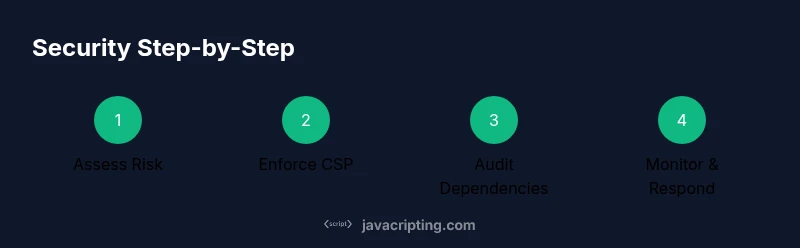
How to Protect JavaScript: Practical Security Guide
A comprehensive, step-by-step guide for developers to protect JavaScript apps—from CSP and SRI to secure coding and dependency auditing. Learn practical techniques, tooling, and deployment patterns designed for frontend pros and aspiring developers.


This guide shows how to protect javascript in real projects using defense-in-depth patterns: implement a strong CSP, audit dependencies, avoid dangerous patterns, and harden deployment. You will need a code editor, Node.js tooling, and a modern browser. If you’re asking how to protect javascript, follow these practical steps to reduce risk without sacrificing performance.
Why Protect JavaScript Matters
JavaScript runs in the user's browser, which means the code and its behavior can be inspected, modified, or misused. Protecting JavaScript is not about hiding code; it is about reducing the attack surface, validating inputs, and enforcing boundaries across the stack. When done right, you preserve performance and user experience while hardening your app against tampering, data leakage, and abuse. This is especially important for applications that handle sensitive data, perform critical actions, or rely on third party libraries. The goal is to make it harder for an attacker to alter behavior, exfiltrate data, or execute malicious payloads. How to protect javascript is not a one trick solution but a disciplined, repeatable process you apply at every layer of development.
According to JavaScripting, the best results come from pairing practical security patterns with tooling and governance. Start by framing your threat model, identifying sensitive code paths, and limiting what runs on the client. Then layer controls across the build, network, and server boundaries. This defense-in-depth mindset helps you keep pace with evolving threats while maintaining fast, responsive software. Whether you use React, Vue, or vanilla JS, the same core principles apply: minimize exposure, validate data, and monitor for anomalies.
description_tag_2_block_note toJSON_placeholder':null},
Core Principles of Client-Side Security
To protect javascript effectively you should build from core principles that apply across frameworks and stacks. First, embrace defense-in-depth by placing multiple safeguards at different layers rather than relying on a single control. Second, apply the principle of least privilege by limiting what your client code can access and which APIs it can call. Third, reduce the client side surface by keeping only the necessary logic in the browser and moving sensitive operations to a trusted server. Fourth, enforce a strict Content Security Policy to control where scripts, styles, and resources can come from. Fifth, enable Subresource Integrity so external resources are validated before use. Sixth, rely on the same-origin policy and proper cross origin settings to prevent unauthorized access. Finally, secure cookies and use TLS for all data transport. When learning how to protect javascript, these principles serve as the backbone of secure client side code.
JavaScripting analysis shows that strong CSP and SRI coverage dramatically reduce risk by blocking inline scripts and verifying resource integrity. Begin with a default deny policy and then relax only as needed. In practice, always test CSP changes in a staging environment before shipping to production. Remember that security is a shared responsibility between client and server; server side enforcement remains essential even with robust client side protections.
Tools & Materials
- Node.js and npm(Install the latest LTS version; npm is included with Node.js.)
- Code editor (e.g., VS Code)(Enable extensions for ESLint and security linters.)
- Modern browser with DevTools(Use auditing and security panels to inspect runtime behavior.)
- ESLint and a secure config(Enforce code quality and discourage dangerous patterns.)
- Dependency management tool (npm/yarn)(Maintain a lockfile and run audits regularly.)
- SRI/CSP tooling(Tools to generate and validate integrity hashes and policies.)
Steps
Estimated time: 2-5 hours
- 1
Define your threat model and security baseline
Identify sensitive operations, data flows, and trust boundaries. Document what needs protection, who might attack, and what success looks like for your security controls. Establish a baseline that you will measure against as you implement protections.
Tip: Create a short inventory of critical functions and data exposed in the browser. - 2
Enforce a strong Content Security Policy
Start with a strict default-src and script-src, then progressively relax when you confirm legitimate sources. Use nonce or hash-based scripts to allow inline code only when necessary. Audit third party scripts for risks and minimize their usage.
Tip: Test CSP in report-only mode to gather violations before enforcing. - 3
Eliminate dangerous patterns in code
Avoid eval, new Function, and string-based code execution. Prefer scoped functions and module patterns. Use strict mode to catch common mistakes and enforce clearer error handling.
Tip: Run a code search to remove inline code that executes strings. - 4
Audit dependencies and lock down third‑party code
Regularly scan for known vulnerabilities and update dependencies with minimal disruption. Prefer fixed versions and pinned transitive dependencies. Subscribe to vulnerability advisories for your tech stack.
Tip: Integrate npm audit or Snyk into CI to fail builds on high risk findings. - 5
Implement Subresource Integrity (SRI) for CDNs
When loading libraries from CDNs, attach integrity hashes to verify content integrity. Prefer self hosted resources when possible and keep hashes up to date after upgrades.
Tip: Avoid dual loading of different versions that can conflict with CSP and SRI rules. - 6
Harden cookies and session management
Set HttpOnly and Secure flags, configure SameSite attributes, and minimize information kept in cookies. For sensitive tokens use server side storage when possible and rotate keys regularly.
Tip: Review cookie settings after every framework upgrade. - 7
Secure the build and deployment pipeline
Minify code to reduce readability only after removing source maps in production or gating access. Disable remote debugging and ensure environment variables are not embedded in client bundles.
Tip: Keep source maps private or protect them behind auth in production. - 8
Test and monitor continuously
Incorporate static analysis, dynamic analysis, and regular security tests into CI. Set up monitoring for runtime anomalies and keep alerting for suspicious activity.
Tip: Automate recurring security tests so they run on every commit. - 9
Document and maintain your security controls
Maintain a living security handbook describing CSP, SRI, dependency policies, and incident response steps. Update it with every major change and review it quarterly.
Tip: Treat security as code and version control it with your app.
Questions & Answers
What is the most important first step to protect JavaScript?
Start with a threat model and a solid CSP. Understanding what you protect and from what threats informs every other control.
Start with a threat model and strong CSP to set the foundation for protection.
Should I hide my JavaScript code from users?
No. Client-side code cannot be fully hidden. Focus on limiting what runs in the browser, validating inputs, and enforcing server side controls.
You can’t hide the code; instead limit what runs and verify everything on the server.
How often should I audit dependencies?
Audit dependencies regularly, especially after updates or when new vulnerabilities are disclosed. Automate the process in CI where possible.
Do regular automated checks on every update to catch new issues early.
What is SRI and how do I use it?
Subresource Integrity verifies that resources loaded from CDNs have not been tampered with. Use integrity hashes or a build process to generate them.
SRI checks ensure external libraries haven’t been altered.
Can CSP alone protect my app?
CSP is powerful but not sufficient by itself. Combine CSP with input validation, secure defaults, and server-side protections.
CSP is strong, but you need multiple safeguards too.
How do I test JavaScript security effectively?
Use a combination of static analysis, dynamic testing, and manual security testing. Integrate tests into CI for continuous protection.
Test security with both automated tools and manual checks in CI.
Watch Video
What to Remember
- Define a threat model and build a defense-in-depth plan
- Enforce a strict CSP and validate all external resources
- Regularly audit dependencies and monitor for vulnerabilities
- Avoid dangerous patterns like eval and string construction in code
- Harden cookies and transport security for user data