Why Angular Uses TypeScript Instead of JavaScript: A Practical Comparison
An analytical comparison of why Angular favors TypeScript over JavaScript, examining typing, tooling, maintainability, and migration considerations for teams building scalable applications.


TL;DR: Angular favors TypeScript over JavaScript for robustness, tooling, and maintainability in large apps. While JavaScript remains flexible, TypeScript adds static typing, decorators, and advanced tooling that align with Angular’s architecture, reducing bugs and speeding up refactoring. This combination supports scalable development and clearer coding standards across teams.
Why Angular Uses TypeScript Instead of JavaScript
According to JavaScripting, the decision to anchor Angular's core development in TypeScript goes beyond syntax preferences. It reflects a deliberate alignment between language features and framework patterns. When teams evaluate why angular use typescript instead of javascript, they find that TypeScript offers static typing, richer IDE feedback, and decorator-based APIs that map cleanly to Angular's architecture. This article compares the two paths in a way that helps teams decide how to structure large-scale projects, while acknowledging trade-offs in learning curves and initial setup. The goal is to provide a practical, actionable view for aspiring developers, frontend enthusiasts, and professionals seeking reliable guidance on TypeScript adoption within Angular.
TypeScript as the Foundation of Angular's Tooling and API Surface
Angular’s tooling ecosystem — from the CLI to Ivy’s optimizations — is designed around TypeScript concepts. TypeScript’s type annotations, enums, interfaces, and decorators integrate with Angular’s NgModule, Component, and Injectable APIs. This tight coupling makes compile-time checks meaningful, enabling safer refactors and better API discoverability. Developers gain confidence when navigating complex module boundaries because the types describe interfaces, DI tokens, and lifecycle hooks in a predictable way. JavaScript remains possible, but TS unlocks a more coherent API surface and more resilient scaffolding for large teams.
Static Typing and Safer Refactors in Large Codebases
Static typing helps catch mismatches early, before code runs. In Angular projects, where components are expanded into feature modules, services, and guards, type information reduces the risk of runtime errors during refactors. Interfaces define data contracts between components and services, while discriminated unions or enums clarify states. The result is a leaner debugging process, fewer silent failures, and clearer intent across code paths. Teams report that static typing also improves onboarding, since new contributors can quickly grasp expected shapes of data and component interactions.
Decorators, DI, and Angular's Declarative Style
Decorators are a primary mechanism Angular uses to declare metadata for components, services, and modules. TypeScript makes decorators natural by providing metadata through typings, which in turn enables robust design-time checks. Dependency injection tokens become strongly typed, reducing misconfigurations and runtime surprises. This declarative style promotes clean boundaries and easier testing. While JavaScript can implement similar patterns, TypeScript’s type system makes the relationships explicit, expressive, and less error-prone during evolution of large codebases.
Compiler Options, AOT, and Runtime Performance
Angular’s ahead-of-time (AOT) compilation relies on TS metadata to optimize templates and bindings. TypeScript’s compile-time checks help catch template errors before runtime, which translates into faster build feedback. AOT reduces payload and startup time, making large apps feel snappier in production. Although the runtime is ultimately JavaScript, the TypeScript layer provides a structured, predictable path from code to optimized output. For teams, this means more deterministic performance characteristics and smoother CI pipelines.
Developer Experience: IDE Support, Autocompletion, and Refactoring
Developers benefit from strong editor support: type-aware autocompletion, quick fixes, and safer refactors. When Angular codebases contain dozens or hundreds of components and services, find-and-replace operations become reliable rather than risky. Refactoring across a feature module or an entire application can be guided by type information, which reduces regressions. This enhanced feedback loop accelerates learning, supports more confident experimentation, and helps maintain coding standards across teams with mixed experience levels.
JavaScript for Small Projects: Trade-offs
In small, self-contained Angular widgets or micro-frontends, JavaScript can seem appealing for its flexibility and quicker ramp-up. However, the absence of strict typing can reappear as soon as the project scales. Teams should weigh short-term gains against long-term maintenance costs, especially when collaborating across dedicated front-end engineers, back-end developers, and designers. For many teams, starting with TypeScript from day one yields a more cohesive base for future growth.
Migration Strategies: Moving from JavaScript to TypeScript in Angular Projects
If you start with JavaScript in Angular, an incremental migration is feasible. Begin with a strict tsconfig that gradually enables type checking, switch one service or component at a time, and adopt interfaces for data contracts. Tools like the Angular CLI simplify scaffolding in TS while preserving existing JS files as gradually migrated modules. Emphasize a phased approach, establish team conventions for typings, and leverage linting to enforce consistent patterns. A measured tempo minimizes disruption while realizing long-term benefits.
Ecosystem and Library Typings
A robust TypeScript ecosystem supports Angular through library typings, DefinitelyTyped definitions, and careful versioning. When integrating third-party libraries, ensure there are type definitions or write minimal ambient declarations to maintain type safety. Type definitions enable IDEs to offer accurate insights about function shapes, event payloads, and error handling pathways. While not every library ships with types, the broader TS community provides strategies to maintain strong type safety without sacrificing compatibility.
Common Myths About TypeScript in Angular
One frequent misconception is that TypeScript slows down development due to boilerplate. In practice, the type system helps catch errors earlier, which often reduces debugging time. Another myth is that TS adds complexity; in reality, disciplined use of types clarifies intent and reduces ambiguity. Some worry about the learning curve; however, most teams find a gradual adoption plan paired with practical examples yields steady progress and better long-term outcomes.
Practical Recommendations for Teams Starting with TS in Angular
Set a baseline: enable strict mode and a representative subset of rules at project start. Develop a shared interface catalog to describe common data shapes. Use type aliases to express domain concepts clearly. Document coding conventions for components, services, and modules. Finally, invest in a training ramp for new team members to accelerate proficiency with TypeScript’s features and Angular’s patterns.
How to Approach Learning Curve and Onboarding
New developers benefit from paired programming, example-driven learning, and hands-on exercises that reinforce TS constructs in the context of Angular templates. Pairing TypeScript topics with real components accelerates retention. Regular code reviews focused on type safety, interface usage, and DI patterns help reinforce best practices and reduce the likelihood of style drift.
Comparison
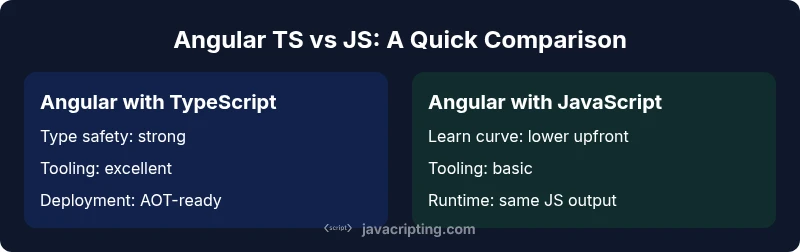
| Feature | Angular with TypeScript | Angular with JavaScript |
|---|---|---|
| Type safety | Strong static typing across components, services, and APIs | Dynamic typing; relies on runtime checks |
| Tooling and IDE support | Excellent autocomplete, refactoring, and error diagnostics | Good, but less expressive type feedback |
| Decorators & DI integration | Native TypeScript decorators; explicit DI contracts | Requires custom patterns; looser coupling |
| Learning curve | Steeper at first due to TS concepts | Lower initial barrier but higher risk of runtime surprises |
| Maintenance & refactoring | Safer refactors; clearer data contracts | More brittle without typings |
| Compile-time checks | Template and code checks during compilation | Fewer compile-time guarantees |
| Runtime performance impact | No runtime overhead; TS is compiled away | No TS layer at runtime |
| Migration effort | Incremental adoption supported by TS tooling | Contains fewer language features; less structured migration |
Benefits
- Improved code quality and fewer runtime errors
- Enhanced IDE support and faster refactors
- Clear API boundaries and better onboarding
- Stronger design contracts across the team
The Bad
- Steeper learning curve for beginners
- More boilerplate and setup for TS projects
- Dependency on type definitions for third-party libraries
- Potential for mismatched typings during migration
TypeScript-powered Angular is the better choice for scalable, maintainable apps.
For large teams and long-lived projects, TS provides stronger safety nets and clearer architecture. Angular’s tooling is designed around TS features, which translates to more predictable refactors and better onboarding. If you expect growth, TS is the prudent path.
Questions & Answers
What is the main reason Angular uses TypeScript?
The main reason Angular uses TypeScript is to provide static typing, decorators, and a cohesive API surface that aligns with Angular’s architectural patterns. This enhances tooling, refactoring safety, and maintainability.
Angular uses TypeScript mainly for strong typing and decorators to support scalable architecture.
Can I use JavaScript with Angular at all?
Yes, you can use JavaScript in Angular, but you’ll miss many TypeScript benefits like compile-time checks and robust typings. A common approach is to start with TS and gradually introduce JS where appropriate.
Yes, you can, but you’ll miss the type safety and tooling benefits TS provides.
How do I migrate from JavaScript to TypeScript in Angular?
Start by enabling strict mode in tsconfig, convert one module at a time, and introduce interfaces for data contracts. Use the Angular CLI to scaffold TS components and progressively replace JS files, monitoring build errors and tests.
Begin with strict TS settings and migrate modules gradually.
Will TypeScript affect runtime performance in Angular?
No. TypeScript compiles down to JavaScript, so there is no inherent runtime performance cost. The gains come from safer code and better tooling, not runtime overhead.
TypeScript doesn’t slow down your app at runtime; it’s compiled away.
Should beginners start with TypeScript or JavaScript in Angular?
Starting with TypeScript is generally recommended in Angular because it teaches safer patterns from the outset and aligns with Angular’s core tooling.
If you’re new, TypeScript + Angular is usually the better path.
What to Remember
- Choose TypeScript for larger Angular apps to improve safety and maintainability
- Leverage decorators and DI with TS for clearer module boundaries
- Adopt incremental TS migration to minimize risk
- Rely on Angular CLI and AOT for performance gains
- Invest in team-wide TS conventions to maximize benefits