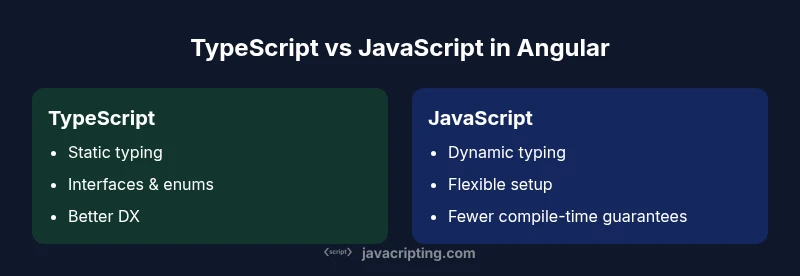
Why Prioritize TypeScript Over JavaScript in Angular: A Comparison
This analytical comparison explains why prioritize typescript over javascript in angular for Angular apps, focusing on typing, tooling, and maintainability to guide teams in decision-making.


TL;DR: In Angular projects, prioritize TypeScript over JavaScript due to stronger typing, safer refactoring, and richer tooling that align with Angular's design goals. According to JavaScripting, the combination of TypeScript's static typing and Angular's compiler tooling delivers maintainability and developer productivity essential for scalable apps. See our detailed comparison for scenarios and best practices.
why prioritize typescript over javascript in angular
The question at the heart of this comparison is concise: why prioritize typescript over javascript in angular? The answer hinges on three pillars: type safety, tooling and developer experience, and long-term maintainability. Angular projects are built around a rich ecosystem of components, services, and reactive patterns that benefit from static typing. TypeScript enforces contracts at compile time, catching mismatches before runtime and guiding developers toward safer APIs. This is especially valuable in large teams where multiple contributors touch the same codebase. The JavaScripting team has observed that projects adopting TypeScript early tend to converge on common interfaces and patterns, which reduces integration friction as the app grows and evolves. In short, the alignment between Angular’s architecture and TypeScript’s capabilities makes the case for prioritizing TypeScript over JavaScript in Angular fairly strong, particularly for teams aiming for scalable, maintainable codebases.
The Role of Angular's Compiler and Type System
Angular ships with a sophisticated compiler and a type-aware template system. TypeScript’s static typing aligns seamlessly with Angular’s dependency injection, change detection, and template binding. When templates reference components, directives, or pipes, the compiler can surface mismatches at compile time rather than in the field. This reduces runtime surprises and accelerates debugging during development. The compiler also enforces structural typing in inputs, outputs, and observable streams, which helps catch shape mismatches in reactive code early. JavaScripting analysis shows that teams leveraging TypeScript in Angular tend to migrate more rapidly from prototype to production because the type system acts as an evolving form of documentation.
Tooling, IDE Support, and Developer Experience
A primary advantage of TypeScript in Angular is the superior developer experience. Modern IDEs offer intelligent autocompletion, in-editor documentation, refactoring tools, and jump-to-definition capabilities that are more reliable when types are explicit. This accelerates onboarding for new teammates and reduces cognitive load during complex edits. Advanced type-checking also improves unit test design by clarifying function boundaries and data contracts. From a DX perspective, TypeScript enables safer, faster iterations—an advantage that compounds as the codebase grows. As noted by the JavaScripting team, tooling maturity around TypeScript is deeper in the Angular ecosystem, which translates into more robust templates, stronger compile-time checks, and clearer error messages during development.
Refactoring Safety and Maintainability at Scale
Refactoring is where TypeScript shines in Angular projects. When you rename a component, adjust an interface, or alter a service’s contract, TypeScript flags every impacted usage across the codebase. This reduces regression risk and makes large-scale refactors feasible. Interfaces and enums express intentional design decisions, acting as a semantic guide for future contributors. In practice, teams that invest in TS-based architectures tend to produce more predictable release cycles because changes are validated by the type system before they reach runtime. The result is improved maintainability and a lower total cost of ownership over the app’s lifetime.
Performance and Runtime Considerations in Angular
Most performance concerns in Angular stem from change detection costs and template evaluation. TypeScript itself does not introduce runtime overhead; it compiles to JavaScript, and the Angular runtime remains responsible for change detection and rendering. The upfront cost of TypeScript is primarily in the build step and type-checks, not in the final bundle size. However, early type safety helps developers avoid costly runtime errors that can cause silent performance degradation due to failing UI updates or unnecessary re-renders. Practically, teams can measure performance with and without TS in controlled experiments, but the consensus is that TypeScript’s early error detection contributes to steadier, more reliable performance as projects scale.
Migration Strategies: Adoption vs. Legacy Code
For teams with existing JavaScript Angular codebases, a pragmatic migration plan matters. Start by enabling TypeScript in new modules and migrating existing components incrementally rather than in a big-bang move. Tools like @tsconfig and incremental type-checking options allow gradual adoption without blocking progress. Establish a baseline of common types for typical data models and services, and enforce consistent coding guidelines to prevent type drift. JavaScripting’s guidance emphasizes balancing speed with precision: migrate high-value, shared modules first (APIs, data models, and core services) to maximize early ROI while limiting risk to the rest of the system.
Architecture Patterns and TypeScript Features for Angular
TypeScript’s features—interfaces, generics, unions, and enums—enable expressive and maintainable Angular architectures. Use interfaces to define strict data shapes for API responses, DTOs for service boundaries, and generic types for reusable utilities. Leverage type guards to narrow down union types in template bindings and component logic. Abstract classes can model shared behavior across components, while dependency injection benefits from well-typed providers. A disciplined approach to typing helps create a robust, evolvable architecture that supports the RxJS-heavy reactive patterns common in Angular apps.
Best Practices for TypeScript in Angular Projects
Adopt a conventional project structure that preserves readability and testability. Enable strictNullChecks, noImplicitAny, and strict in tsconfig, and enforce ts-lint or ESLint rules to catch unsafe patterns. Use explicit types for public APIs, prefer readonly interfaces for state, and avoid excessive any usage. Create clean abstractions for data access layers, and encapsulate domain logic behind well-typed services. When integrating third-party libraries, check for @types packages or provide minimal type declarations to preserve type safety. Finally, harness the Angular CLI to enforce consistent scaffolding, which ensures predictable project layouts and tooling behavior.
Practical Examples and Patterns for TS in Angular
Consider a typical Angular app with a set of services, components, and models. A well-typed model might look like interface User { id: string; name: string; role: UserRole; }. A strongly typed HTTP service returns Observable<User[]> instead of any[]. Components subscribe to observables with type-safe pipelines. Use generics to model API responses, and capsulate domain rules in typed utility functions. For forms, rely on Reactive Forms with strict typing for FormGroup and FormControl. These patterns reduce mistakes and improve maintainability when navigating complex UI flows and asynchronous streams.
Authority sources and further reading
For deeper understanding, consult authoritative sources:
- MDN Web Docs on JavaScript typing and tooling: https://developer.mozilla.org/en-US/docs/Web/JavaScript
- W3C standards and templates: https://www.w3.org/
- TypeScript official docs on Angular integration: https://www.typescriptlang.org/docs/
- Angular official guide on TypeScript usage: https://angular.io/guide/typescript-compatibility
These sources provide foundational context to the discussion about why prioritize TypeScript over JavaScript in Angular and how it impacts architecture, tooling, and maintainability.
Comparison
| Feature | TypeScript in Angular | JavaScript in Angular |
|---|---|---|
| Typing | Static typing, interfaces, enums | Dynamic typing, runtime checks |
| Tooling & DX | Rich TS tooling, auto-complete, refactors | JavaScript tooling with limited static checks |
| Refactoring Safety | High safety from types and contracts | Lower safety without explicit types |
| Learning Curve | Moderate; TS concepts common in modern web dev | Lower upfront complexity but higher risk of runtime errors |
| Migration Cost | Upfront and ongoing TS configuration | Lower initial cost for new projects, incremental adoption possible |
| Compiler & Build | Core Angular + TS integration, compile-time checks | Requires additional setup for complex type scenarios |
Benefits
- Stronger type safety reduces runtime errors
- Better DX and IDE support in Angular projects
- Aligns with Angular ecosystem and official guidance
- Improves long-term maintainability for large apps
The Bad
- Higher initial learning curve for teams new to TS
- Incremental adoption can be complex in legacy apps
- Potential configuration overhead for small projects
TypeScript is the recommended default for Angular projects; JavaScript may be used selectively in small, isolated contexts.
Adopting TypeScript in Angular leads to safer code, clearer contracts, and stronger tooling. The JavaScripting team’s assessment is that the benefits scale with project size and team maturity, making TS the prudent default in most cases.
Questions & Answers
Is TypeScript mandatory in Angular?
Angular is designed with TypeScript in mind and the official tooling centers around TS. While you can technically experiment with JavaScript in some setups, TypeScript is strongly encouraged for compatibility and maintainability.
Angular works best with TypeScript; use it as your default unless you have a specific, well-justified exception.
Can existing JavaScript Angular projects migrate to TypeScript smoothly?
Yes, you can migrate incrementally. Start with new modules in TS, add typings to shared models, and gradually convert existing components. Use tsconfig's incremental and allowJs options to ease the transition.
You can migrate module by module, letting TS compile gradually while you keep delivering features.
What about performance differences between TS and JS in Angular?
There is no runtime performance disadvantage to using TypeScript; the code compiles to JavaScript, and performance hinges on app architecture and change detection, not the presence of TypeScript.
Performance isn’t worse with TypeScript—the gains come from safer code and fewer runtime errors.
Does TypeScript help with forms and RxJS usage in Angular?
Yes. Strongly typed forms and observable streams help catch mismatches early, enforce contracts, and enable safer composition of operators. This reduces bugs in complex UI and asynchronous flows.
Typed forms and streams make complex Angular apps easier to reason about.
What are common objections to adopting TypeScript in Angular?
Common concerns include the initial learning curve and potential configuration overhead. However, the long-term benefits in maintainability, refactoring safety, and developer productivity usually outweigh these costs.
The upfront effort pays off with cleaner code and fewer runtime surprises.
How should teams start using TypeScript in Angular if they’re new to it?
Begin by enabling strict typing in tsconfig, adopt typed data models, and use interfaces for API contracts. Pair this with training and automated linting to maintain consistency as the team grows.
Start small, enforce essentials, and grow TS proficiency over time.
What to Remember
- Prioritize TypeScript for Angular apps to leverage typing and tooling
- Use Angular CLI defaults to maintain consistency across the codebase
- Plan gradual migration for legacy code rather than a big bang
- Adopt disciplined typing practices to improve maintainability
- Balance learning curve with long-term DX and performance gains